
How to Make the Desert Car Jump AI Video From One Photo (2026)
The viral AI video where a car flies over you in the desert: what the trend is, how to make it from one selfie in four steps, what it costs and how to get the car you want.
Short answer: open the Desert Car Jump AI page, keep the original clip or tap Recreate this on the example with the car you like, add one clear photo of yourself and tap Generate. In 3 to 8 minutes you sit perfectly still in a folding chair at golden hour while an off-road SUV launches over the dune and flies right over your head. No stunt, no editing and no prompt needed. Details below were checked on October 28, 2026.
What the Desert Car Jump Trend Is
The shot looks like a film poster: a calm figure in a folding chair, a desert ridge behind them, and a heavy SUV flying overhead in slow motion in a burst of sand. The person in the chair does not even blink. That contrast between total calm and total chaos is the whole joke.
It spread on TikTok from early October 2026, with dozens of "how to make the desert car jump trend" tutorials posted in the first week alone. Since then people have flown G Wagons, pickups, crossovers and even fire trucks over their heads. You will also see it called the car jump AI trend, the flying car desert trend or "the car flies over you" video.
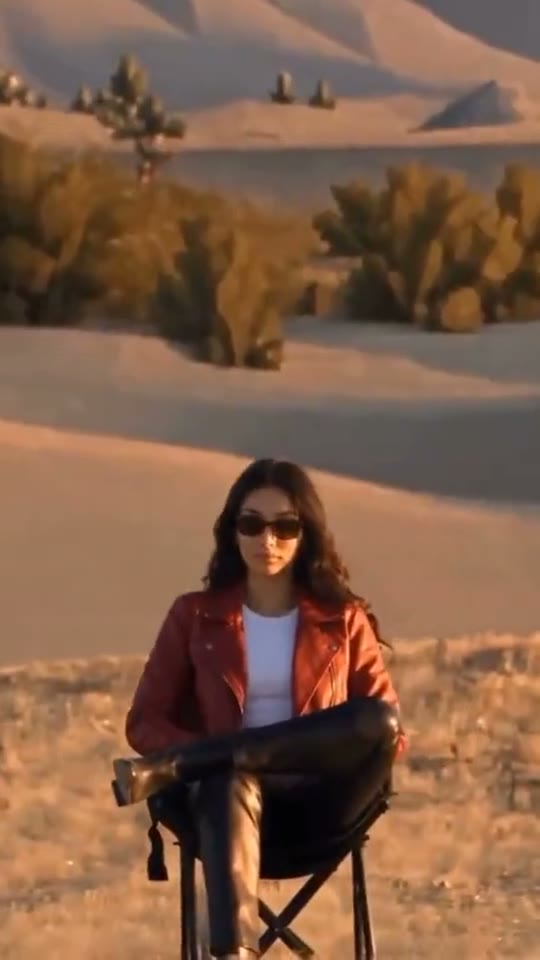
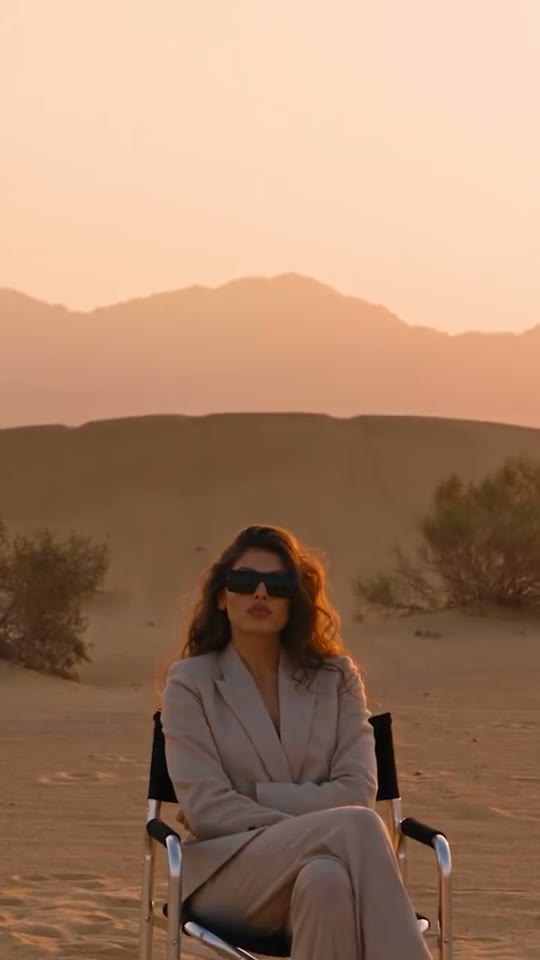
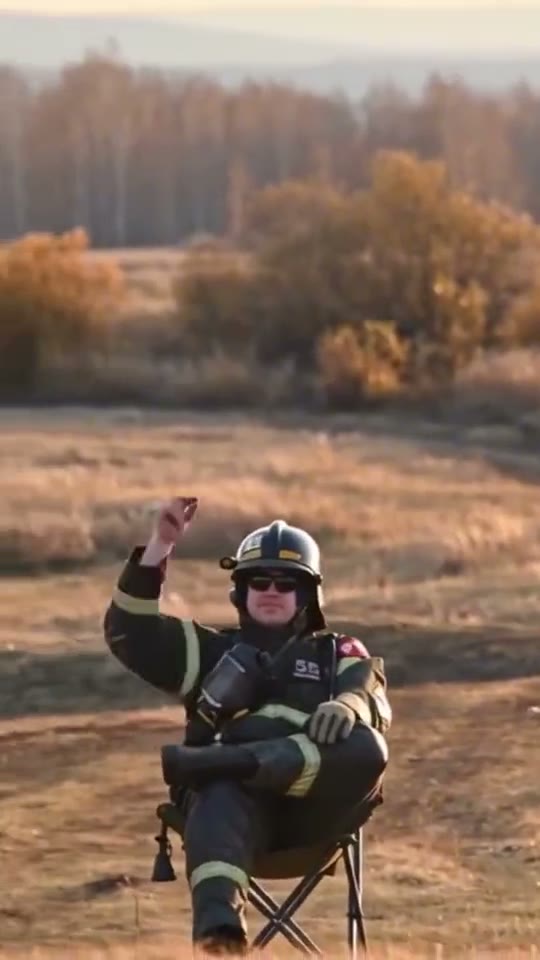
Three takes from the Desert Car Jump AI page, each with a different car.
How to Make It in Four Steps
- Open the page. Go to Desert Car Jump AI. The original desert clip is already loaded in the generator.
- Pick your car. Keep the original black SUV, or tap an example with another car (a red off roader, a white crossover, a fire truck) and tap Recreate this. Recreate uses that example's own video, so you keep its car, its desert and its timing.
- Add one photo. Tap the + and add one clear photo of one person, full body if you have it.
- Generate. Check the price on the button, tap Generate, and tap Download MP4 when it is ready, usually 3 to 8 minutes later.
What Photo Works Best
- Full body, ideally sitting. The shot shows you in the chair from head to toe, so a full length photo keeps your proportions right.
- Sunglasses are welcome. Most of the best versions wear them. The outfit and accessories in your photo carry into the video.
- Daylight. The clip is warm golden hour light; a daylight photo blends in best.
- One person. Crop out friends before you upload.
- Not allowed: photos of children, or of adults who did not agree.
Can I Use My Own Car?
Yes, in words. Switch on Prompt and describe your car: its color, model and anything special about it, and the car in the air follows your description. Or pick the example whose car is closest to yours and start from that. A few tools ask for a separate photo of your car; on SlapClip you describe it instead.
What It Costs
SlapClip bills per second of video: 1 credit per second at 720p, the default (0.5 at 480p, 3 at 1080p). The takes on the Desert Car Jump page run 6 to 13 seconds, so a video costs 6 to 13 credits at 720p. Credits come in one time packs: 15 credits for $9.99, 45 for $24.99 and 100 for $49.99, with no subscription. The price is on the Generate button before anything is charged, and failed renders are refunded automatically.
Tips for a Better Jump
- Look bored. The calmer the person in the chair, the funnier the shot. A photo with a neutral face works well.
- Dress for the poster. A suit, a leather jacket or a team jersey makes it look like a film still.
- Match the car to the person. A firefighter with a fire truck, a football fan with a team colored truck, a birthday person with their dream car.
- Add your caption when you post. The video has no text on it, so the caption is yours.
Fixing a Result That Looks Off
- The face does not look like you. Use a sharper photo where the face is bigger in the frame.
- The body looks stretched or the legs look odd. Use a full body photo, ideally sitting, so the model does not have to invent your legs.
- The car is wrong. Switch on Prompt and name the car, or start from an example with a closer car.
Frequently Asked Questions
What AI tool makes the videos where a car flies over you in the desert?
SlapClip's Desert Car Jump AI page makes them from one photo in the browser, with no app to install and no watermark on the MP4.
Can I turn a selfie into the desert car jump meme without editing?
Yes. Upload one photo and tap Generate. A full body photo gives the best result, but a clear selfie works.
How long is the video?
As long as the take you pick: the clips on the page run 6 to 13 seconds, in vertical 9:16 for TikTok, Reels and Shorts.
Is it a real stunt?
No. Nobody sits under a flying car; the whole shot is made with AI from your photo.
Where can I find more trends like this?
On the trends page. Every trend opens in the same generator, and new ones arrive almost every day.