
How to Make the Giant Hands Dress Up AI Video (2026 Guide)
Make the viral Giant Hands Dress Up AI video, the living doll trend, with your own photo: what the trend is, how to pick the outfit, the four steps, what it costs and how to fix a result that looks off.
Short answer: open the Giant Hands Dress Up AI page, keep the original living doll clip or tap Recreate this on an example, add a full body photo of yourself and, if you want a specific look, a photo of the outfit, then tap Generate. In 3 to 8 minutes the camera holds still while two giant hands take off your pajamas and dress you in the new outfit, down to the shoes and the bag. No storyboard, no prompt and no editing. Details below were checked on October 28, 2026.
What the Giant Hands Dress Up Trend Is
A person stands perfectly still in a bright room, like a doll on a shelf, wearing pajamas. Two giant human hands reach in from off screen, slip the pajamas off over a plain tank top and shorts, and dress them piece by piece: a dress or a suit, socks and shoes, a necklace, a bag. The camera never moves, and the person ends posed in the finished look.
Giant hands styling a tiny person first spread on TikTok and Instagram in summer 2026. In late October 2026 the fixed camera version took off again as the living doll trend, also called doll makeover, and creators remade it with party dresses, office looks, school uniforms and movie character costumes. In China it spread as 真人换装, the "real person dress up".
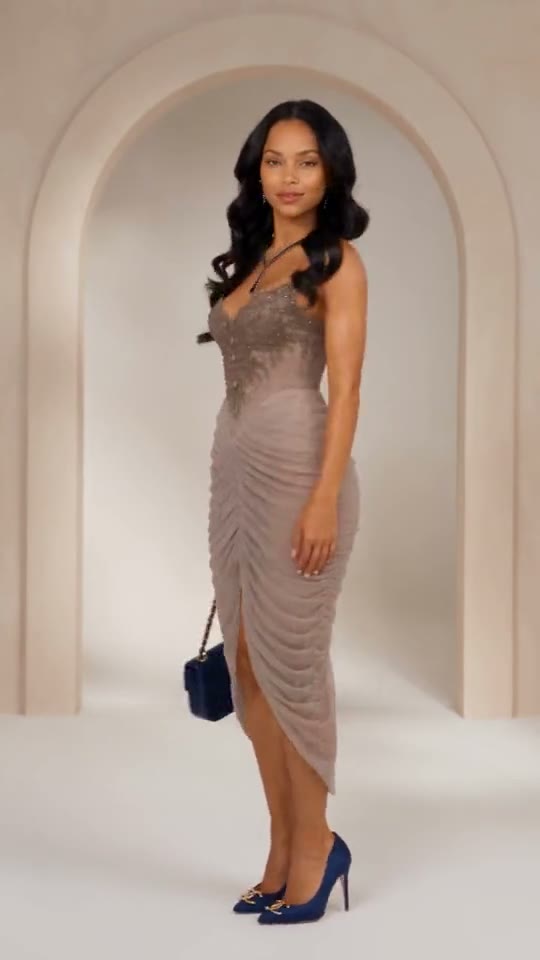
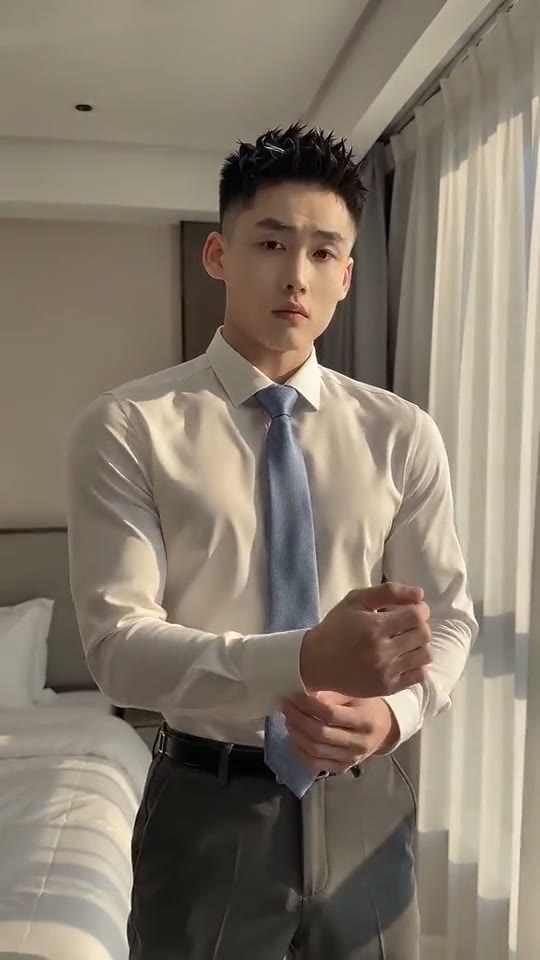
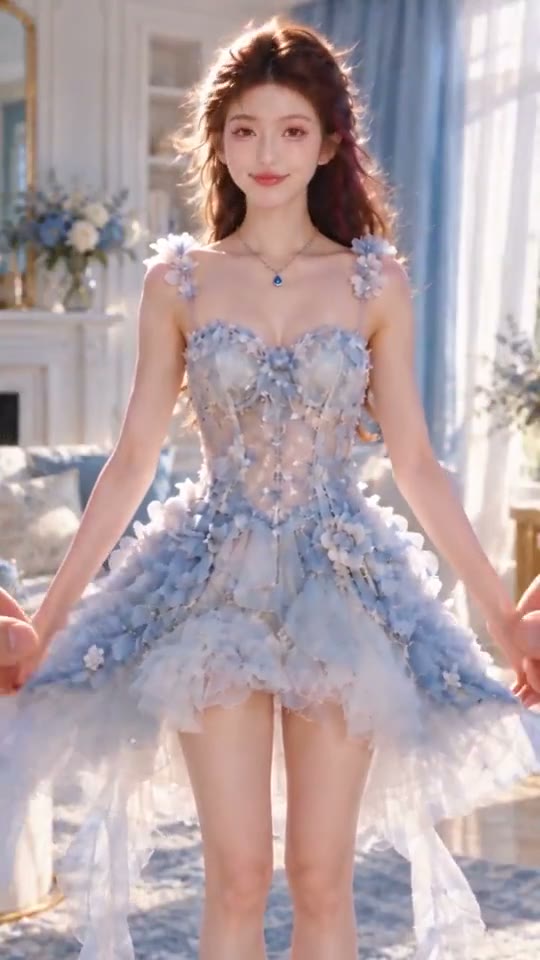
Three looks from the Giant Hands Dress Up AI page: a night out dress, a shirt and tie, and a fairy tale gown.
How to Make It in Four Steps
- Open the page. Go to Giant Hands Dress Up AI. The original living doll clip is already loaded in the generator.
- Pick a look. Keep the original, or tap an example (a mocha dress, a shirt and tie, a camel coat) and tap Recreate this. Recreate uses that example's own video, so you keep its room, its outfit and its timing.
- Add your photos. Tap the + and add a full body photo of yourself as Photo 1. For a look of your own, add a photo of the outfit as Photo 2; leave it empty and the hands pick one for you.
- Generate. Check the price on the button, tap Generate, and tap Download MP4 when it is ready, usually 3 to 8 minutes later.
What Photos Work Best
- Photo 1, you, full body. The clip shows you head to toe, so use a standing photo with your face clearly visible and your feet in the frame.
- Photo 2, one outfit. A product shot from a store, a mirror selfie or a flat lay all work. Keep one outfit in the picture, with nothing else around it.
- Soft, even light. The clips are bright rooms in daylight. A photo without hard flash blends in better.
- One person per photo. Crop out anyone else.
- What stays on. The video follows the clip you pick. Every clip on the page keeps a base layer on (a tank top and shorts, a bodysuit or trousers) while the hands change the outfit. If you add your own prompt, it shapes the result too, so keep it about the clothes.
- Not allowed: photos of children, or of adults who did not agree.
What It Costs
SlapClip bills per second of video: 1 credit per second at 720p, the default (0.5 at 480p, 3 at 1080p). The original living doll clip is 14 seconds, so it costs 14 credits at 720p, which fits in the 15 credit starter pack. The other looks on the page run 8 to 20 seconds, so 8 to 20 credits. Credits come in one time packs: 15 credits for $9.99, 45 for $24.99 and 100 for $49.99, with no subscription. The exact price is on the Generate button before you start, and failed renders are refunded automatically.
Ideas for the Outfit
- The one in your cart. Screenshot the dress or suit you are about to buy and see it on you first.
- A big day look. Wedding guest, graduation, a first day at work: the jump from pajamas makes it land.
- A character. A school uniform, a wizard robe or a princess gown. Costumes with a coat, a tie or a prop give the hands more to do.
- A couple's version. Make one each in matching or opposite outfits and post them side by side.
Fixing a Result That Looks Off
- The face does not look right. Use a sharper photo where your face is larger. Full body photos taken from far away are the most common cause.
- The outfit is not quite the one you picked. Use a clearer outfit photo with a plain background, or switch on Prompt and name the key pieces, such as "black blazer, white tee, loafers".
- The hands look strange. Hands are hard for every AI video model. Retry once or pick another look; a failed render costs nothing.
Frequently Asked Questions
What app does the giant hands dress up trend?
SlapClip's Giant Hands Dress Up AI page does it in the browser with your photo. There is no app to install, no storyboard to write and nothing to film.
Can I choose the outfit?
Yes. Add a photo of the outfit as the second photo and the hands dress you in it.
Do I need an outfit photo?
No. Leave the second photo empty and the hands pick a stylish look, like the examples on the page.
How long is the video?
As long as the look you pick: 8 to 20 seconds on this page, in vertical 9:16 for TikTok, Reels and Shorts.
Where can I find more trends like this?
On the trends page. New trends arrive almost every day, and every one of them opens in the same generator.