
How to Make the Window Peeper AI Video With Your Own Photo (2026)
A step by step tutorial with screenshots: put yourself in the viral window peeper video, the night-time zoom on a lit window, the burger, the stare and the curtain. What to upload, what it costs and how to fix a result that looks off.
Short answer: open the Window Peeper AI page, keep the original window clip or tap Recreate this on any example, add one clear photo of yourself, tap Generate and pay at checkout if you need a video. The finished MP4 is ready in 3 to 8 minutes: the camera zooms in on the lit window at night, you eat a burger, notice the lens, freeze and pull the curtain shut. Prices and screens below were checked on October 30, 2026.
What the Window Peeper Trend Is
The clip is 14 seconds long. A phone films a dark apartment block at night and slowly zooms in on the one lit window. Inside, someone sits at a small table by the glass eating a burger out of a paper bag. They look up, spot the camera, freeze mid-bite, stare straight into the lens and get up to close the curtain. It spread on TikTok as a template in the second half of October 2026; the Mr Bean version alone had 2.8 million views and 138,000 likes on October 30.
People search for it as "window peeper", "window peeper filter", "caught at the window", "the burger window trend" and "Mr Bean window filter". They all mean the same clip with somebody else in the window.
What You Need
- One photo. Front facing, face fully visible, good light; a phone selfie is fine. The clip ends on a close-up through the glass, so the face matters more than the body.
- The outfit you want at the table. The clothes in the photo are the clothes in the window.
- Price. One video is $9.99, whatever its length. The window clip runs 14 seconds and comes back as a vertical 720p MP4 with sound.
There is nothing to download, no CapCut template to find and no prompt to write.
Step 1: Open the Window Peeper AI Page
Go to the Window Peeper AI page. The generator sits at the top with the original window clip already loaded on the left, and the examples beside it: the tweed jacket take, the late night burger, the ghost mask, the red jersey and the rest.
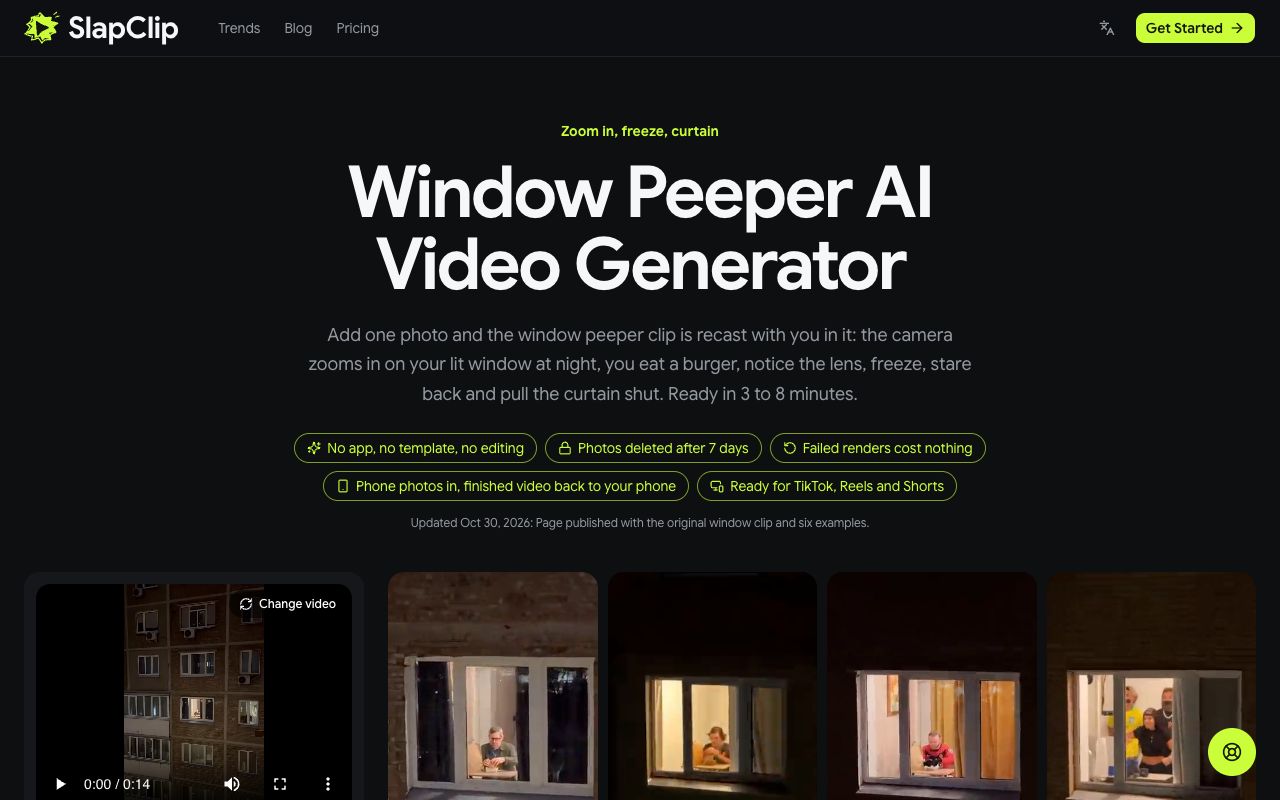
The tags under the title say what to expect: no app, no template, no editing; photos deleted after 7 days; failed renders cost nothing.
Step 2: Keep the Original or Pick an Example
Tap any example to open it. The dialog shows the clip, its length and the Recreate this button with the price. The original is listed first as "The Original", 14 seconds long, with no prompt needed.
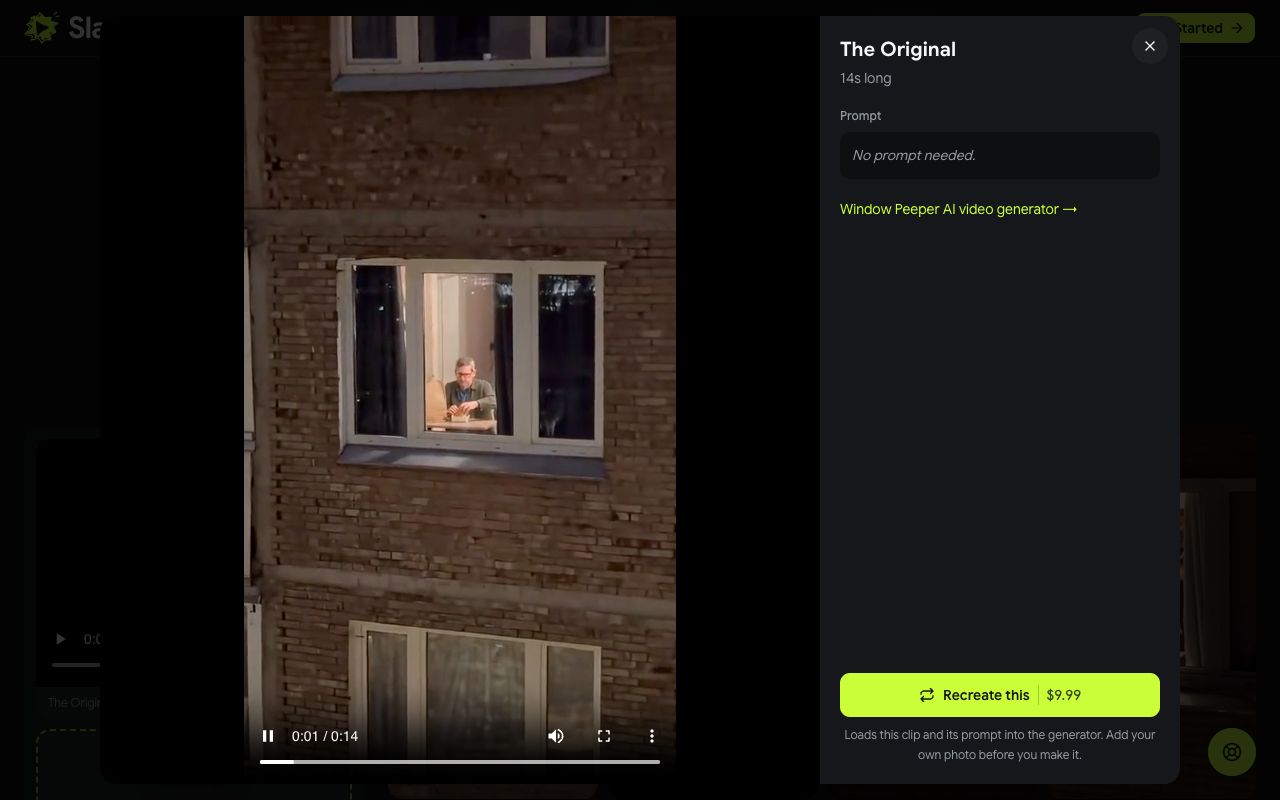
Tap Recreate this and that clip loads into the generator. Whatever you pick, the video you get is that clip with you in the window, so pick the take whose look is closest to yours: a jacket and tie, a plain tee, a football shirt, or the ghost mask if you want the Halloween version.
Step 3: Add Your Photo
A small note confirms the clip is loaded and asks for your photo. Tap + under "Characters, products & settings" and choose one photo. On a computer you can tap Photos on your phone? Scan to upload and send the photo from your camera roll instead.
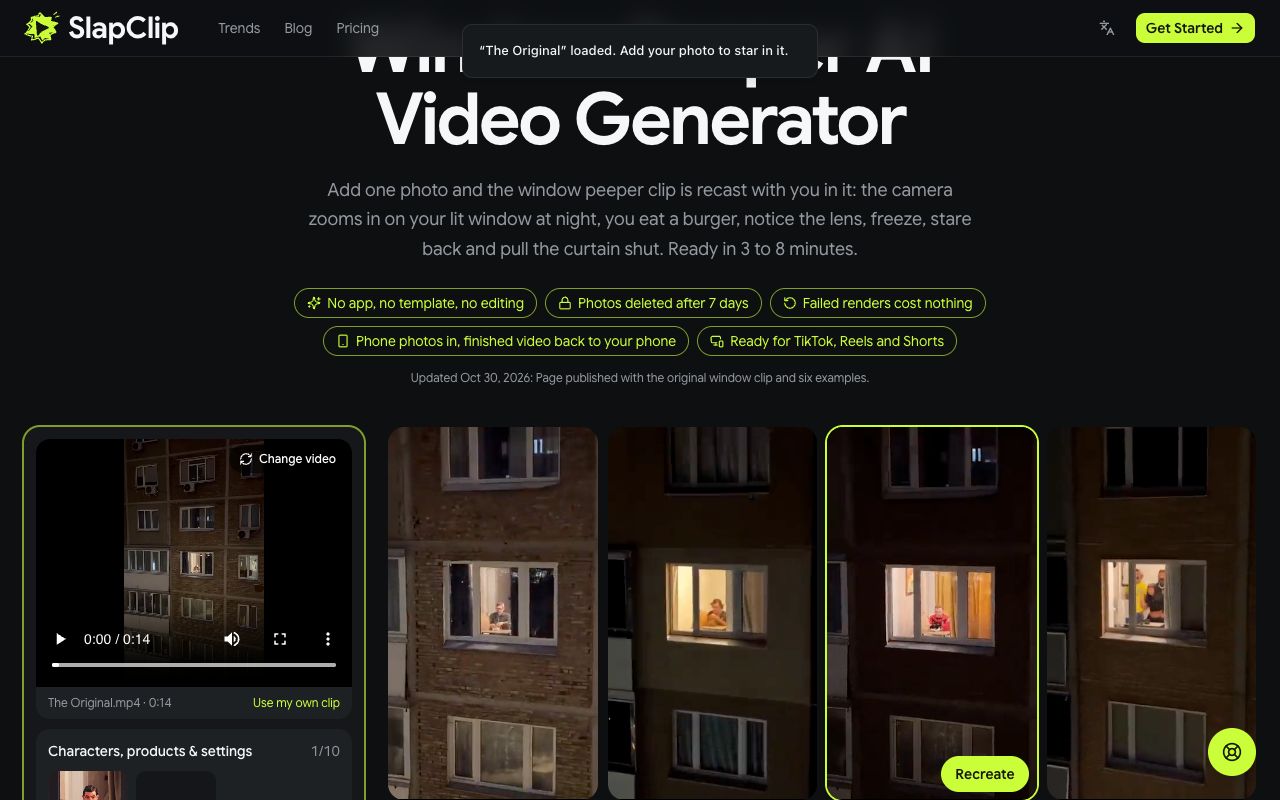
One person per photo. Leave Prompt off unless you want to change a detail, such as "a red hoodie"; the clip already carries the scene, the zoom, the burger and the curtain.
Step 4: Generate
The photo appears in the slot labelled 1 · You. Tap Generate. If you are not signed in, a sign-in sheet opens first; if you have no videos left, checkout shows the price before anything is charged.
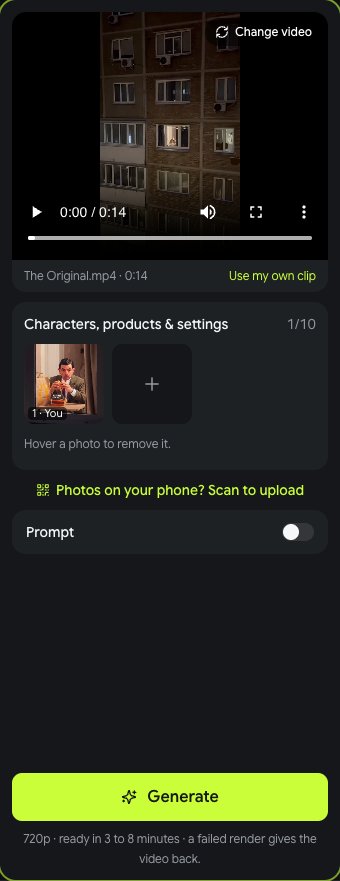
The line under the button says what you get: 720p, ready in 3 to 8 minutes, and a failed render gives the video back.
Step 5: Download and Post
Come back in 3 to 8 minutes and tap Download MP4. On a computer you can send the video straight to your phone with the code on the page. The file is vertical, keeps the clip's sound and has no watermark, so post it on TikTok, Instagram Reels or YouTube Shorts as it is, and label it as AI-generated, which both platforms ask creators to do.
If the Result Looks Off
- The face is not quite you. Use a sharper, front-facing photo in even light. No sunglasses, no hands on the face, no heavy filter.
- The wrong person is in the window. You uploaded a group photo. Send one face per photo.
- The outfit is wrong. The outfit comes from the photo; change the photo or describe the outfit with Prompt on.
- The render failed. The video is returned to your account automatically. The status card says why; change the photo and try again.
What It Costs
One window peeper AI video costs $9.99, whatever its length. The 3-video pack is $24.99 ($8.33 a video) and the 7-video pack $49.99 ($7.14 a video). Packs are one-time purchases with no subscription.
Window Peeper AI FAQ
Do I need the CapCut template? No. The TikTok tutorials paste a link into CapCut and swap a face onto the sample person. Here the clip is loaded on the page, you add one photo and the whole person is recast.
Can I put a friend or my pet in the window? One person per video. Make a second video from your friend's photo and post them one after the other. The person in the window should be an adult who agreed to be in it.
Can I use my own clip instead? Yes. Tap Use my own clip in the generator and upload an MP4 or MOV of up to 30 seconds; the photo goes into that clip instead.
How long does it take? 3 to 8 minutes for most renders. The video appears in My videos as soon as it is done.
See every trend on the trends page, or start in the generator.