
How to Make an AI Dog Dance Video From a Photo of Your Dog (2026)
A step by step tutorial with screenshots: make your dog stand up and dance from one photo, or put two dogs in one clip. Which photo to use, what it costs and how to fix a dog that looks like a different dog.
Short answer: open the AI Dog Dance page, keep the loaded dancing-dog clip or tap Recreate this on any example, add a clear photo of the whole dog (and a second dog if you picked a two-dog dance), tap Generate and pay at checkout if you need a video. The MP4 is ready in 3 to 8 minutes with your dog up on its hind legs, paws waving, head tilting, every move on the beat. Prices and screens below were checked on November 2, 2026.
What an AI Dog Dance Video Is
Dancing-dog clips have been a TikTok staple for years, but the AI version took off in winter 2025: in the US, Google searches for "ai dog dance" went from about 1,000 a month in November to 9,900 in January 2026, and they have stayed in the thousands since. Halloween and the holidays bring a new wave of them every year.
The idea is simple. A clip of a dancing dog is recast with your dog as the dancer. The moves, the camera and the timing stay the same, and your dog keeps its own breed, fur, markings and face while it stands up and dances.
What You Need
- One clear photo of your dog. The whole dog in frame, face visible, in good light. A second or third angle of the same dog keeps markings even more exact.
- A second dog, if you want a duo. The second photo slot is labelled "A second dog (optional)". Pick a two-dog example for it.
- Price. One video is $9.99, whatever its length. The examples run from about 8 to 30 seconds and come back as 720p MP4.
There is nothing to film, no template to find in another app and no prompt to write.
Step 1: Open the AI Dog Dance Page
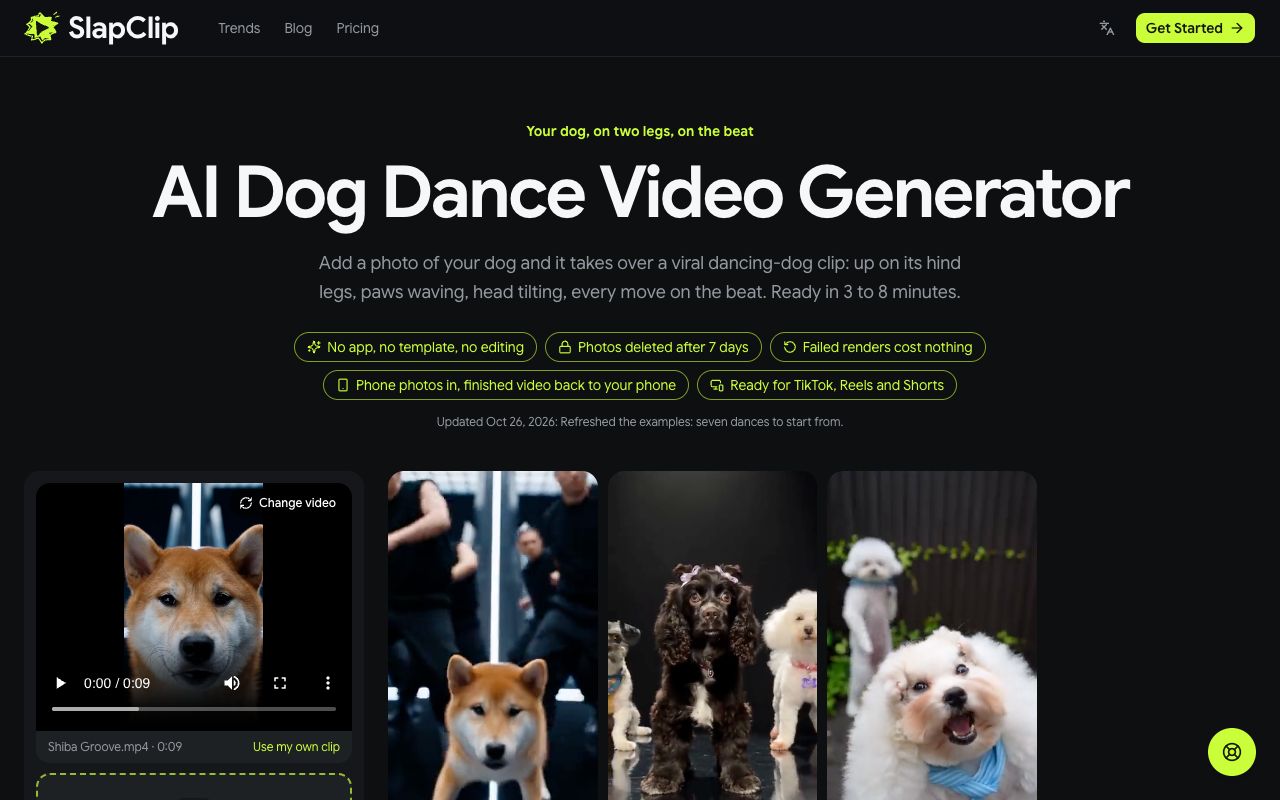
Go to slapclip.com/ai-dog-dance. The generator sits on the left with a dancing-dog clip already loaded, and the examples on the right show the dances you can start from: Shiba Groove, Stage Trio, Spotlight Puppy, Two-Dog Dance Party, Upright Rhythm Dance and more.
Step 2: Pick a Dance
Tap an example to open it. You see the finished video with sound, how long it is, the reference video it was made from, the photo that went in and a Recreate this button. In the screenshot below, Shiba Groove is 9 seconds long.
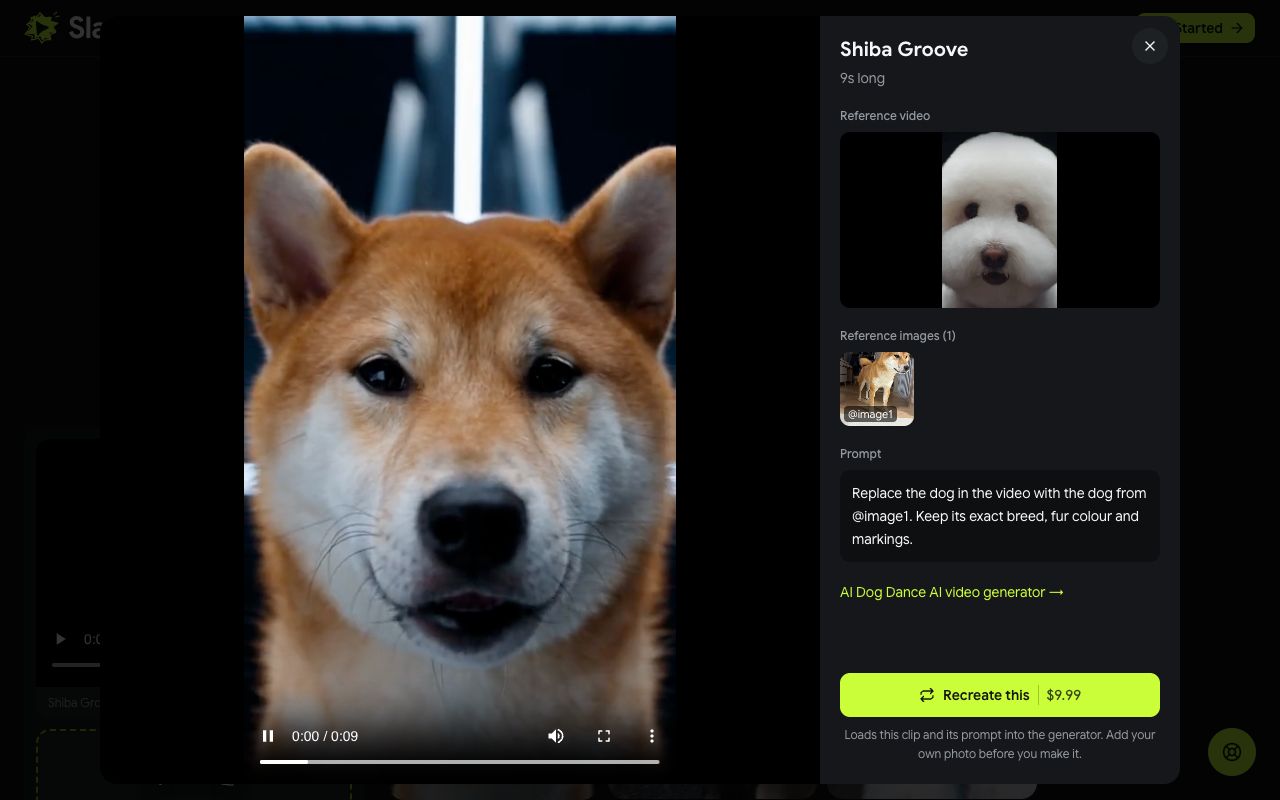
Recreate uses that same reference video and prompt, so your result keeps the moves and the timing and only swaps in your dog. Pick the dance whose energy fits your dog: a serious face doing a groove, a small dog doing big moves, or a fluffy coat swaying in a spotlight.
Step 3: Add Photos of Your Dog
After you tap Recreate this, a note confirms the dance is loaded and asks you to add your photo. Tap the + in the photo area and choose a picture of your dog. For a two-dog dance, add the second dog in the next slot.
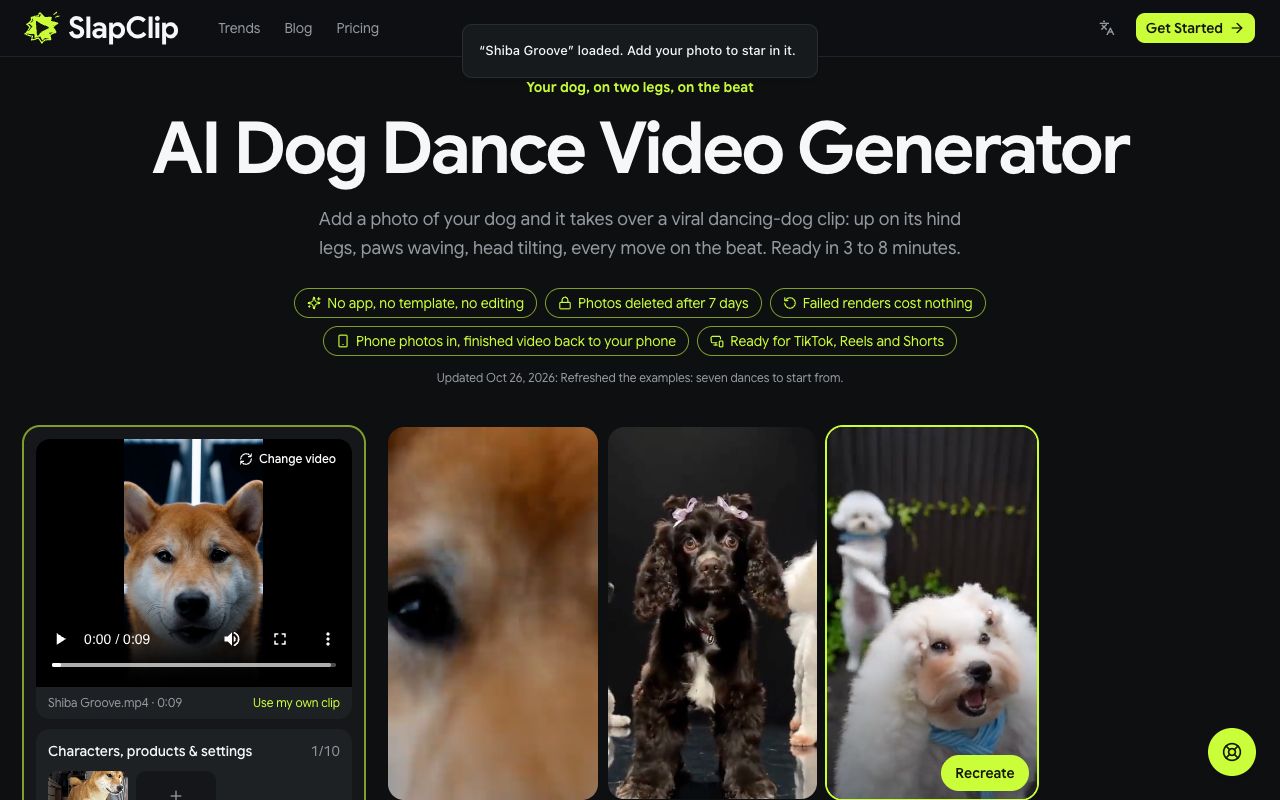
If you are on a computer but the photos are on your phone, use Photos on your phone? Scan to upload and pick them on the phone.
Step 4: Check the Price and Generate
Every video is 720p, so there is no size to choose. Checkout shows the price, $9.99 for one video, before anything is charged, and the 3 and 7 video packs are on the pricing page.
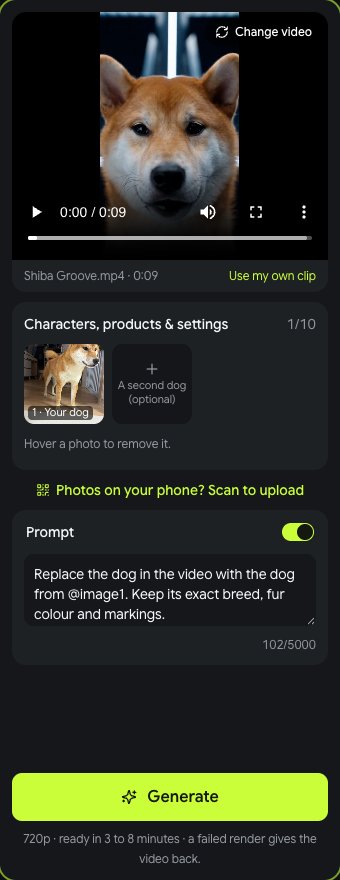
Tap Generate. Rendering takes 3 to 8 minutes, sometimes longer at busy times, and you can leave the page while it runs. When it is done, tap Download MP4, then add a trending sound from the TikTok or Instagram library when you post.
What It Costs
One video is $9.99, a pack of 3 is $24.99 and a pack of 7 is $49.99, one-time with no subscription (prices on November 2, 2026). Every dance costs the same, whatever its length. If a render fails, the video goes back to your account automatically.
Tips for a Dancer That Still Looks Like Your Dog
- Show the whole dog. Legs, tail and body give the dancer the right shape and size. A face only close-up leaves the model guessing.
- Use good light. Daylight keeps fur color and markings true. Dark rooms turn a brown dog grey.
- One dog per photo. If two dogs are in one picture, the model may mix them.
- Name the breed if it drifts. Switch on Prompt and add "a long-haired Chihuahua" or "a black and tan Shiba Inu".
- Match the dance to the dog. Small dogs look funniest in the big stage routines, and serious dogs in the groove.
Fixing a Result That Looks Off
- It looks like a different dog. Add a sharper photo or a second angle of the same dog and try again.
- The markings moved. Name the markings in the prompt, for example "white chest, black ears".
- The two dogs swapped places. Switch on Prompt and say which dog replaces which dancer.
Ideas People Are Making
- A birthday or gotcha day post with the dog dancing on stage.
- A senior dog getting one more big moment.
- Two dogs from the same house as a dance duo.
- A Halloween costume photo, so the dancer is already dressed up.
Cats can do it too on the AI cat dance page. You can find more on the trends page, or upload your own dance clip in the generator.
Frequently Asked Questions
Is there an AI dog dance filter?
No camera filter can make a real dog stand up and dance. Every dancing dog video you see is rendered from photos of the dog, which is what this page does.
Is there a free AI dog dance generator?
Not here. Every video is a new AI render, and the price shows at checkout before you start. Free apps usually paste a dog face onto a dancing person, which does not follow a real dance move for move.
Can two dogs dance together?
Yes. Start from a two-dog example and add a photo of each dog. Both keep their own fur and markings.
Does the video have music?
Add it when you post. Pick a trending sound from the TikTok or Instagram music library, which is how most dancing dog videos are posted.
Can I use my own dance clip?
Yes. Upload any 4 to 30 second clip with one clear dancer in it, add your dog's photo and the dancer is recast as your dog.