
Point, scold, palm to the lens
Jim Carrey Dance AI Video Generator
Add one photo and take Jim Carrey’s place in the viral angry pointing dance: the walk up to the camera, both fingers pointing, the scolding, the palm at the lens and the turn away, in the same grey kitchen. Ready in 3 to 8 minutes.
Updated Nov 2, 2026: Page published with the original clip and six examples.
Add a photo of who should star in the video.
About the trend
What Is the Jim Carrey Dance AI Trend?
SlapClip is a Jim Carrey dance AI video generator: add one photo and the 14 to 15 second angry pointing dance clip is recast with you in it. Your whole body does the routine, the pointing, the scolding, the palm at the lens and the turn away, in the same grey kitchen, in 3 to 8 minutes.
The Routine
A walk up, two pointing fingers, scolding, a palm at the lens.
Close to the Lens
Most of it happens a hand’s length from the camera.
The Sound
The audio from the clip you pick, under every move.
Your Whole Body
Face, hair and outfit from your photo, not a face pasted on.
It started as the Bad Times angry dance, a pointing and scolding routine on TikTok: a template post from October 2, 2026 passed 4.4 million views. On October 25, 2026 an AI clip of Jim Carrey doing it in a red corduroy jacket in a grey kitchen took off, and a tutorial for it passed 280,000 views within days.
The original: Jim Carrey Bad Times kitchen dance (AI)
Also known as: Jim Carrey dance AI trend, Jim Carrey pointing finger dance, Jim Carrey pointing finger AI, Jim Carrey angry dance filter, Jim Carrey angry dance AI, Angry dance AI, Angry dance filter, Bad Times AI, Bad Times dance trend, Bad Times dance by Imael Angel, Bad Times angry dance AI, Jim Carrey dance from one photo, Put my face in the Jim Carrey dance, Jim Carrey dance AI free, Pointing finger dance AI
Updated Nov 2, 2026
Your photos
The clip
Your video
How to Make a Jim Carrey Dance AI Video
Making a Jim Carrey dance AI video takes one photo and 3 to 8 minutes. The original kitchen clip is already loaded in the generator at the top of this page, so there is no template link to find, no moves to practice and nobody has to film anything.
- 1
Keep the Clip or Pick a Take
The original Jim Carrey kitchen clip is loaded for you. To star in one of the examples instead, tap Recreate on it to load that take.
- 2
Add Your Photo
Tap + and add one clear photo of yourself, facing the camera.
- 3
Generate and Post
Checkout shows the price before anything is charged. Tap Generate, then Download MP4 3 to 8 minutes later. The sound is already in the clip.
Who to Put in Jim Carrey’s Place
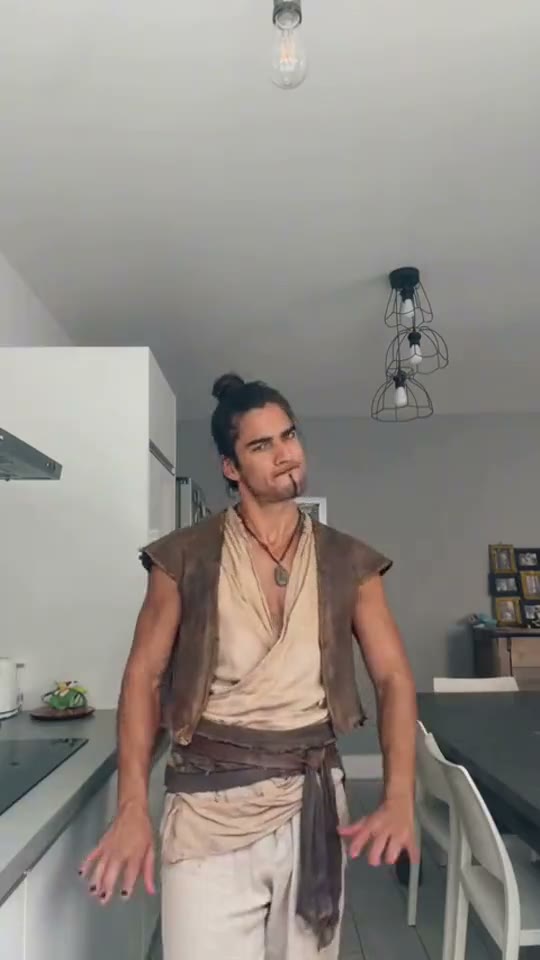
The angry dance is funniest on someone who never scolds anyone: your calm friend, your dad, your boss, a chef in whites, someone in angel wings. Pick the Jim Carrey dance AI example closest to the look you want, then add the photo of whoever deserves to point at the camera.
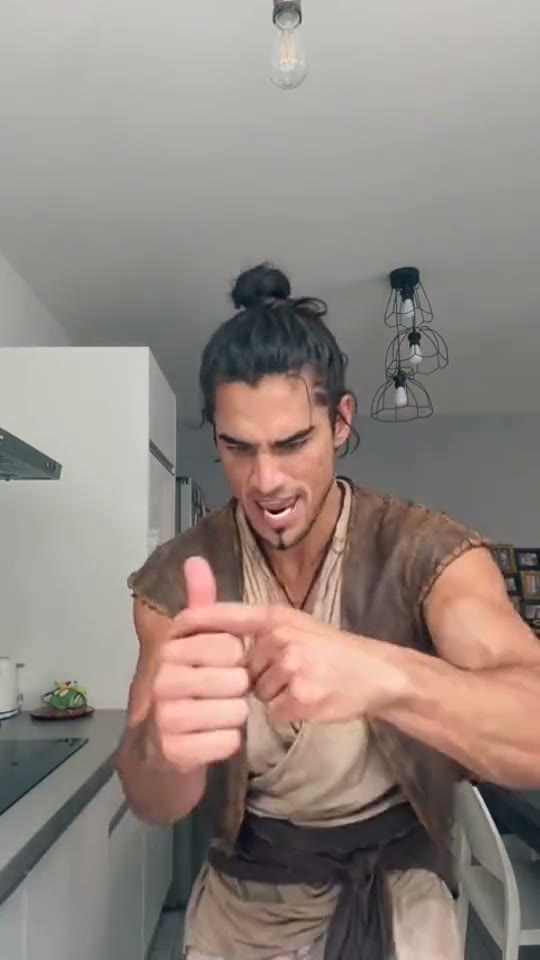
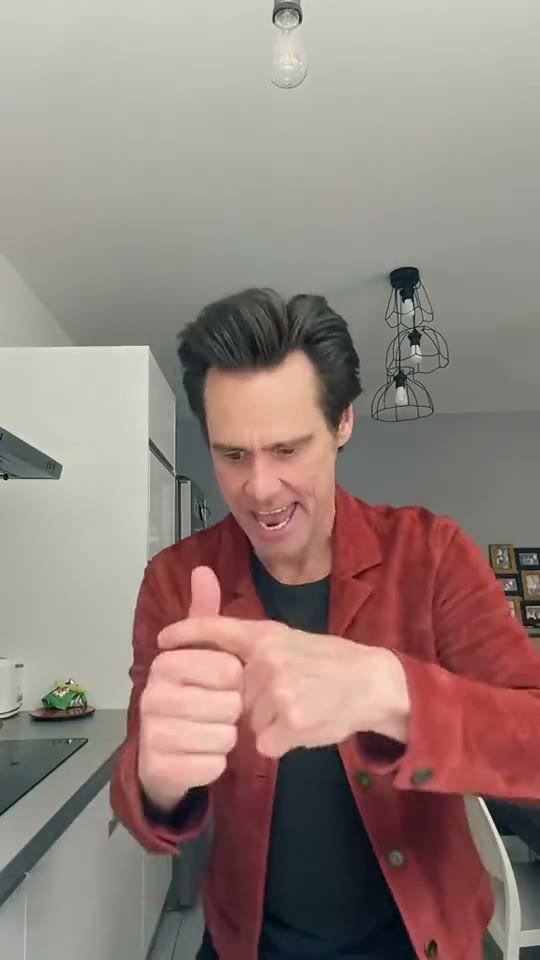
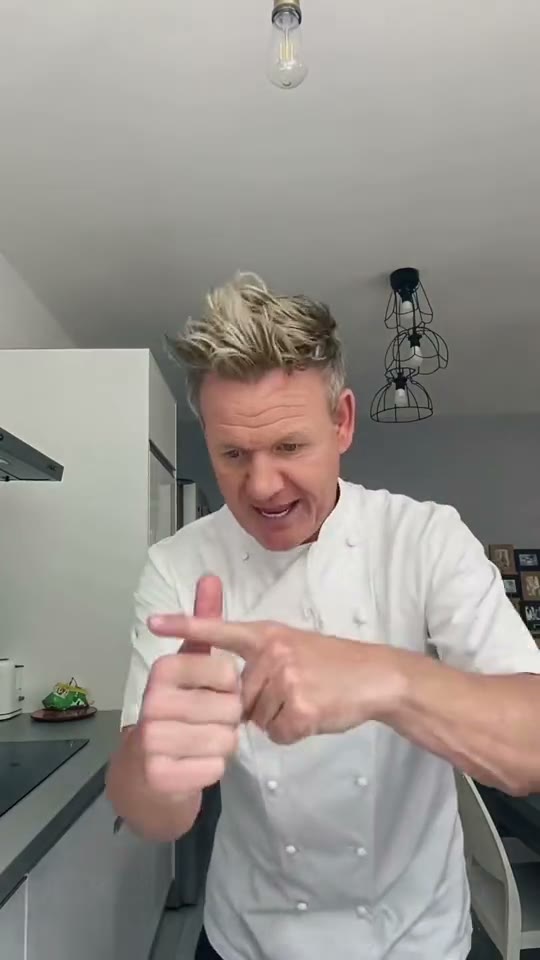
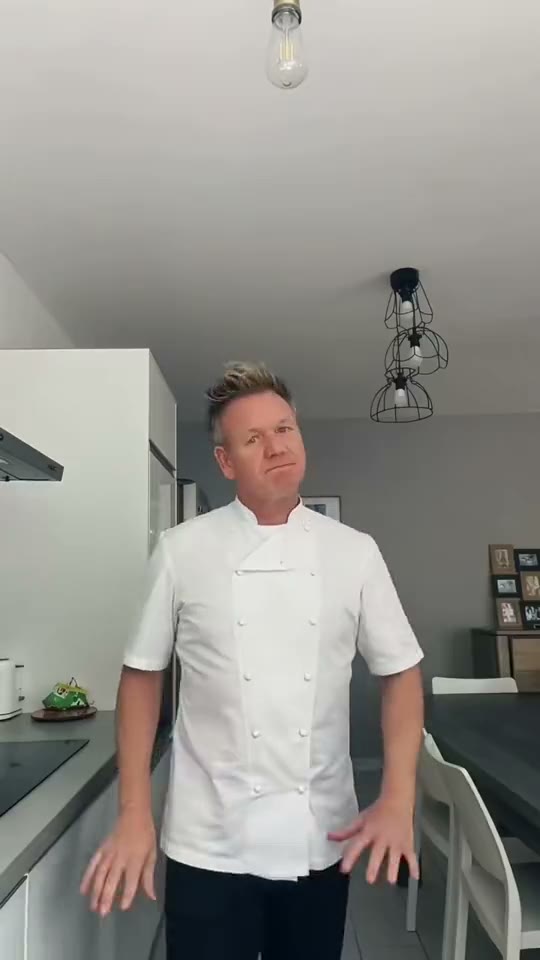
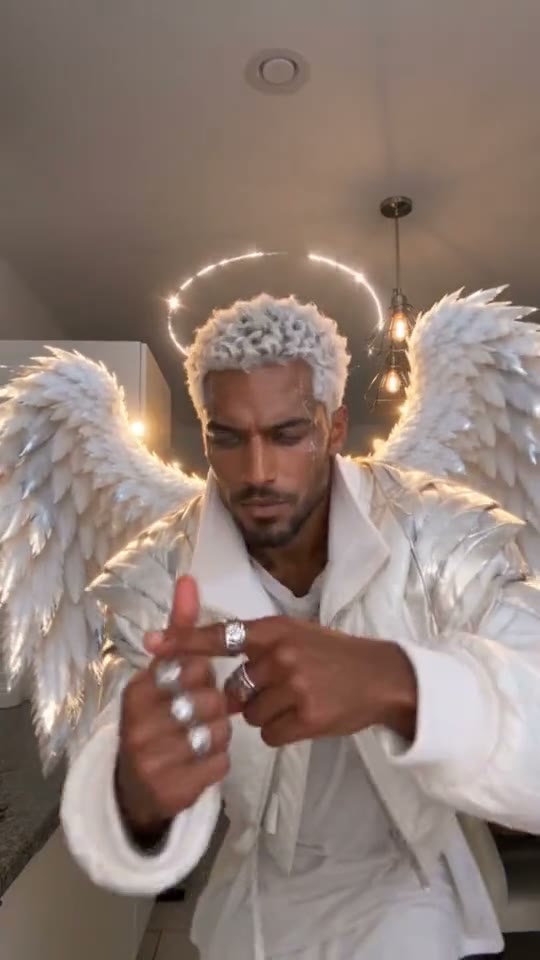
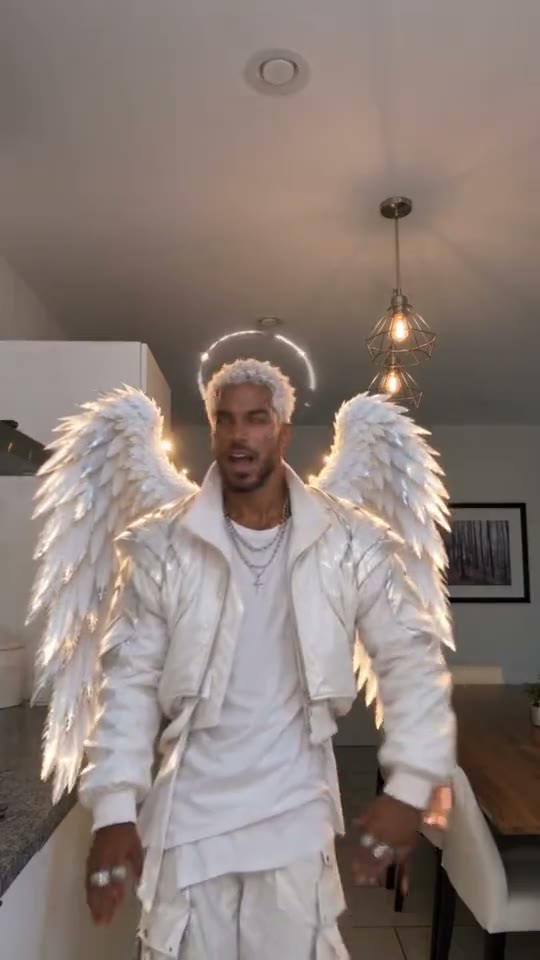
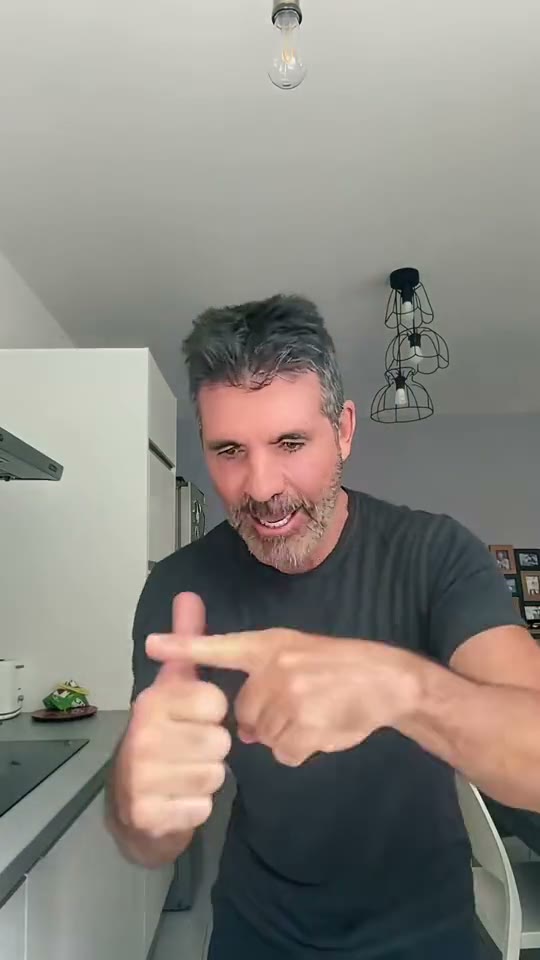
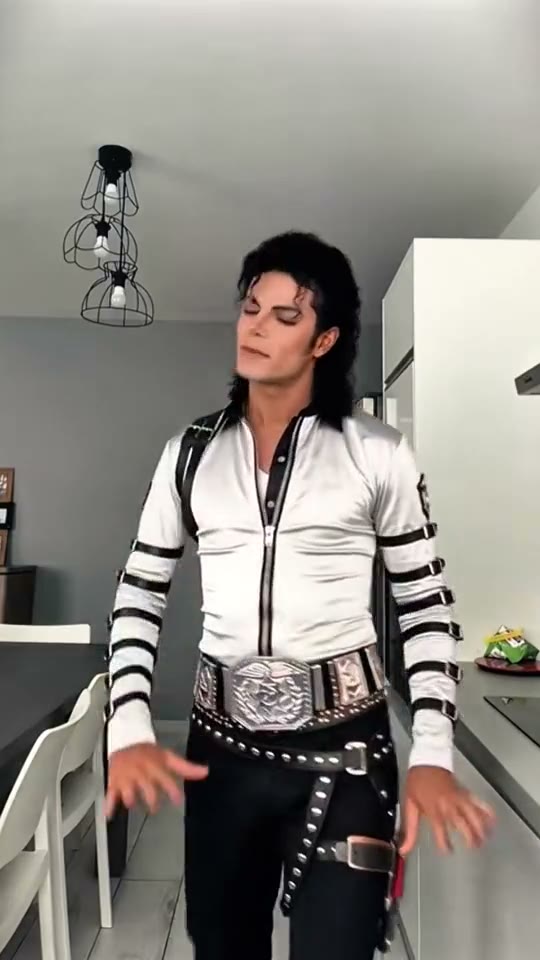
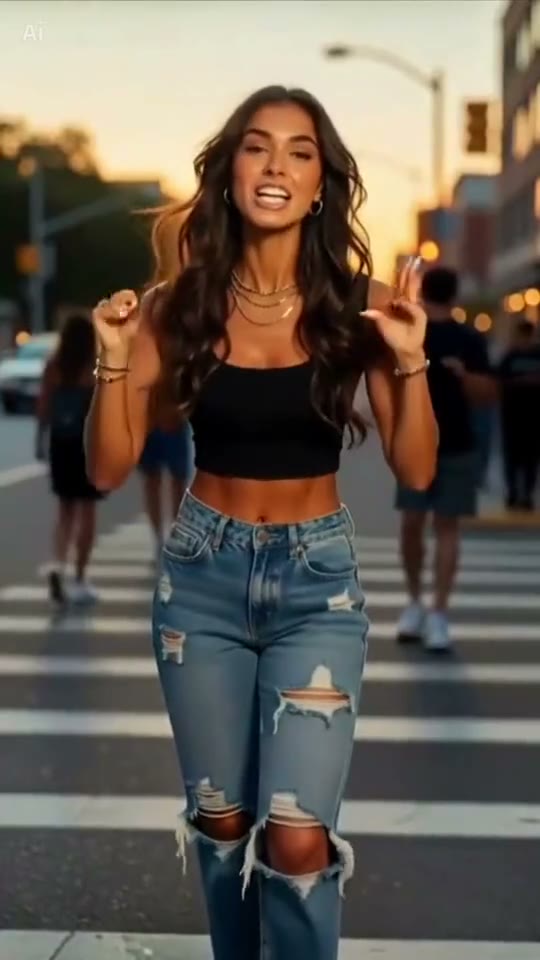
More Takes People Make
Any clear photo of an adult works, as long as you have their OK. Calm people and people in uniforms get the biggest laughs.
- Yourself
- Your dad
- Your boss
- Best friends
- Coworkers
- Your teacher
Tips for a Better Jim Carrey Dance Video
The dancer spends most of the clip a hand’s length from the lens, so the face and the hands carry the joke. A sharp, front-facing photo with your face large and well lit works best, and a waist-up photo gives the step back and the turn something to work with.
Face Large and Sharp
Front-facing, in focus, the face clearly visible.
Show the Outfit
Waist up or full body, so the jacket or uniform comes through.
Use Even Light
Daylight or a bright room, no sunglasses, no heavy shadows on the face.
Only Use Photos You May Use
Your own, or an adult’s who agreed. No children or photos of people without their OK.
The Easiest Way to Do the Jim Carrey Dance: One Photo
SlapClip is a Jim Carrey dance AI maker that moves your whole body through the angry pointing routine instead of pasting a face onto a dancer, keeps the kitchen, the timing and the camera, shows the exact price before you start and refunds every failed render automatically.
No Template App
No CapCut link to copy and no app to install.
Full Body Motion
The pointing, the palm and the turn land where the original puts them.
Phone or Computer
It runs in the browser on a phone or a computer.
Price Shown First
One price per video, shown at checkout before you start.
Failed Renders Refunded
If a render fails, the video credit goes back to your account automatically.
Vertical, No Watermark
A 9:16 MP4 with sound and no watermark or AI badge on it.
Jim Carrey Dance Video: Your Options Compared
There are three ways to make it: SlapClip recasts the clip from your photos, a CapCut template pastes a face onto the original, or you set up an AI video model yourself.
| SlapClip | CapCut face swap | By hand in an AI video tool | |
|---|---|---|---|
| What changes | The whole person: face, hair, outfit and build | Only the face | The whole person |
| Moves, camera and timing | Kept from the clip | The original footage | Often drift; expect several tries |
| What you need | Your photos; the clip is ready | The app and a template | The clip, a prompt and an editor |
| Ready in | 3 to 8 minutes | A few minutes | Hours, with retries |
| Price | One price per video, shown before you start | Free or CapCut Pro | Each render on that tool |
Pay Per Video. No Subscription.
Buy one video when you want one, or a pack to save. Checkout shows the price before you start.
- Nothing renews
- No charge if a render fails
- Paid videos last 12 months
- No watermark
Every Jim Carrey Dance AI video, one price
These clips run different lengths and cost the same: $9.99 for one video.
More Trending Memes
Try another viral trend with the same photo.
Thriller Dance AI
You lead the zombie crowd.
Dance · 8 examples
Jisoo Addicted Dance AI
Dance the Addicted challenge with Jisoo or Rosé.
Dance · 6 examples
Giant Ramp Climbing AI
Run up the dam wall, flip off the top, slide back down.
Effects · 6 examples
Smooth Criminal Dance AI
Hand at the neck, lean, kick, glide.
Dance · 8 examples
Cardo Dinner AI
Dinner is ready, and it is a giant Hot Cheeto.
Duo & Couples · 3 examples
24k Magic AI Dance
Fists to the chest, then dance on a cruise ship deck.
Dance · 7 examples
C Walk AI
Heel, toe, V-step, slide and spin.
Dance · 8 examples
Nicole Kidman Dance AI
Cross the arms, palms up, hips, lean, turn, pose.
Dance · 8 examples
Toc Toc Dance AI
Hop, knock twice, arms out, skip sideways.
Dance · 8 examples
Sugar on My Tongue AI
Hop in, sway, tap your chin, roll the arms.
Dance · 8 examples
Jim Carrey Dance AI Questions
Upload one clear photo, keep the kitchen clip selected and tap Generate. The Jim Carrey dance AI video is ready in 3 to 8 minutes: you take his place in the grey kitchen, walk up to the camera, point both fingers, scold, push your palm at the lens and turn away, with the timing of the original.
It is the Bad Times angry dance, also called the angry dance filter. The routine went viral on TikTok in early October 2026, and on October 25, 2026 an AI clip of Jim Carrey doing it in a red corduroy jacket in a grey kitchen became the version everyone remakes with their own photo.
Yes. A selfie works well here, because most of the dance happens close to the lens and the face carries the joke. Use a sharp, front-facing selfie in daylight, without sunglasses. A waist-up photo is even better, so the jacket and the step back at the end look like you too.
Your whole body. SlapClip recasts the dancer from your photo, face, hair, build and outfit, and moves that body through the pointing routine with the timing of the original clip. It is not a face swap pasted onto Jim Carrey; how much the dancer looks like you depends mostly on the photo.
No. There is nothing to film and nothing to learn: the moves come from the original kitchen clip and your photo only supplies how you look. That is why the trend spread so fast, anyone can post a clean take of the pointing and scolding routine without ever doing it in front of a camera.
Yes, it is the same routine. The Bad Times dance trend is the pointing and scolding dance itself; the Jim Carrey version is the AI clip of him doing it in a kitchen that most people now remake. On this page you can use the kitchen clip, or the crosswalk take of the dance.
No, SlapClip is paid, not free: one video costs $9.99, with no subscription or watermark; this one is 14 to 15 seconds of 720p. Making more? The 3-video pack is $8.33 a video and the 7-video pack $7.14. Free template apps exist, but they usually paste a face onto the dancer instead of recasting you. A failed render gives the video credit back automatically.
The video is 14 to 15 seconds, vertical 9:16, with sound and no watermark. Download it and post it on TikTok, Instagram Reels or YouTube Shorts, and label it as AI-generated when you post, which these platforms ask creators to do. The clip already ends on the turn away, so it loops well.
Yes, as long as they agree. Add their photo instead of yours and they take Jim Carrey’s place in the kitchen, pointing and scolding at the camera. Calm people get the biggest laughs. Make one video per person, then post them side by side or cut them together for a group post.
Usually the photo is too small, too dark or at an angle. The dancer comes very close to the lens, so a low resolution photo shows every flaw. Use a sharp, front-facing photo with your face large and well lit, no sunglasses and one person in it, then generate again.
Your Jim Carrey Dance Video Is 3 to 8 Minutes Away
One photo in; you scolding the camera, out. Failed renders are refunded.
- No charge if a render fails
- No watermark
- Keeps the clip's shape, ready for TikTok and Reels