
How to Make the Crazy Frog AI Video With Your Own Photo (2026 Step by Step)
Step by step, with screenshots: make the Crazy Frog AI trend video where you ride an invisible motorbike down a highway ramp while a hover bike chases you. Which photo to use, how to add the Axel F sound and what one video costs today.
Short answer: open the Crazy Frog AI page, keep the original highway chase or tap Recreate this on any example, add one clear front-facing photo of yourself, tap Generate and pay at checkout if you need a video. In 3 to 8 minutes the MP4 shows you squatting on an invisible motorbike, grinning, looking back at the hover bike on your tail and speeding off down the ramp. No filming, no CapCut template, no prompt. One video is $9.99. Prices and screens below were checked on November 3, 2026.
What the Crazy Frog AI Trend Is
The Crazy Frog AI trend is a short chase scene. A person squats in mid air on a curving concrete highway ramp, fists on handlebars that are not there, and rides an invisible motorbike toward the camera with a big grin. Then they glance back: a futuristic hover bike with a glowing headlight is right behind them. Panic, a burst of speed, and they flee down the ramp as the bike flies past.
It is set to the Crazy Frog cover of Axel F, the Beverly Hills Cop theme that reached number one in the UK in 2005, which is where the name comes from. The AI version took off on TikTok in October 2026. The most-liked remakes passed 1 million likes, people put footballers, Formula 1 drivers, actors and cartoon characters on the invisible motorbike, and Crazy Frog AI tutorials were still being posted every day at the start of November.
What You Need
- One photo of yourself. Front facing, sharp, ideally waist up or full body so the squat has your outfit to work with.
- A phone or a computer. Everything runs in the browser.
- About 10 minutes. A couple to set it up, 3 to 8 for the render.
You do not need a motorbike, a highway or any video editing.
Step 1: Open the Crazy Frog AI Page
Go to the Crazy Frog AI page. The generator sits at the top with the original 15 second highway chase already loaded, and the examples are right beside it: the Green Hoodie with a police officer on the hover bike, the Grey Hoodie under a sunny overpass, the Navy Suit, the White Tracksuit, the Flying Goggles and more.
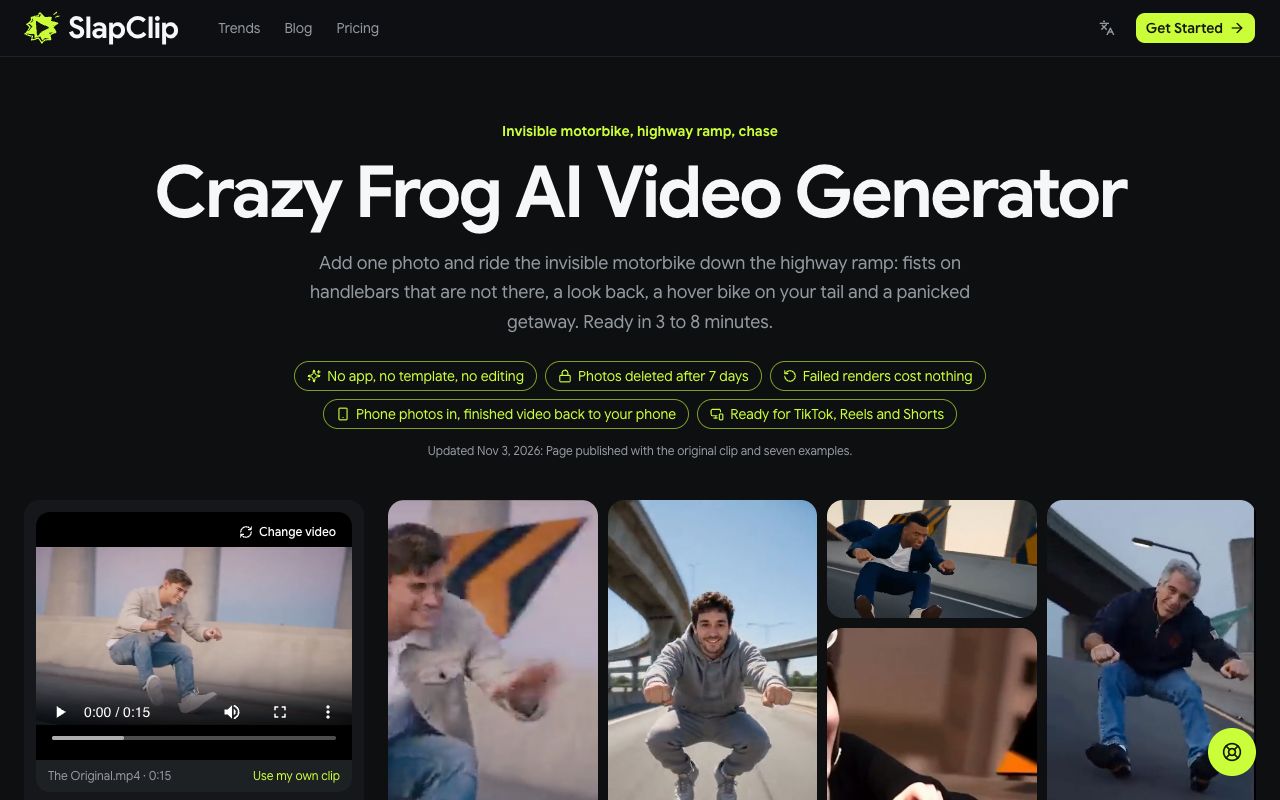
Step 2: Pick the Take You Want to Star In
Keep the original if you want the classic dusk ramp. To use a different version, open any example and tap Recreate this: that exact version loads into the generator, ready for your photo. The button shows the price of that video, $9.99, and the panel shows the length of the clip and what will be recast.
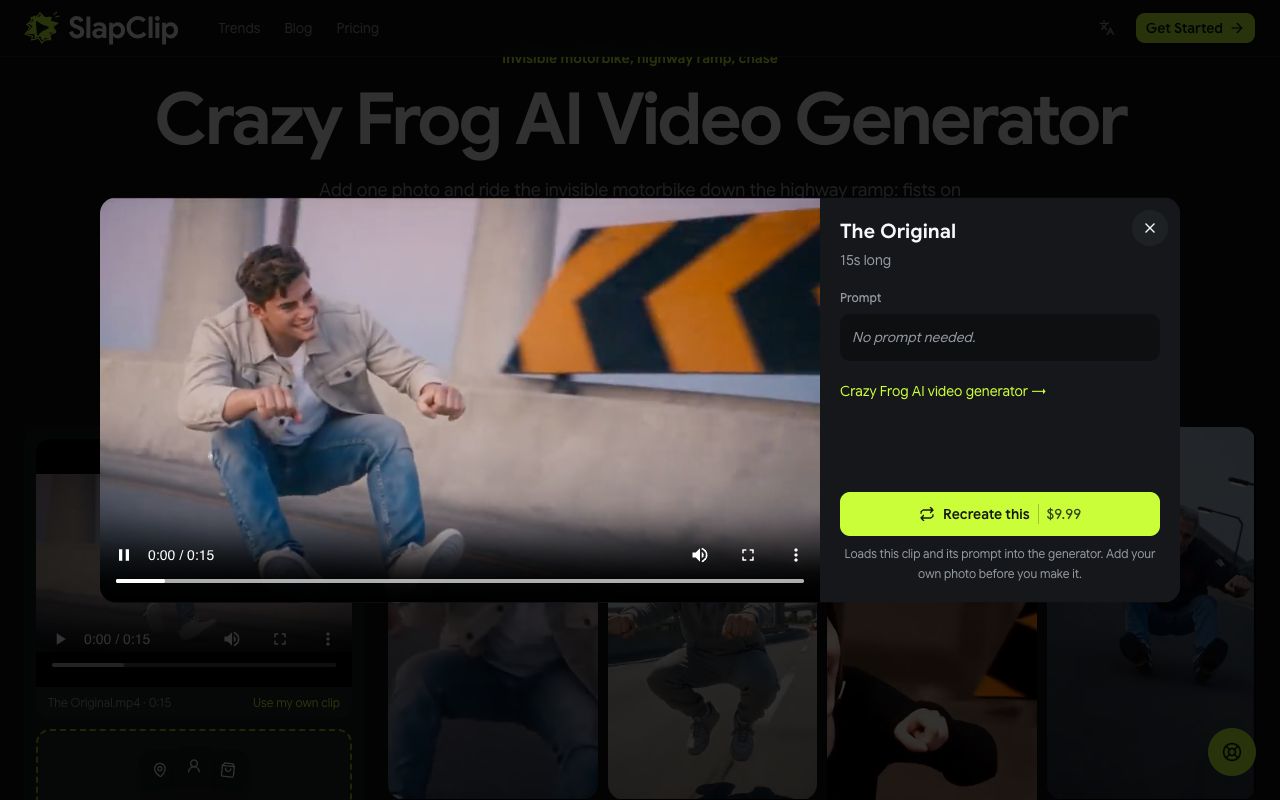
Recreate uses that example's own video as the motion reference, so you are swapped into exactly the take you picked: the same ramp, the same hover bike, the same camera moves.
Step 3: Add Your Photo
The page tells you the clip is loaded and asks for your photo. Tap + under Characters, products and settings and pick one photo from your phone or computer. On a computer you can also scan the QR code to send a photo from your phone.
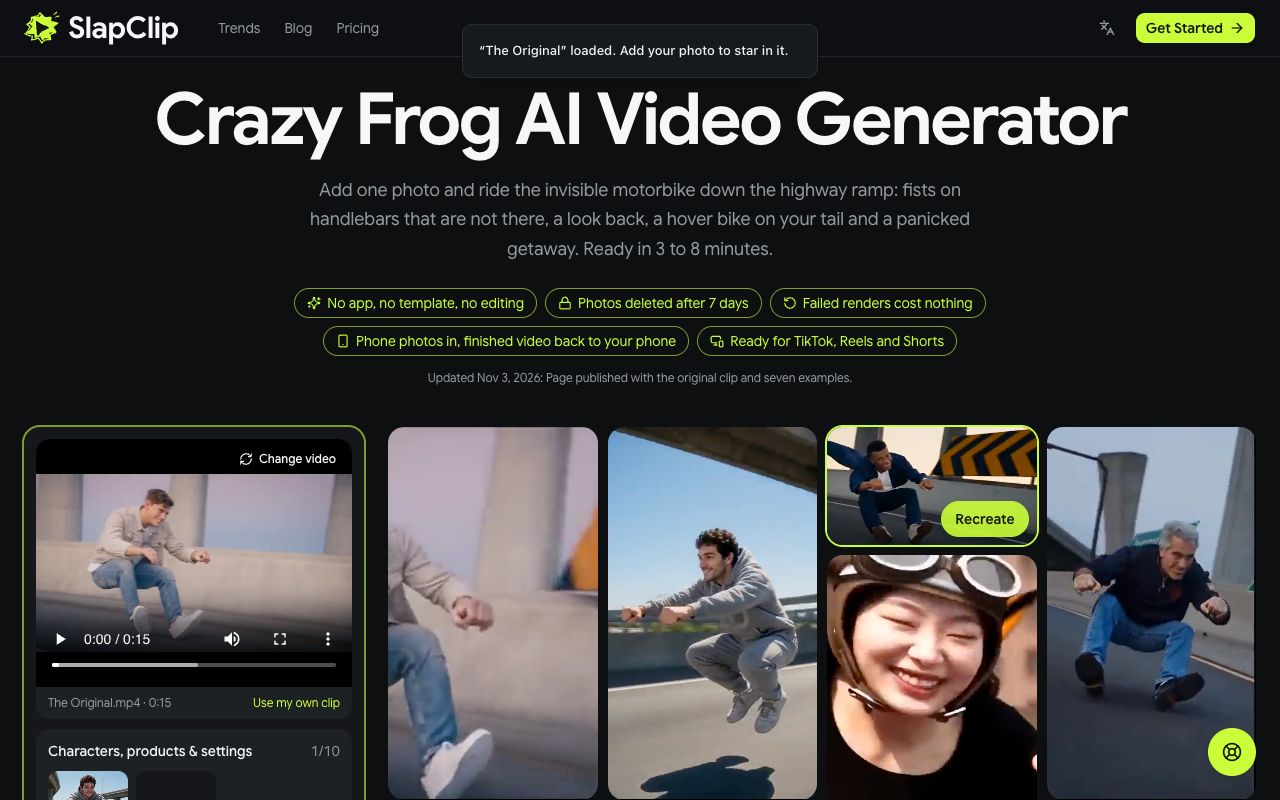
The best photo is front facing, in daylight, with no sunglasses, no filter and only you in the frame. A waist up or full body shot beats a tight selfie here, because the camera sits low on the rider and shows the whole squat.
Step 4: Check the Price and Generate
The generator shows the resolution, 720p, and that the video is ready in 3 to 8 minutes. Tap Generate. If you have no videos left, checkout opens and shows the price before anything is charged. A failed render gives the video back automatically.
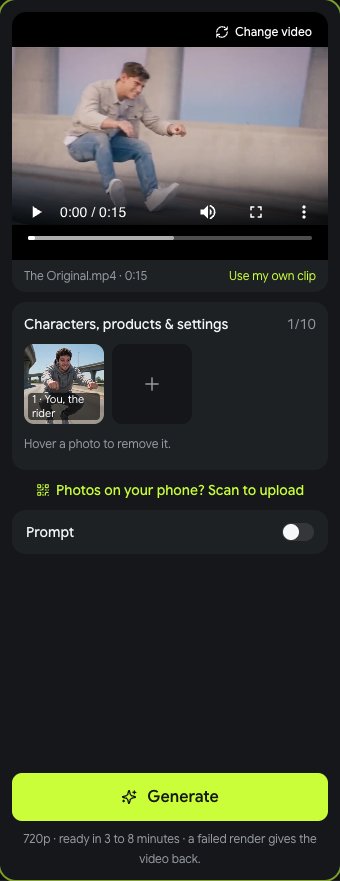
When it is done, tap Download MP4. The video has no watermark and no app logo.
Step 5: Add the Sound and Post
The video keeps the sound of the clip you picked, which is not always the Axel F track. If you want the full Crazy Frog Axel F track, add it from the TikTok or Instagram music library when you post; that also puts your video on the trend's sound page, where people browse the other remakes. Check each platform's AI content disclosure rules and add the AI-generated label where they ask for it, and tag anyone who is in the video.
What It Costs
One Crazy Frog AI video costs $9.99. The 3-video pack is $24.99 ($8.33 a video) and the 7-video pack is $49.99 ($7.14 a video). Packs are one-time purchases with no subscription, and the videos in them work on every trend on the trends page.
Tips for a Rider That Looks Like You
- Show the outfit. A hoodie, a suit or a work shirt makes the stunt funnier and gives the model more to copy.
- Face the camera. The rider grins straight into the lens before looking back.
- Use even light. Shadows under the eyes or a bright window behind you blur the face in the close shots.
- One person per photo. Crop out friends and partners so the wrong face cannot end up on the bike.
- Only use photos you may use. Your own, or an adult's who agreed. No children.
Fixing a Result That Looks Off
If the face does not look like you, change the photo first: sharper, front facing, better light. If the body looks wrong, use a photo that shows more of it. If one take does not suit your photo, try another example; the vertical Grey Hoodie and the widescreen Green Hoodie frame the rider differently. More fixes are in why an AI video face looks off.
Ideas People Are Making
- Your dad in his weekend jacket, the grey-haired rider of the Bomber Jacket take.
- The office, a coworker in a suit fleeing the hover bike, like the Navy Suit example.
- Football fans, in a jersey, like the White Tracksuit take.
- Your best friend, one video each and cut together into a chase.
- A duo trend next, like Alors On Danse AI with two photos.
Frequently Asked Questions
Is there a Crazy Frog AI filter?
There is no camera filter that makes you ride an invisible motorbike in a highway chase. The video is rendered from your photo, which is what the Crazy Frog AI page does.
Is there a free Crazy Frog AI generator?
Not here. Every video is a new AI render, and the price is shown at checkout before you start. Free face swap apps paste a face onto the rider instead of recasting your whole body.
Can my friend be the one chasing me on the hover bike?
Each video has one main rider, the person on the invisible motorbike; the hover bike rider stays as in the clip. Make one video per friend and cut them together for a group chase.
How long is the Crazy Frog AI video?
The original chase is 15 seconds. The examples run about 10 to 18 seconds, and each one keeps its own length.
Can I use my own clip instead?
Yes. The generator takes any 4 to 30 second clip with one clear person in it. Add your photo and that person is recast as you.