
How to Make the Thriller Dance AI Video With Your Own Photo (2026)
A step by step tutorial with screenshots: lead the Michael Jackson Thriller zombie dance from one photo, with the zombie crowd behind you. What photo to use, what it costs and how to fix a result that looks off.
Short answer: open the Thriller Dance AI page, keep the original zombie street clip or tap Recreate this on any example, add one clear photo of yourself standing and facing the camera, tap Generate and pay at checkout if you need a video. The MP4 is ready in 3 to 8 minutes with you at the front of the zombie crowd: the claw hands, the shoulder rolls and the side steps, on a foggy night street. Prices and screens below were checked on November 2, 2026.
What the Thriller Dance AI Trend Is
The routine is the zombie dance from Michael Jackson's Thriller music video, which premiered on December 2, 1983 and was choreographed by Michael Peters with Jackson. Around Halloween 2026 a one photo template started putting anyone at the front of a zombie crowd on a dark, foggy street, and tutorials for it filled TikTok in English, Spanish and Italian within a day.
People search for it in different ways: "Thriller dance AI", "Michael Jackson Thriller dance AI", "zombie dance AI video" and "Thriller dance CapCut template". They all mean the same video: one person leading the zombie routine with a crowd dancing in step behind them.
What You Need
- One photo. One person, standing, face clear and looking at the camera. A selfie works, but a full body photo looks better because the routine is all legs, arms and shoulders.
- An outfit you like. The outfit in the photo is the outfit in the video. A bright color stands out against the grey zombies at night.
- Price. One video is $9.99, whatever its length. The original clip is 7 seconds and the examples run 7 to 14 seconds, all as 720p MP4.
There is no template link to copy, no app to install and no prompt to write.
Step 1: Open the Thriller Dance AI Page
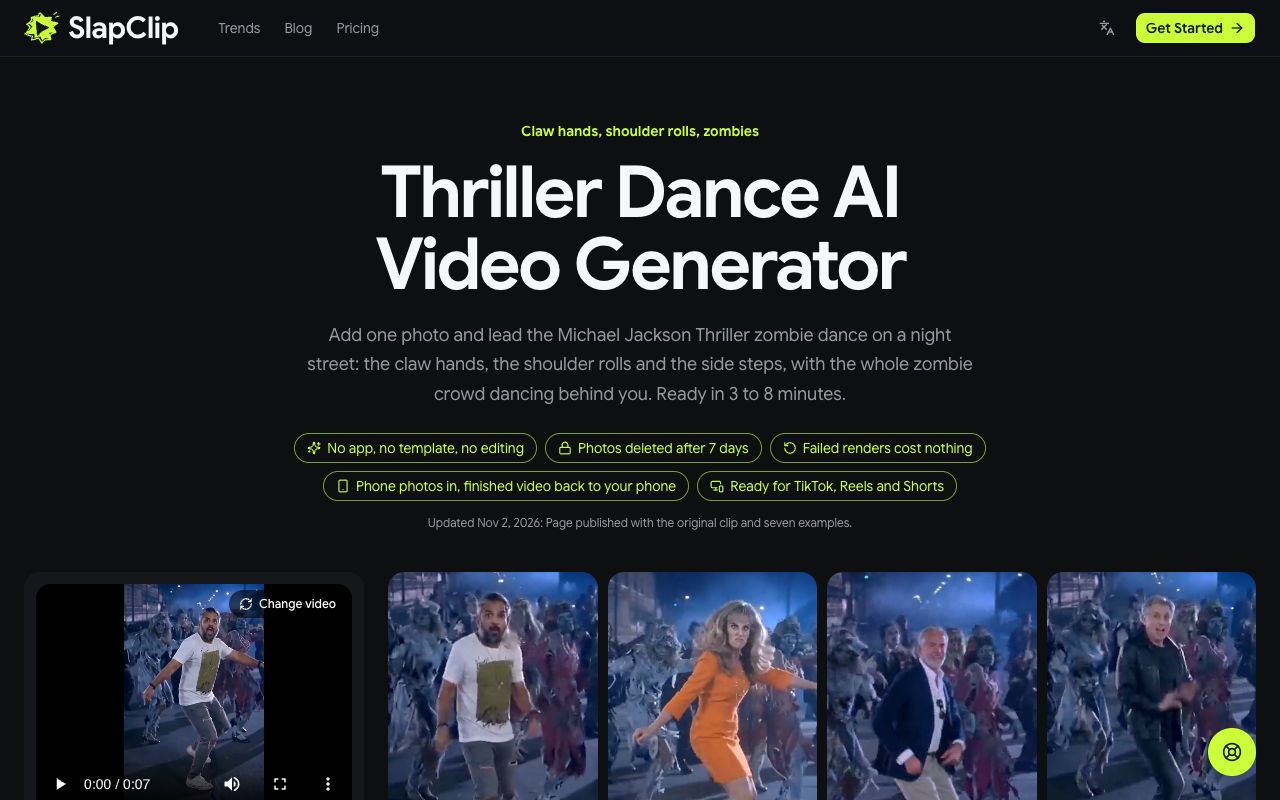
Go to slapclip.com/thriller-dance-ai. The generator sits on the left with the original zombie street clip already loaded, and the examples on the right show other people at the front of the crowd: a green tracksuit, an orange office dress, a pink cowgirl hat, a navy blazer.
Step 2: Pick the Take You Want to Lead
You can keep the original, or start from any example. Tap an example to open it: you see the video with sound, how long it is and a Recreate this button.
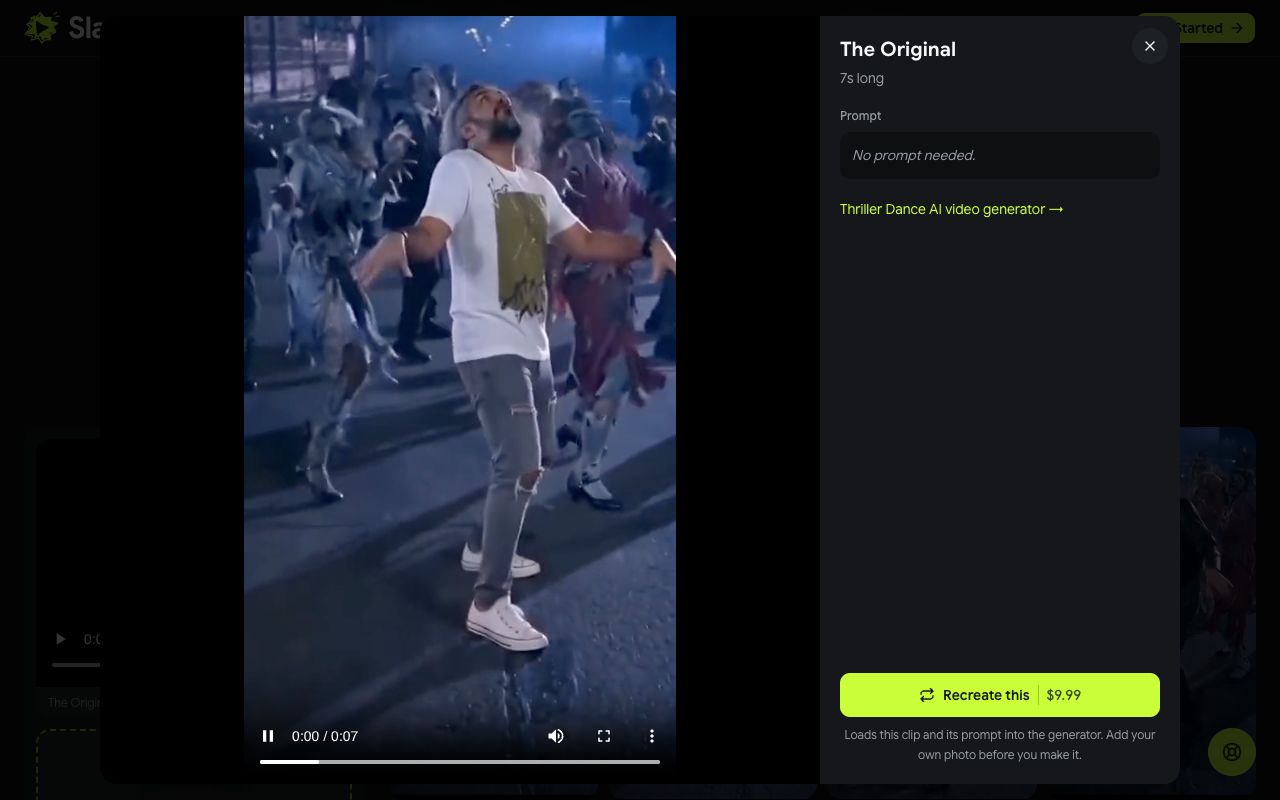
Recreate uses that exact video as the reference, so the result keeps its street, its crowd, its camera and its timing and only swaps in your person. The longer takes give you more of the routine; the original is the shortest and loops well.
Step 3: Add Your Photo
After you tap Recreate this, a note confirms the clip is loaded and asks you to add your photo. Tap the + in the photo area and choose one picture. The slot is labelled "You, the lead dancer".
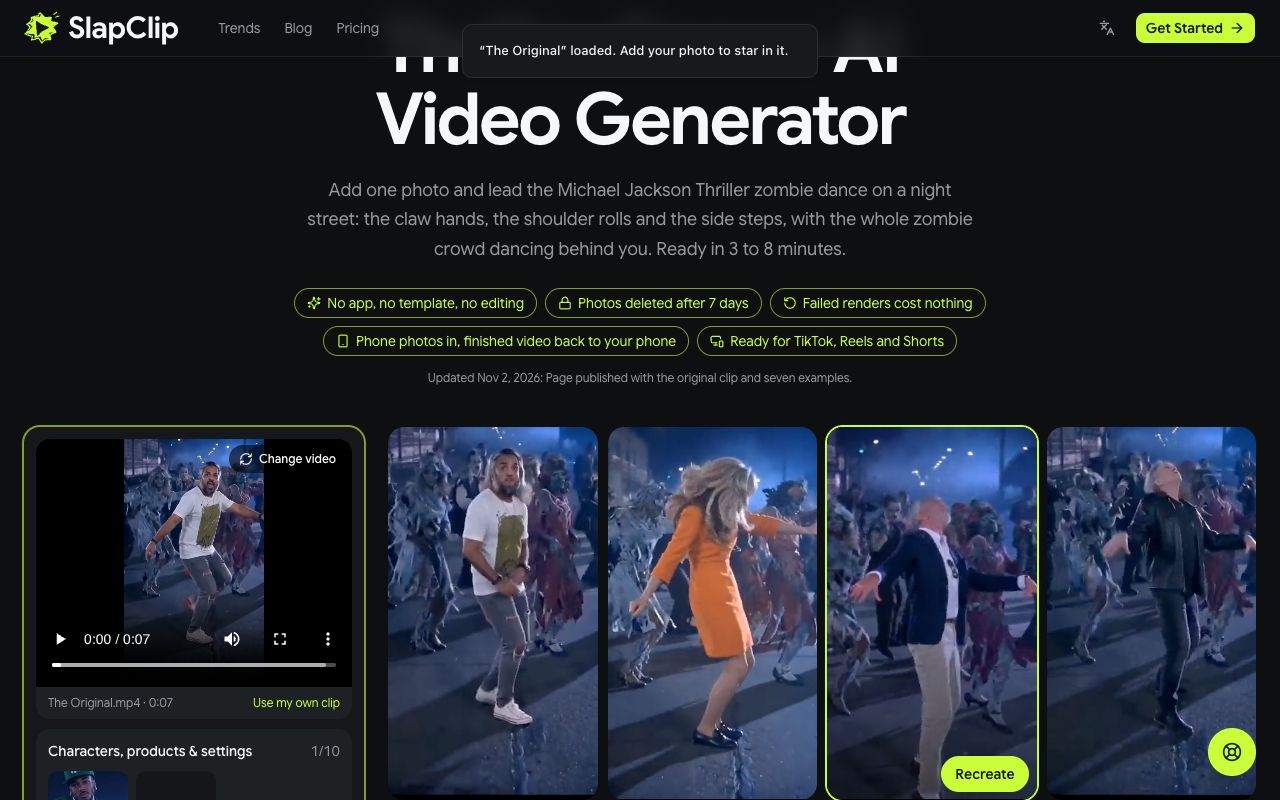
If you are on a computer but your photos are on your phone, use Photos on your phone? Scan to upload and pick the photo on the phone.
Step 4: Check the Price and Generate
There is no size to choose: every video is 720p. Checkout shows the price, $9.99 for one video, before anything is charged, and the 3 and 7 video packs are on the pricing page.
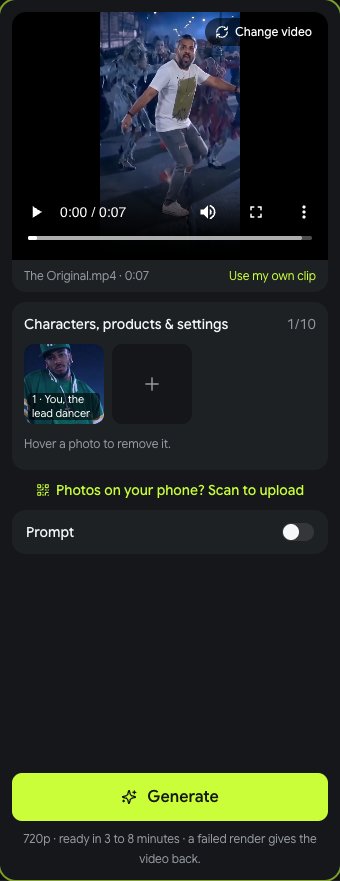
Tap Generate. Rendering takes 3 to 8 minutes, sometimes longer at busy times, and you can leave the page while it runs. When it is done, tap Download MP4 and post it.
What It Costs
One video is $9.99, a pack of 3 is $24.99 and a pack of 7 is $49.99, one-time with no subscription (prices on November 2, 2026). Every example costs the same whatever its length, so the 14 second takes cost no more than the 7 second original. If a render fails, the video goes back to your account automatically.
Tips for a Lead Dancer Who Looks Like You
- Stand, and show the whole body. The camera is wide. A photo from the knees or the shoes up gives the side steps your legs and shoes.
- Face the camera. A front facing photo with both eyes visible holds up best on a dark street.
- Use even light. Daylight or a bright room. No sunglasses, masks or heavy shadows.
- One person per photo. A group photo makes the model guess who leads.
- Pick a take close to your look. A blazer photo suits the navy blazer take; a bright dress suits the orange dress take.
Fixing a Result That Looks Off
- The face does not look like you. Use a sharper, closer photo and try again. Small or blurry faces are the usual cause, and the dark street shows every flaw.
- The outfit is wrong. The outfit in the photo is the outfit in the video. Use a photo in the clothes you want to see, or switch on Prompt and describe them.
- The body looks too stiff or too short. A selfie gives the model only your head and shoulders. A standing full body photo fixes most of these.
Ideas People Are Making
- Your dad leading the zombies in his work shirt.
- A coworker in office clothes, the funnier the more serious they look.
- A Halloween costume photo, so the lead is already in character.
- Your dog at the front of the crowd. For pet only trends, see the AI dog dance page.
You can find more on the trends page, and every other trend works the same way in the generator.
Frequently Asked Questions
Can I make the Thriller dance video without filming myself?
Yes. Nothing is filmed and nothing is learned. The moves come from the clip you pick and your photo only supplies how you look, so one standing photo is all you need.
Is there a free Thriller dance AI generator?
Not here. Every video is a new AI render, and the price shows at checkout before you start. Free template apps exist, but their videos usually carry an app logo and an AI badge in the corner.
Does it swap only my face?
No. The whole lead dancer is recast from your photo: face, hair, build and outfit. That is why a full body photo looks better than a selfie.
How long is the Thriller dance AI video?
The original clip is 7 seconds. The examples run 7 to 14 seconds, and your video is as long as the take you pick, at the same price.
Can I post it on TikTok?
Yes. Download the MP4, vertical 9:16 with sound and no watermark, and post it on TikTok, Instagram Reels or YouTube Shorts. Label it as AI generated when you post, which these platforms ask creators to do.