
Two cards, one sweep, a whole new world
24 Card Trend AI Video Generator
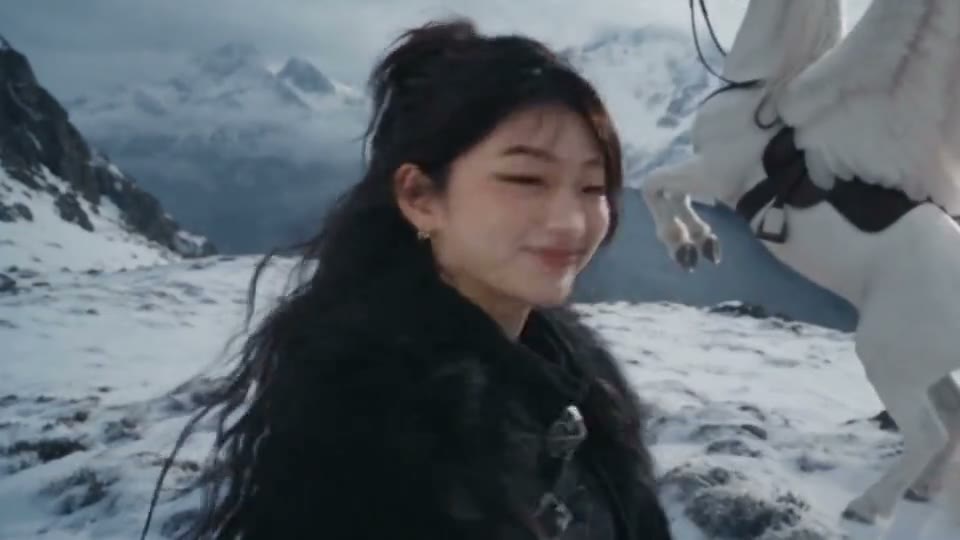
Add one photo and you wave at the camera, sweep a 2 and a 4 card across the lens, and land on a snowy mountain ridge next to a winged horse. Ready in 3 to 8 minutes.
Updated Nov 4, 2026: Page published with the original clip and seven examples.
Add a photo of who should star in the video.
About the trend
What Is the 24 Card Trend AI Video?
SlapClip is a 24 card trend AI video generator: add one photo and the 11 second card sweep is recast with you. You wave on a city street, flash a 2 and a 4 card over the lens, and land on a snowy ridge beside a winged horse that flies you away, ready in 3 to 8 minutes.
The 2 and the 4
Two cards held up to the lens, the whole setup of the joke.
The Sweep
The cards cover the camera for a beat, and that is where the cut hides.
The New World
A street before, a snowy mountain and a winged horse after.
Your Whole Look
Face, hair and outfit from your photo, in both worlds.
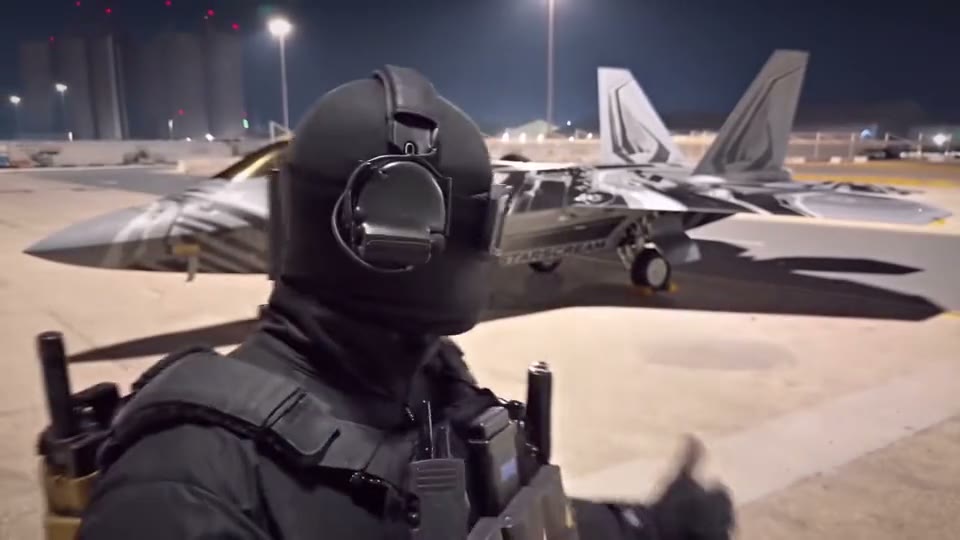
The 24 cards come from a 7 second TikTok posted on July 17, 2026 by @dinero44__: a +2 and a +4 make 24, and a car appears. AI templates turned it into the car trend in October 2026, then creators swapped the car for anything bigger. A fighter jet version from October 15 had 1.8 million likes by November 4.
The original: “need a new uno card” by @dinero44__ on TikTok
Also known as: 24 card trend, 24 card trend AI, 24 card video trend, 24 card swipe trend, 24 card transition AI, 24 trend AI, UNO 24 card trend, UNO +2 +4 card trend, UNO card fantasy transition, UNO card Pegasus trend, 24 card trend Pegasus, 24 card trend dragon, 24 card trend jet, Flash the 2 and 4 cards AI, 24 card trend with my own photo, 24 card trend AI generator, 24 card trend AI free
Updated Nov 4, 2026
The clip
Your video
How to Make a 24 Card Trend AI Video
Making the video takes one photo and 3 to 8 minutes. The original Pegasus clip is already loaded in the generator at the top of this page, so there are no cards to buy, nothing to film, no template to hunt for and no prompt to write.
- 1
Keep the Pegasus or Pick a World
The original Pegasus clip is loaded for you. For a jet, a dragon or a horse instead, tap Recreate on that example.
- 2
Add Your Photo
Tap + and add one clear photo of yourself, waist up or full body.
- 3
Generate and Post
Checkout shows the price before anything is charged. Tap Generate, then Download MP4 3 to 8 minutes later.
Where the 24 Cards Can Take You
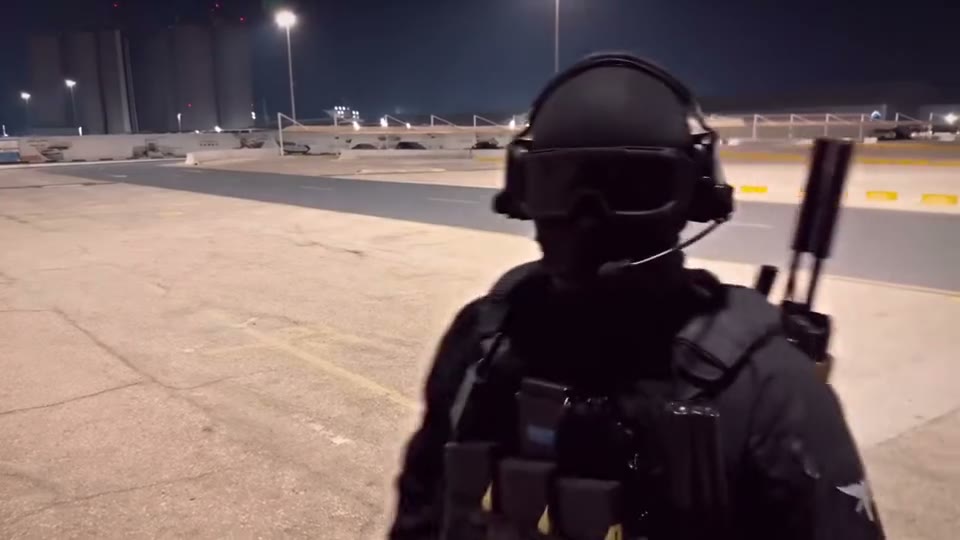
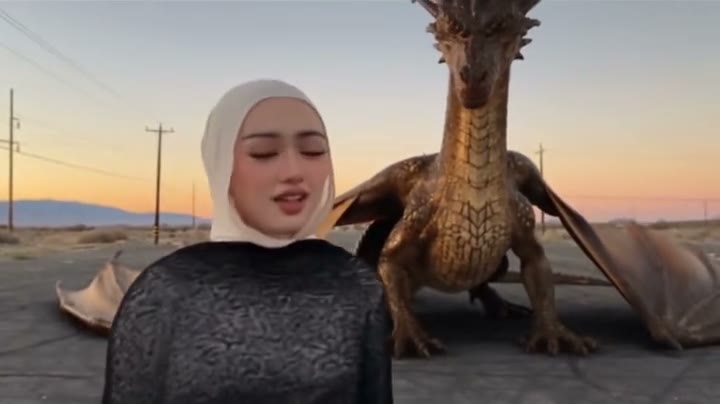
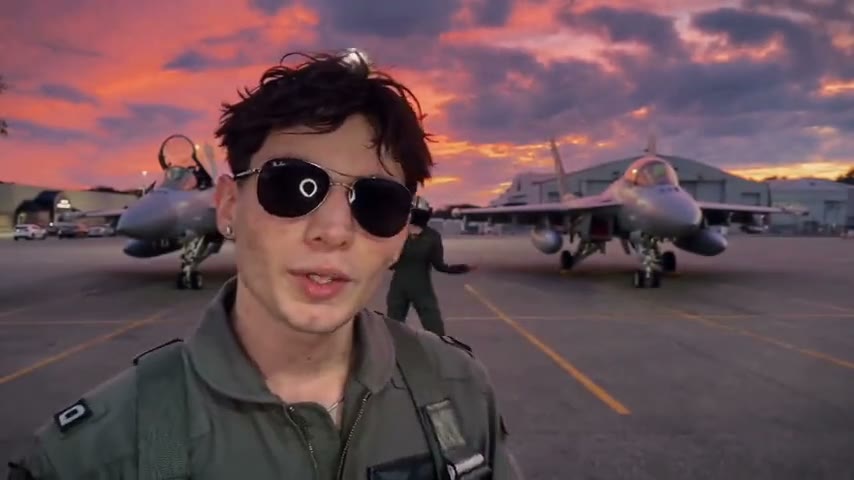
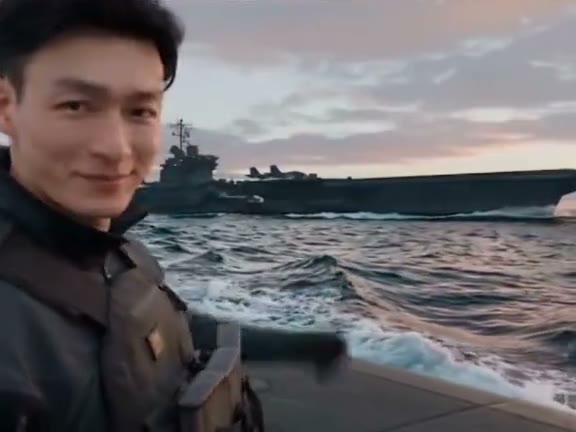
The car was only the first version of the joke. The 24 card trend AI remakes that get the most likes put something bigger behind the cards: a fighter jet, a dragon, a horse, a monster. Pick the 24 card trend AI example closest to the world you want.
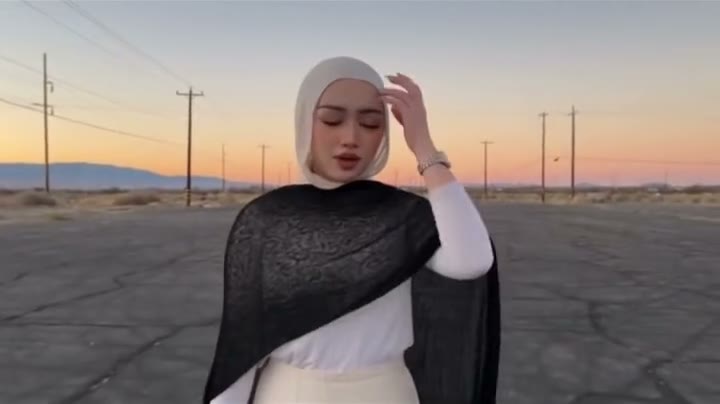
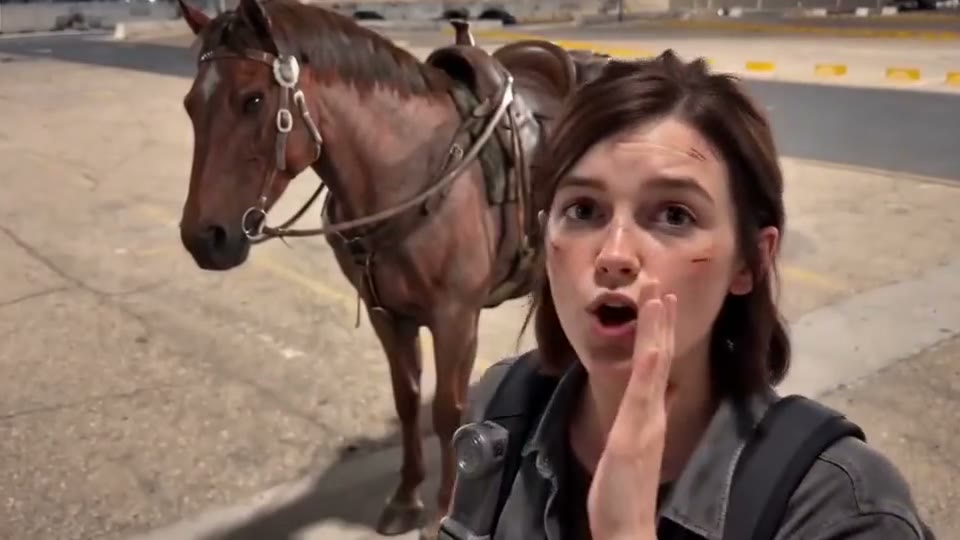
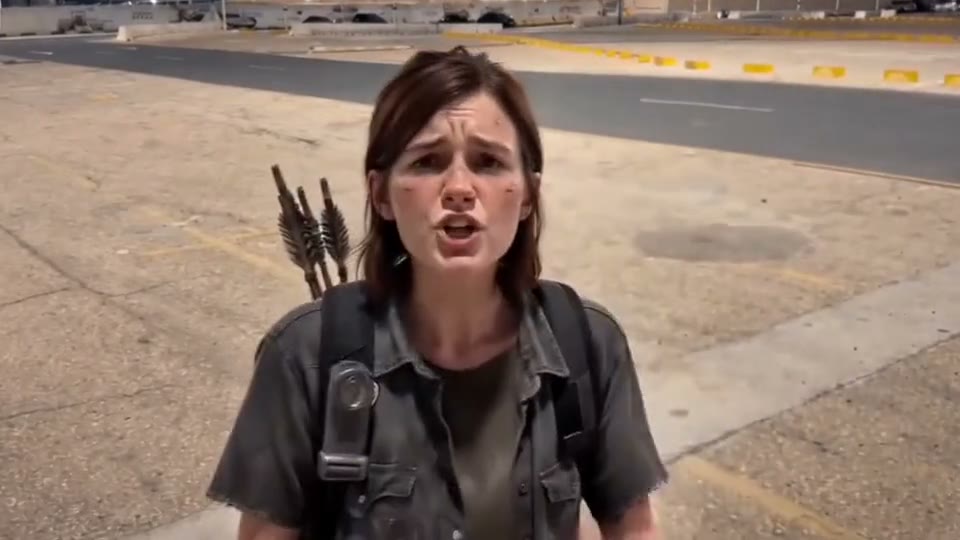
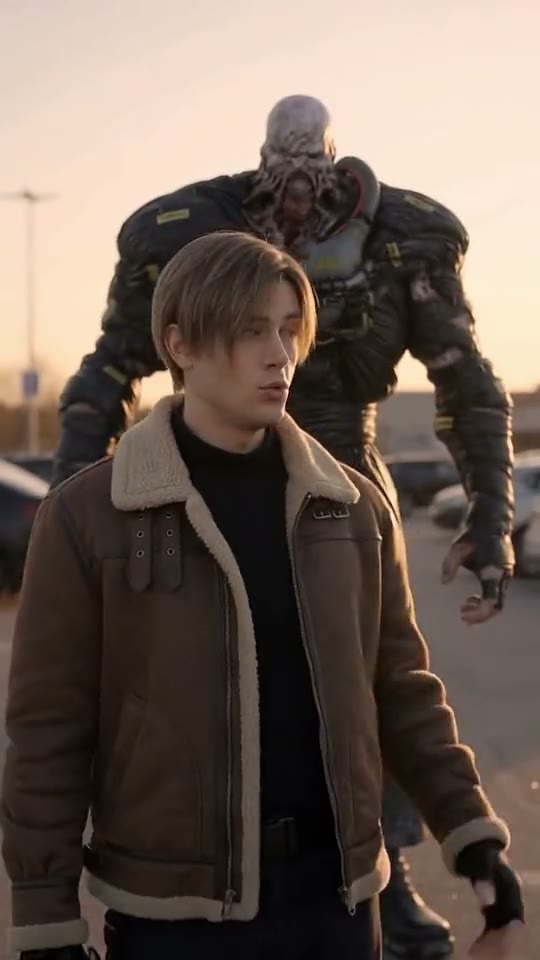
More Worlds People Pick
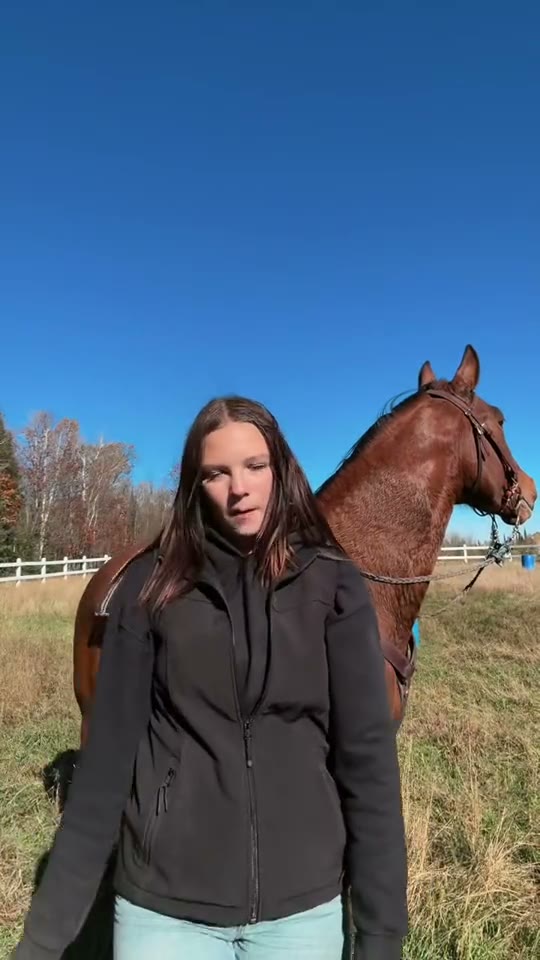
Any clear photo of an adult works, waist up or full body looks best, with their OK. Pilots, gamers and horse girls get the biggest reactions.
- Yourself
- Pilots
- Gamers
- Fantasy fans
- Horse lovers
- Group chat surprises
Tips for a Better 24 Card Video
The clip opens close to the lens and ends on a wide shot of the new world, so the photo decides how much the person in both scenes looks like you. A selfie works, but a sharp, front-facing photo from the waist or the knees up carries the face and the outfit through the cut.
Waist Up or Full Body
Facing the camera, showing your outfit, not only your face.
Dress for the World
A dark coat fits the snowy ridge; a flight suit fits the jets.
Use Even Light
Daylight or a bright room, no sunglasses, no heavy shadows on the face.
Only Use Photos You May Use
Your own, or an adult’s who agreed. No children or photos of people without their OK.
The Easiest Way to Do the 24 Card Trend: One Photo
SlapClip is a 24 card trend AI maker with the Pegasus clip and seven other worlds ready to use. It moves your whole body through the card sweep and into the new scene instead of pasting a face on, keeps the timing of the cut, shows the exact price before you start and refunds every failed render automatically.
The Clip Is Ready
No cards, no filming, no template to find; it is already loaded.
Not Only Cars
A Pegasus, a jet, a dragon, a horse or a monster behind the cards.
Phone or Computer
It runs in the browser on a phone or a computer.
Price Shown First
Billed per second, priced on the button.
Failed Renders Refunded
Failed renders give the credits back.
No Watermark
An MP4 with sound and no watermark or AI badge on it.
24 Card Trend Video: Your Options Compared
There are three ways to make it: SlapClip recasts the clip from your photos, a CapCut template pastes a face onto the original, or you set up an AI video model yourself.
| SlapClip | CapCut face swap | By hand in an AI video tool | |
|---|---|---|---|
| What changes | The whole person: face, hair, outfit and build | Only the face | The whole person |
| Moves, camera and timing | Kept from the clip | The original footage | Often drift; expect several tries |
| What you need | Your photos; the clip is ready | The app and a template | The clip, a prompt and an editor |
| Ready in | 3 to 8 minutes | A few minutes | Hours, with retries |
| Price | Per second of video, shown before you start | Free or CapCut Pro | Each render on that tool |
Pay by the Second. No Subscription.
Buy a credit pack when you want to make videos, and top up when it runs out. A 720p second costs 1 credit, and the button shows the exact price before you start.
- Nothing renews
- No charge if a render fails
- Credits last 12 months
- No watermark
What a 24 Card Trend AI video costs
Priced by each example clip's length at 720p.
More Trending Memes
Try another viral trend with the same photo.
AI Dunk
Cross him up. Fly over him. Tell him about it.
Comedy · 2 examples
Patrick Jane AI
Three-piece suit. Zero rhythm. Total confidence.
Dance · 6 examples
Rick Roll AI
You are the Rick Roll.
Dance · 8 examples
Carlton Dance AI
You do the Carlton.
Dance · 8 examples
Crazy Frog AI
You ride the invisible motorbike.
Comedy · 8 examples
Alors On Danse AI
You play, your friend hypes.
Duo & Couples · 8 examples
Thriller Dance AI
You lead the zombie crowd.
Dance · 8 examples
Jim Carrey Dance AI
Point, scold, shrug, walk off.
Dance · 7 examples
Giant Ramp Climbing AI
Run up the dam wall, flip off the top, slide back down.
Effects · 6 examples
Cardo Dinner AI
Dinner is ready, and it is a giant Hot Cheeto.
Duo & Couples · 3 examples
24 Card Trend AI Questions
Upload one clear photo, keep the Pegasus clip selected and tap Generate. The 24 card trend AI video is ready in 3 to 8 minutes: you wave on a city street, sweep a 2 and a 4 card across the lens and land on a snowy ridge beside a winged horse that flies you away.
SlapClip does, in the browser, from one photo. The page has the Pegasus clip loaded and seven other worlds to pick from, a fighter jet, a golden dragon, a horse, a monster and a warship, each one a real example of the card sweep you can tap Recreate on.
It is the same joke with a different ending. In the car trend the cards drop and a supercar is parked behind you. In this version the cards take you somewhere else or bring something bigger: a Pegasus, a jet, a dragon or a horse. For the car reveal, use the UNO Card Car AI page.
Yes. Keep the original clip for the Pegasus ride, or tap Recreate on the fighter jet or the pilot example for the jets. Your photo supplies the face, hair, build and outfit, and the moves, the card sweep and the new scene come from the clip you picked.
No, SlapClip is paid, not free: this 10 to 14 second clip is 10 to 14 credits at 720p, $6.66 to $9.32 at the smallest pack, with no subscription or watermark. Free face swap apps exist, but they paste a face onto someone else instead of recasting you. A failed render gives the video credit back automatically.
No. The cards, the sweep across the lens and the cut are all in the clip, so you only add a photo. The finished MP4 already has the 2 and the 4 in your hand, then the new world behind you.
Most 24 card posts use Unforgettable by French Montana featuring Swae Lee. Your video keeps the sound of the clip you pick, so add Unforgettable from the TikTok or Instagram sound library when you post if you want the song; that also links your video to the trend’s sound page.
The Pegasus clip is 11 seconds and the examples run 10 to 14 seconds, all with sound and no watermark. Download the MP4 and post it on TikTok, Instagram Reels or YouTube Shorts, and label it as AI-generated when you post, which these platforms ask creators to do.
Yes, with their OK. Each video has one person, so add one clear photo of your friend instead of yourself. For a group, make one video per friend with a different world each, and post them as a series in one week.
Usually the photo is too small, too dark or at an angle. The clip opens close to the lens and ends on a wider shot, so a sharp, front-facing photo with the face clear and well lit holds up best through the cut. Use daylight and one person per photo, then generate again.
Your 24 Card Video Is 3 to 8 Minutes Away
One photo in; you flashing the 2 and the 4 and riding off on a Pegasus, out. Failed renders are refunded.
- No charge if a render fails
- No watermark
- Keeps the clip's shape, ready for TikTok and Reels