
How to Make the Patrick Jane AI Dance Video With Your Own Photo (2026 Step by Step)
Step by step, with screenshots: make the viral Patrick Jane AI video where you do The Mentalist dance in a three-piece suit from one photo. Which clip to pick, which photo works and what one video costs today.
Short answer: open the Patrick Jane AI page, keep the original 10 second subway station clip or tap Recreate this on any example, add one clear photo of yourself, tap Generate and pay at checkout if you need a video. In 3 to 8 minutes the MP4 shows you doing the Patrick Jane dance from The Mentalist: the loose shuffles, the hand through the hair, the small kicks and the cheeky grin, in a three-piece suit, filmed from the floor. No dancing, no filming, no editing. A video costs 1 credit per second at 720p. Prices and screens below were checked on November 5, 2026.
What the Patrick Jane AI Trend Is
Patrick Jane is the consultant with the vest, the tea and the smirk that Simon Baker played in The Mentalist, the CBS crime drama that ran from 2008 to 2015. In October 2026 AI clips of Jane dancing in his suit took over TikTok: alone in an underground station, in a movie theater lobby, by a set of French doors, or next to his teammates Lisbon and Cho. When we checked on November 5, a version with Lisbon posted on October 27 had passed 2.1 million views and 368,000 likes, and a template post from October 30 had 1.3 million views.
There are two Mentalist AI trends, and they are easy to mix up. One is a black and white montage of Patrick Jane smirking, pointing and sipping tea. The other is the dance, where your whole body moves through the steps. This guide is about the dance.
What You Need
- One photo of yourself. Front facing, sharp, ideally from the knees up.
- A phone or a computer. Everything runs in the browser.
- About 10 minutes. A couple to set it up, 3 to 8 for the render.
You do not need to find the clip, learn the moves, write a prompt or install an app.
Step 1: Open the Patrick Jane AI Page
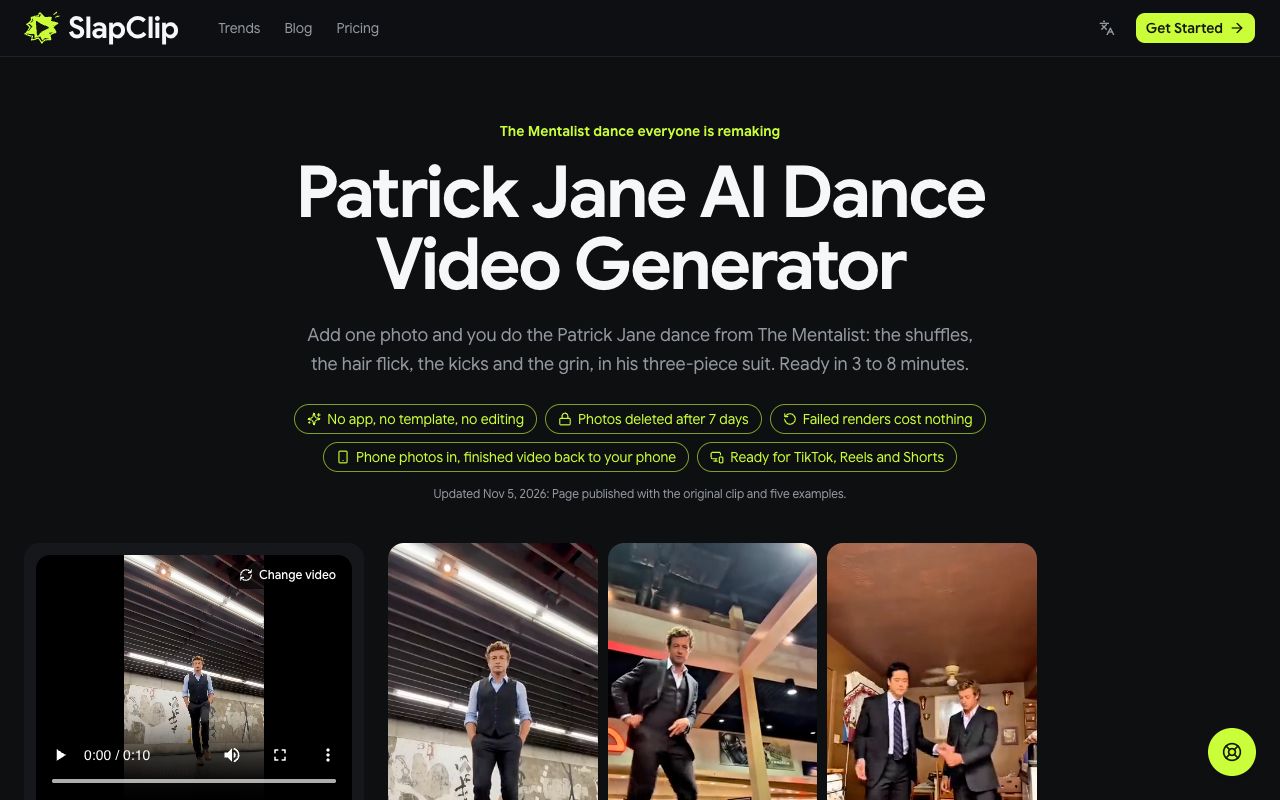
Go to the Patrick Jane AI page. The generator sits at the top with the original subway station clip already loaded, and the examples are right beside it: the movie theater lobby, the living room with Cho, the parking garage with Lisbon, the white room with a party speaker and the French doors.
Step 2: Pick the Dance You Want to Star In
Keep the original if you want the classic look: a three-piece suit, rolled sleeves and a long tiled tunnel. To use another version, open any example and tap Recreate this: that exact video loads into the generator, ready for your photo. The panel shows how long the clip is, 10 seconds for the original, and the button shows its cost in credits.
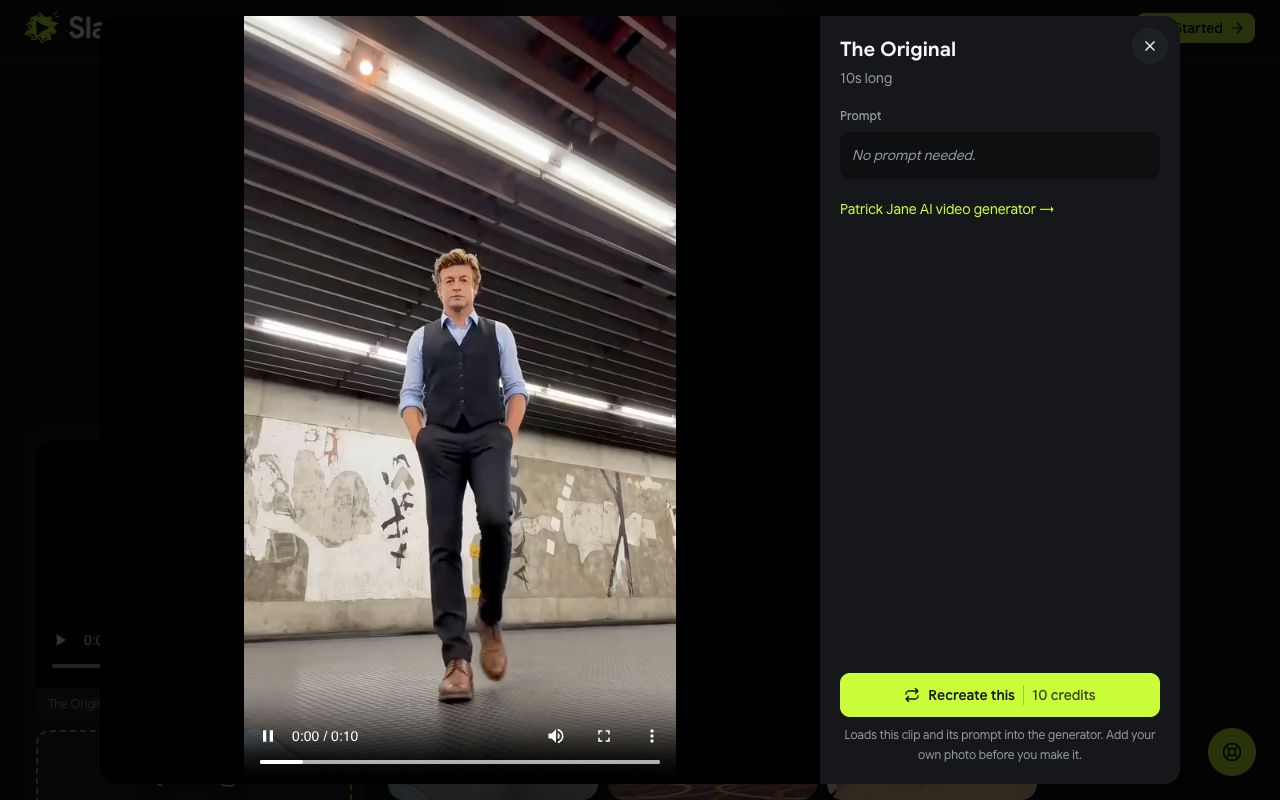
Recreate uses that example's own video as the motion reference, so you are swapped into exactly the take you picked: the same place, the same moves, the same low camera. The examples run 16 to 20 seconds, so they give you more of the dance than the 10 second original.
Two of them keep a teammate on screen. In With Lisbon in the Garage you take Jane's place next to the woman in the grey blazer, and in With Cho in the Living Room you dance next to the man in the navy suit. Each video swaps one person, which is you.
Step 3: Add Your Photo
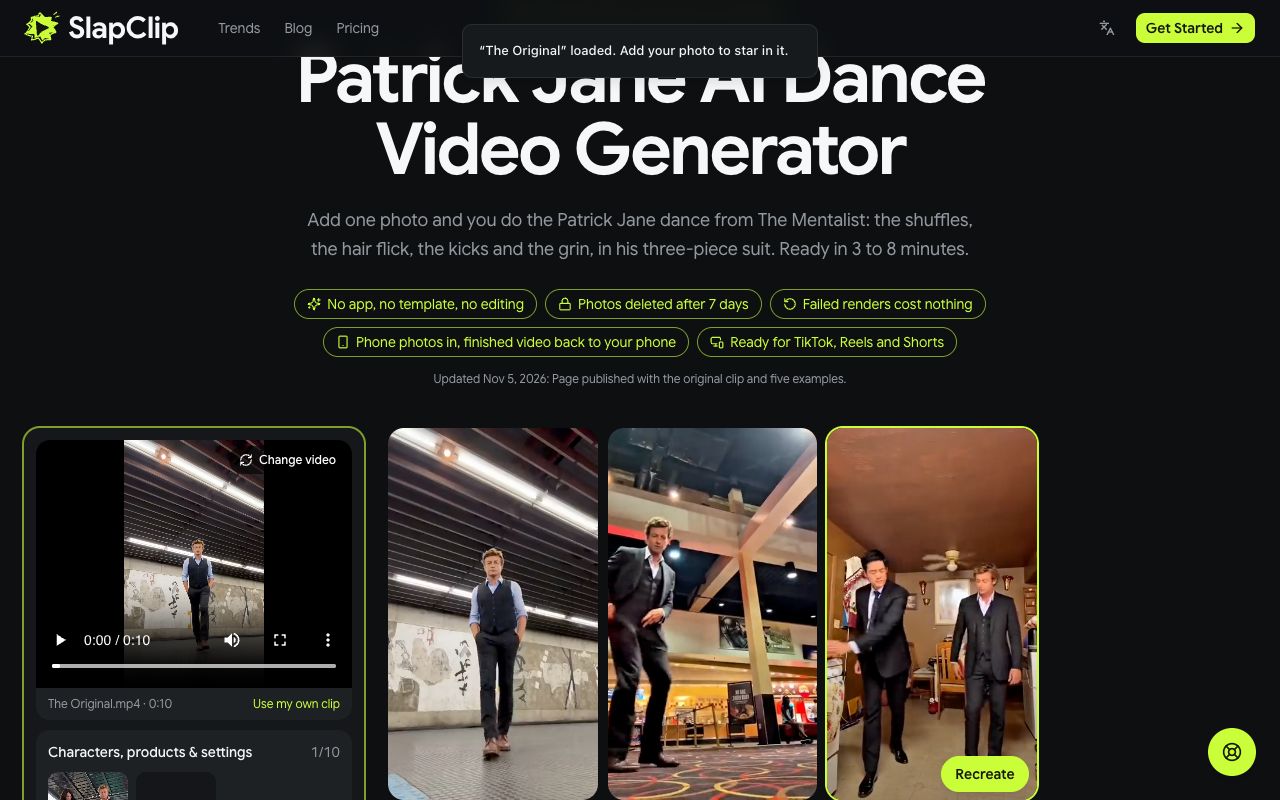
The page tells you the clip is loaded and asks for your photo. Tap + under Characters, products and settings and pick one photo from your phone or computer. The slot is labelled "1 · You". On a computer you can also scan the QR code to send a photo straight from your phone.
The camera in these clips sits on the floor and the dancer is on screen from head to toe, so a photo from the knees up gives the model your build as well as your face. Face the camera, stand in daylight and leave the sunglasses off.
Step 4: Check the Price and Generate
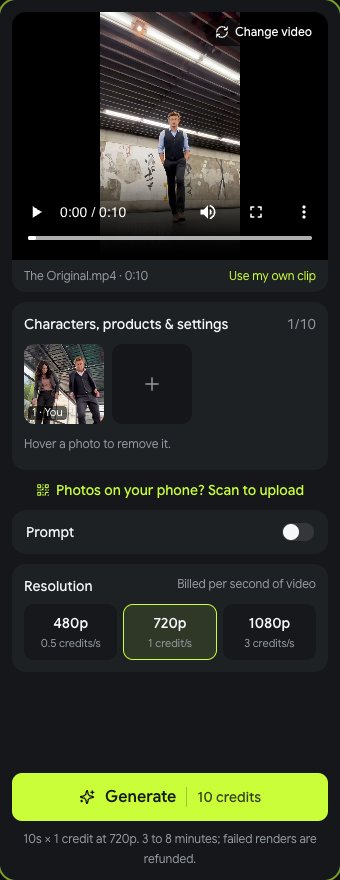
The generator shows the resolution (the sharpest size one Starter pack covers: 720p up to 15 seconds, 480p for longer clips), the credits it costs and that the video is ready in 3 to 8 minutes. Tap Generate. If your balance is short, checkout opens and shows the price before anything is charged. A failed render gives the credits back automatically.
When it is done, tap Download MP4. The video has sound, no watermark and no app logo.
Step 5: Post It
- TikTok, Reels or Shorts. Post the MP4 and add the AI-generated label where the platform asks for it.
- The group chat. Send it to the friends who watched The Mentalist with you.
- The office. A coworker who wears a suit every day is the perfect Patrick Jane, with their OK.
Most Patrick Jane dance clips run under a funk or phonk track. If the take you picked is quiet, add a sound from the TikTok or Instagram library when you post.
What It Costs
SlapClip charges by the second: 1 credit per second of 720p video (480p costs half, 1080p three times). Credits come in one-time packs with no subscription, 15 for $9.99, 45 for $24.99 and 100 for $49.99, and they work on every trend on the trends page. The button shows the credits before you start, and a failed render gives the credits back automatically.
Tips for a Patrick Jane That Looks Like You
- Show your build. Knees up or full body, not a close crop of your face.
- A collar helps. A shirt or a blazer in the photo blends best with the suit.
- Use even light. No window behind you, no deep shadows under the eyes.
- One person per photo. Crop out friends so the wrong face cannot end up in the suit.
- Only use photos you may use. Your own, or an adult's who agreed. No children.
Fixing a Result That Looks Off
If the face does not look like you, change the photo first: sharper, front facing, better light. If the legs or the kicks look strange, use a photo that shows more of your body. If one take does not suit your photo, try another; the French doors and the speaker room frame the dancer very differently from the tunnel. More fixes are in why an AI video face looks off.
Frequently Asked Questions
Is the Patrick Jane AI video the dance or the black and white montage?
The dance. The montage is a different template of Jane smirking and drinking tea. On the Patrick Jane AI page your whole body does the steps.
Do I need to dance or film anything?
No. The moves, the camera and the place are all in the clip. You only add a photo.
Can I do it with my girlfriend?
Yes, in two videos. Each video swaps one person: make one from your photo with the Lisbon example, where you take Jane's place next to the woman in the grey blazer, then a second one from her photo, and post them together. You do not need a photo of the two of you together.
Is there a free Patrick Jane AI generator?
Not here. Every video is a new AI render, and the price is shown at checkout before you start. Free face swap apps paste a face onto Simon Baker instead of recasting your whole body.
Can I use my own clip instead?
Yes. The generator takes any 4 to 30 second clip with one clear person in it. Add your photo and that person is recast as you.