
How to Make a Rick Roll AI Video With Your Own Face (2026 Step by Step)
Step by step, with screenshots: make the Rick Roll AI video where you do the Never Gonna Give You Up dance as Rick Astley from one photo. Which photo to use, how to send the prank and what one video costs today.
Short answer: open the Rick Roll AI page, keep the original 20 second clip or tap Recreate this on any example, add one clear front-facing photo of yourself, tap Generate and pay at checkout if you need a video. In 3 to 8 minutes the MP4 shows you doing the Never Gonna Give You Up dance: the relaxed side step, the swaying shoulders and the little point at the camera, under the brick arches and by the chain-link fence, with the original song. No filming, no editing, no music video to download. A video costs 1 credit per second at 720p. Prices and screens below were checked on November 4, 2026.
What a Rick Roll AI Video Is
A Rick Roll is the oldest bait and switch on the internet. Someone sends a link that looks useful, and it opens Rick Astley's music video for Never Gonna Give You Up instead. The song was his first single in 1987 and went to number one in the UK, then in the US in 1988. The prank itself started on internet forums in 2007 and never really went away.
The AI version adds a twist: the person dancing in the video is you. One photo becomes the singer, moving through the same side steps, shoulder sways and points at the camera as the original, in the same dusk archway and the same sunlit fence. New remakes are posted on TikTok every day, and one from October 2026 had 11,300 likes when we checked on November 4.
What You Need
- One photo of yourself. Front facing, sharp, ideally waist up or full body.
- A phone or a computer. Everything runs in the browser.
- About 10 minutes. A couple to set it up, 3 to 8 for the render.
You do not need to find the music video, trim a clip, write a prompt or install an app.
Step 1: Open the Rick Roll AI Page
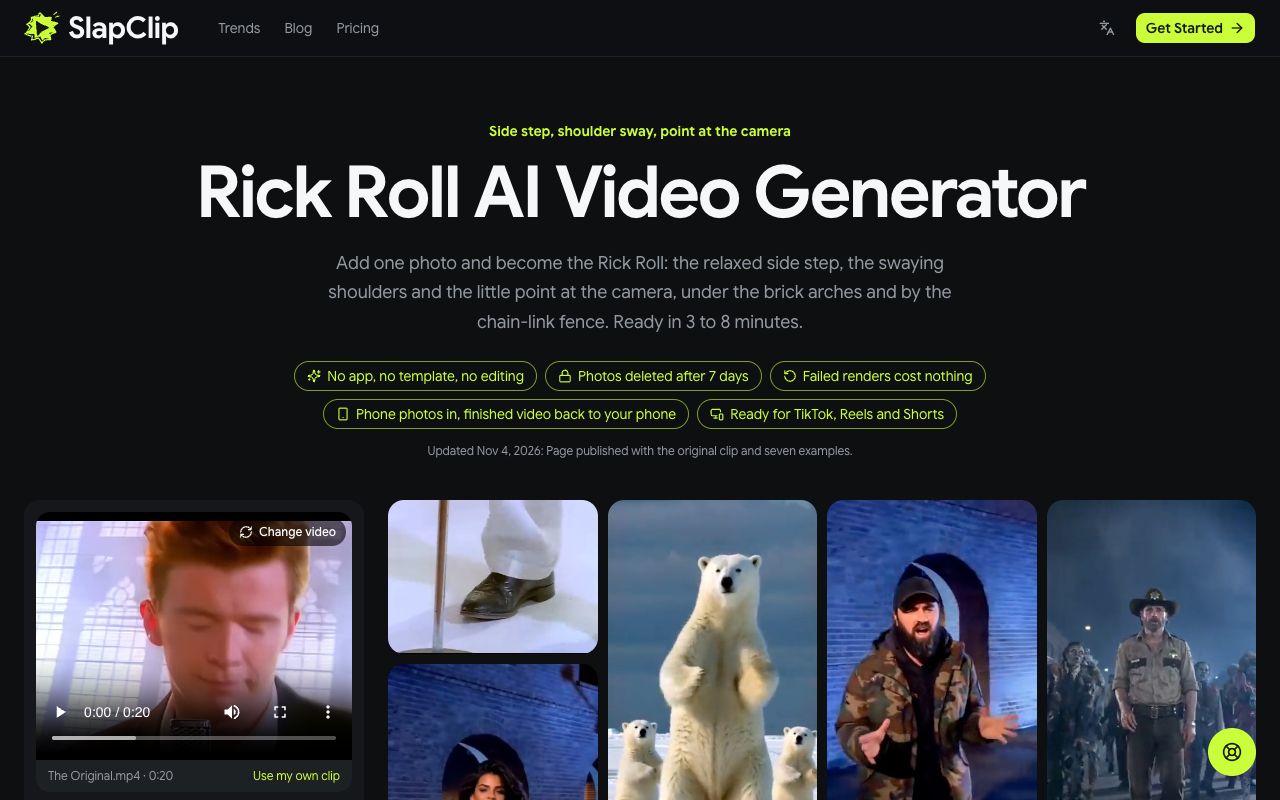
Go to the Rick Roll AI page. The generator sits at the top with the original 20 second clip already loaded, and the examples are right beside it: a polar bear swaying on the ice with two cubs, a bearded man in a camo jacket, a sheriff with a crowd of zombies behind him, a woman in a black dress, a man in a blue polo and more.
Step 2: Pick the Take You Want to Star In
Keep the original if you want the classic music video look. To use a different version, open any example and tap Recreate this: that exact version loads into the generator, ready for your photo. The panel shows how long the clip is, 20 seconds for the original, and the button shows its cost in credits.
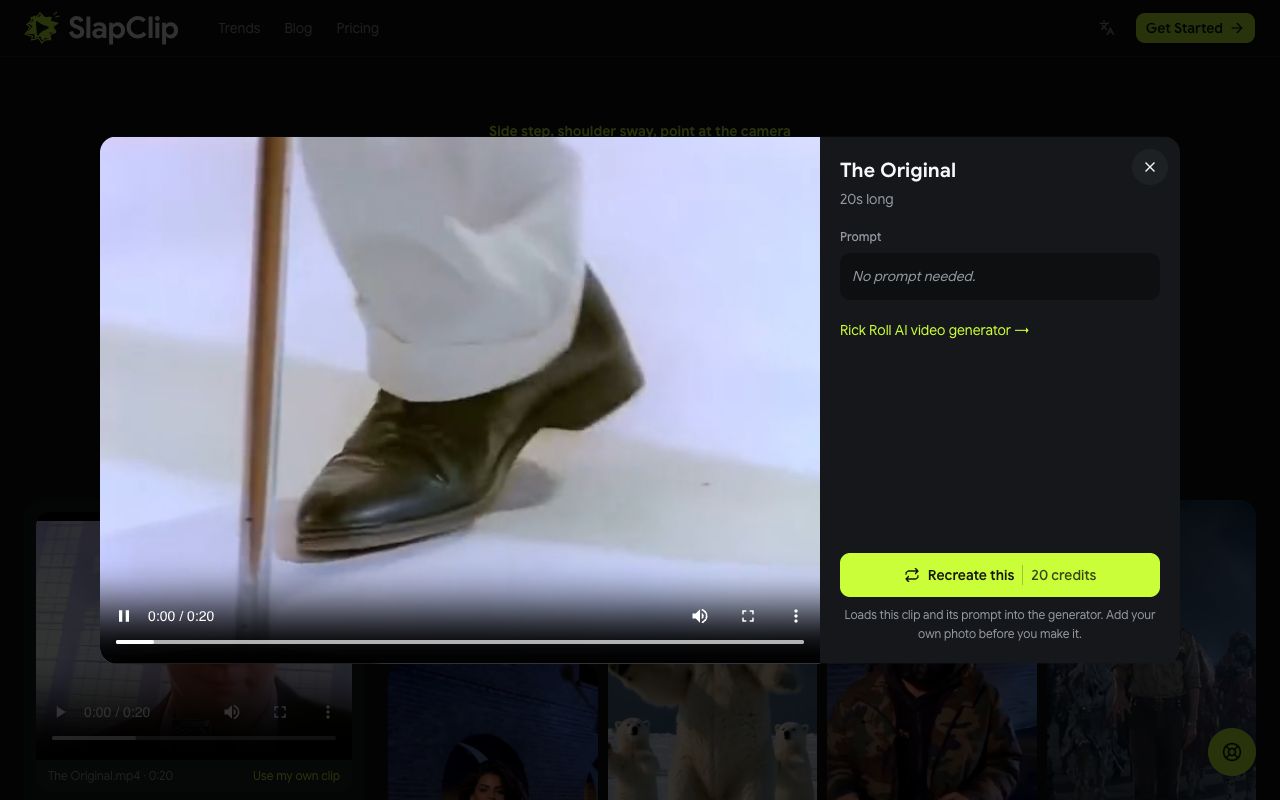
Recreate uses that example's own video as the motion reference, so you are swapped into exactly the take you picked: the same set, the same moves, the same camera cuts. The examples run 10 to 15 seconds, so a shorter take gives you a punchier prank.
Step 3: Add Your Photo
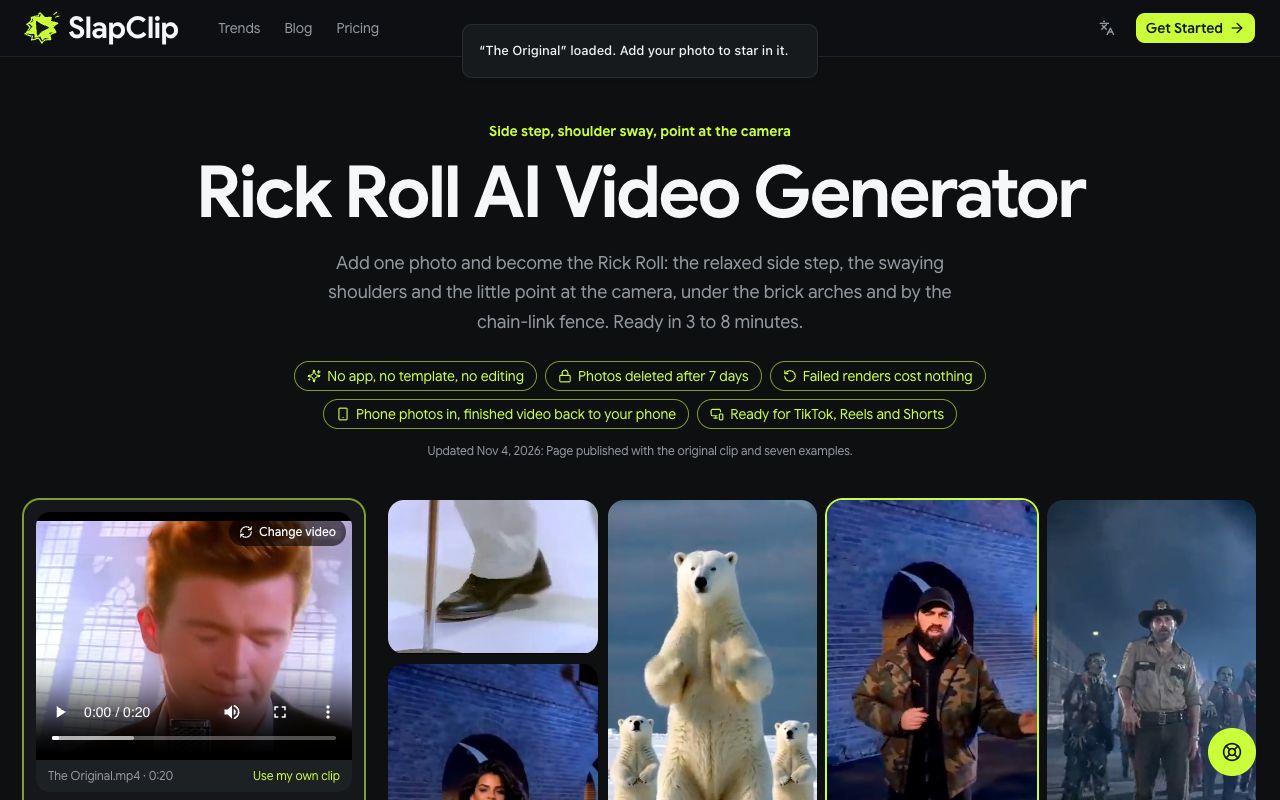
The page tells you the clip is loaded and asks for your photo. Tap + under Characters, products and settings and pick one photo from your phone or computer. The slot is labelled "You, the singer". On a computer you can also scan the QR code to send a photo straight from your phone.
The best photo is front facing, in daylight, with no sunglasses, no filter and only you in the frame. The clip cuts between close-ups at the microphone and full body shots of the dance, so a photo from the waist or the knees up gives the model your outfit as well as your face.
Step 4: Check the Price and Generate
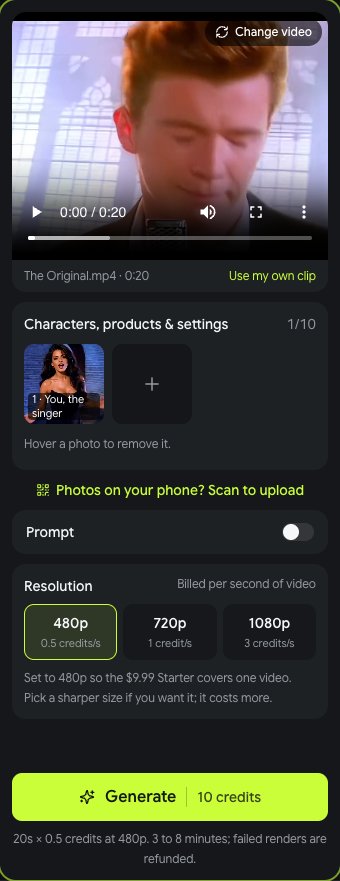
The generator shows the resolution (the sharpest size one Starter pack covers: 720p up to 15 seconds, 480p for longer clips), the credits it costs and that the video is ready in 3 to 8 minutes. Tap Generate. If your balance is short, checkout opens and shows the price before anything is charged. A failed render gives the credits back automatically.
When it is done, tap Download MP4. The video has sound, no watermark and no app logo.
Step 5: Send the Rick Roll
Now the fun part. A few ways people use it:
- The classic link. Upload the MP4 somewhere that gives you a plain link, then send it as "the notes from today's meeting" or "the photos from Saturday".
- The group chat drop. Post it with no comment and wait.
- The birthday card. Send it to the birthday person with "made you something".
- TikTok, Reels or Shorts. Post it and add the AI-generated label where the platform asks for it.
The original clip keeps the song under your dance. If a take you picked is quiet, add Never Gonna Give You Up from the TikTok or Instagram sound library when you post.
What It Costs
SlapClip charges by the second: 1 credit per second of 720p video (480p costs half, 1080p three times). Credits come in one-time packs with no subscription, 15 for $9.99, 45 for $24.99 and 100 for $49.99, and they work on every trend on the trends page. The button shows the credits before you start, and a failed render gives the credits back automatically.
Tips for a Singer That Looks Like You
- Show the outfit. A trench coat feels classic; a hoodie or a work shirt makes the prank funnier.
- Face the camera. The close-ups at the microphone are face on.
- Use even light. A bright window behind you or shadows under the eyes blur the face in the close shots.
- One person per photo. Crop out friends and partners so the wrong face cannot end up at the mic.
- Only use photos you may use. Your own, or an adult's who agreed. No children.
Fixing a Result That Looks Off
If the face does not look like you, change the photo first: sharper, front facing, better light. If the body looks wrong, use a photo that shows more of it. If one take does not suit your photo, try another example; the vertical Blue Polo and the widescreen Robot frame the singer very differently. More fixes are in why an AI video face looks off.
Ideas People Are Making
- Your boss, with their OK, Rick Rolling the whole team chat.
- Your dad, in his weekend jacket, like the Blue Polo take.
- Your pet, swaying on its hind legs like the Polar Bear example.
- A horror twist, the Sheriff take with zombies in the background.
- A dance trend next, like Carlton Dance AI with the same one photo.
Frequently Asked Questions
Is there a Rick Roll AI filter?
There is no camera filter that makes you do the whole Never Gonna Give You Up dance in the music video set. The video is rendered from your photo, which is what the Rick Roll AI page does.
Is there a free Rick Roll AI generator?
Not here. Every video is a new AI render, and the price is shown at checkout before you start. Free face swap apps paste a face onto Rick Astley instead of recasting your whole body.
Can I Rick Roll a friend with their face?
Yes, with their OK. Add a photo of your friend instead of yourself; each video has one singer. For a group, make one video per person.
How long is the Rick Roll AI video?
The original clip is 20 seconds. The examples run about 10 to 15 seconds, and each one keeps its own length.
Can I use my own clip instead?
Yes. The generator takes any 4 to 30 second clip with one clear person in it. Add your photo and that person is recast as you.