
Dime Dime Baby AI Christmas Video: A Holiday Greeting Your Family Will Replay (2026)
Turn the Dime Dime Baby AI trend into a Christmas greeting: who to put in it, which scene feels festive, how to dress the photo for the holidays, how to send it to the family group chat and what it costs today.
Short answer: pick one family member who agreed to it (Grandpa, your dad, your aunt, your partner or the family dog), take a front facing photo of them in a Christmas sweater or a Santa hat, and add it on the Dime Dime Baby AI page. For the most festive look, tap Recreate this on the Garage Party example, which has string lights behind the dancer. In 3 to 8 minutes you get a 9 second video of them dancing in, biting the concha, staring into the lens and dancing away. Download the MP4 and send it to the family group chat with your holiday message. One video is 9 credits at 720p or 5 at 480p. Prices and page details were checked on November 23, 2026.
Why Dime Dime Baby Works as a Christmas Greeting
Most holiday greetings look the same: a photo card, a "Merry Christmas" text, a GIF of a snowman. A Dime Dime Baby video is different because it puts someone everyone knows into a moment nobody expects from them.
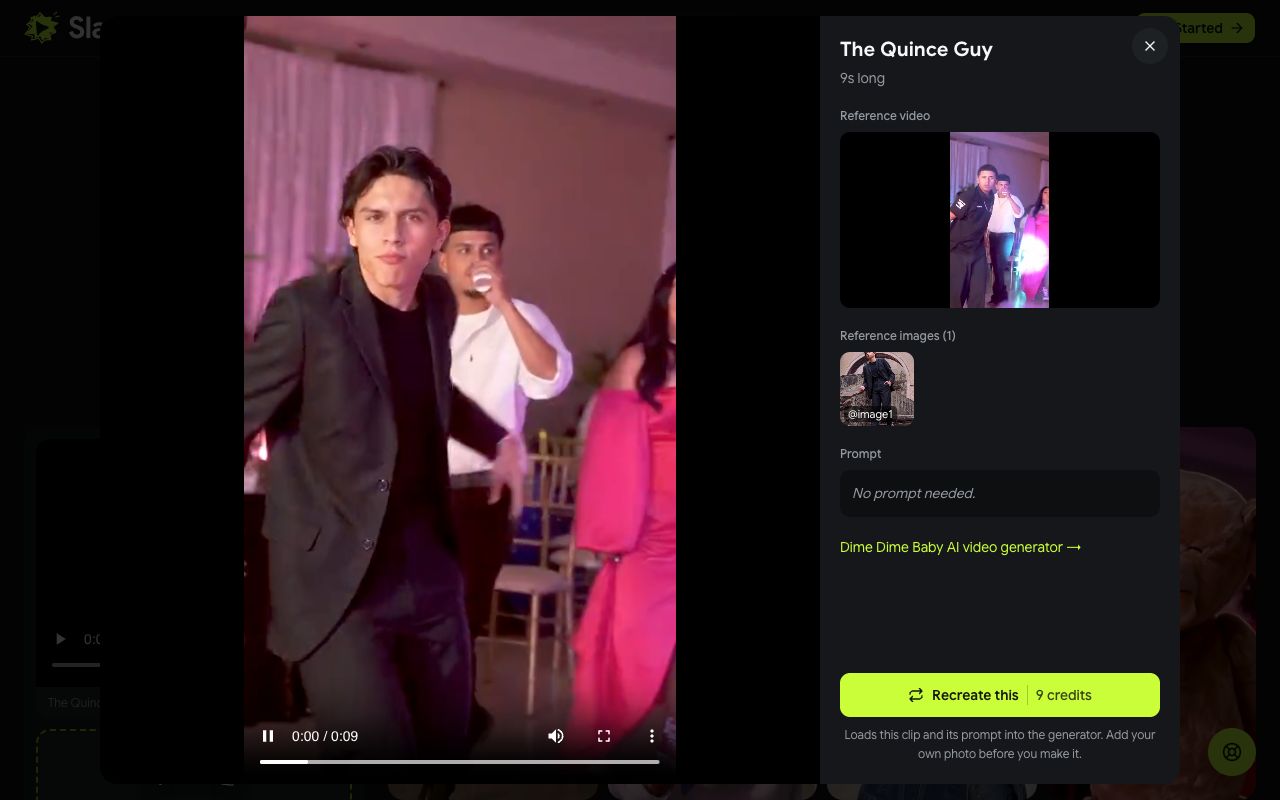
The original clip is simple. At a quinceañera, a guy dances toward the camera, bites a concha (the Mexican sweet bread), chews while staring straight into the lens, then dances back into the party. It is 9 seconds long. When the person doing it is your very serious uncle in a reindeer sweater, the whole family chat lights up.
It also fits the season well:
- It is short. Nine seconds plays instantly on any phone, even for relatives who never open long videos.
- It needs only one photo. You probably took a usable one at Thanksgiving.
- It is easy to send. It is a plain vertical MP4 with no watermark, so it works in a text, a WhatsApp group or an email.
Who to Put in Your Christmas Video
The joke lands hardest with the person nobody expects to bite a concha and hold that stare. Always ask first if it is not you.
- Grandma or Grandpa. The classic choice for a family greeting, and the one most likely to be replayed at dinner.
- Mom or Dad. Send it to the siblings first and let them guess when it was "filmed".
- The uncle or aunt who hosts. A good way to say thanks for having everyone over.
- Your partner. A holiday card from the two of you, starring one of you.
- The family dog or cat. Tap Your Pet Does It and the pet walks upright and does every move.
- A teddy bear. Tap Your Plushie Does It for a cute version.
A note on kids: photos of children are not allowed on any trend on this site. If you want something sweet for the little ones, use the teddy bear or the family pet instead, and send them that.
Pick the Scene That Feels Most Festive
Every example on the page is its own scene, and Recreate this keeps that scene. All of them run 9 seconds, so they all cost the same.
| Scene | What you see | Good for | | -------------------- | --------------------------------------------------- | --------------------------------- | | Garage Party | A crowd packed into a garage under string lights | The most holiday party feel | | The Quince Guy | The original party under pink and purple lights | A fan of the original trend | | Neon Dance Floor | A dark room with pink and purple light | A New Year's Eve version | | Garden Party | Daylight in a backyard with flowers | Relatives somewhere warm | | Dance Studio | A bright room with a mirror wall | The moves as the whole joke | | Your Pet Does It | The original party, with your pet as the dancer | The family dog or cat | | Your Plushie Does It | The original party, with a teddy bear as the dancer | A sweet one for the kids to watch |
If you cannot decide, match the light in the photo. A photo taken indoors at a holiday dinner looks natural in the Garage Party; a sunny photo fits the Garden Party. The Dime Dime Baby AI scenes guide compares each scene in more detail.
Dress the Photo for the Holidays
Here is the most useful thing to know: the outfit in the photo is the outfit in the video. There is no Christmas scene to pick, so the holiday look comes from the clothes.
- An ugly Christmas sweater. The easiest win. It reads as Christmas from the first frame.
- A Santa hat or reindeer ears. Keep the face fully visible, so nothing should cover the eyes.
- A red or green party outfit. Simple and still festive, especially for the Neon Dance Floor.
- A pet in a holiday bandana or sweater. Use a clear photo of the whole animal.
You can also switch on Prompt to describe the outfit, for example "a red Christmas sweater", if the photo is not quite right. A real photo in the outfit still gives the most reliable result.
The photo rules are the same as always: one person facing the camera, face fully visible, no sunglasses, even light and no beauty filters. The best photos for Dime Dime Baby AI guide shows what works and what does not.
How to Make It, Step by Step
- Open the page. Go to the Dime Dime Baby AI page. The generator opens with the original quinceañera clip.
- Pick a scene. Tap the example you want, such as Garage Party, then Recreate this. Its clip loads into the generator.
- Add the photo. Tap + and add the photo of your family member. On a computer with the photo on your phone, tap Photos on your phone? Scan to upload.
- Check the price. The Generate button shows the credits, and checkout shows the price before anything is charged.
- Generate. It usually takes 3 to 8 minutes, and you can leave the page while it renders.
- Download. Tap Download MP4 when it is ready.
Sending It to the Family
- Family group chat. Drop the MP4 into the chat with a line like "Merry Christmas from the dance floor". Nine seconds plays right there.
- One video per relative. Make a separate video for each grandparent or sibling and send each one privately, so everyone gets their own.
- Post it too, if they agree. On TikTok or Instagram Reels, add BbY WOW from the music library (the song is not added to your MP4) and label it as AI generated, which both platforms ask creators to do. The TikTok and Reels guide covers the details.
If you are hosting, the party invite guide shows how to turn the same clip into an invitation before the party.
What It Costs
Every Dime Dime Baby scene is 9 seconds, so the price is the same in every scene:
| Size | Credits per second | One 9 second video | | ----- | ------------------ | ------------------ | | 480p | 0.5 | 5 credits | | 720p | 1 | 9 credits | | 1080p | 3 | 27 credits |
Credit packs on the pricing page: Starter is $9.99 for 15 credits, Popular is $24.99 for 45 credits and Pro is $49.99 for 100 credits. Packs are one time, with no subscription, and credits last a year. Starter covers one video at 720p plus one at 480p. Popular covers five videos at 720p, enough for a few relatives and the dog. A failed render gives its credits back automatically.
FAQ
Is there a Christmas version of the Dime Dime Baby scene? Not a separate scene. The holiday look comes from the photo: a Christmas sweater or Santa hat in the photo is what the dancer wears in the video. The Garage Party scene, with its string lights, feels the most festive.
Can I put the whole family in one video? No. The page takes one photo of one person per video. Make one video per person and send them together.
Can I use a photo of my child or grandchild? No. Photos of children are not allowed on any trend on this site. Use a teddy bear or the family pet for a version the kids will love.
Can I send it by text or WhatsApp? Yes. Download the MP4 and send it like any other video. It is 9 seconds, vertical and has no watermark.
Is the song in the video? BbY WOW is not added to the MP4, since the song belongs to its rights holders. If you post on TikTok or Reels, pick it from the music library there.
Ready to make the family chat laugh? Open the Dime Dime Baby AI page, start from the generator, or browse all trends for more holiday ideas.