
Can I Ride Dance AI Generator
Add a photo of you and one of a friend and you both do the Can I Ride dance side by side, every clap and knee lift in sync. Ready in 3 to 8 minutes.
Updated Nov 20, 2026: Page published with the original duo and seven remakes from TikTok.
Tap a face to swap in your friend
Add a photo of who should star in the video.
About the trend
What Is the Can I Ride Dance?
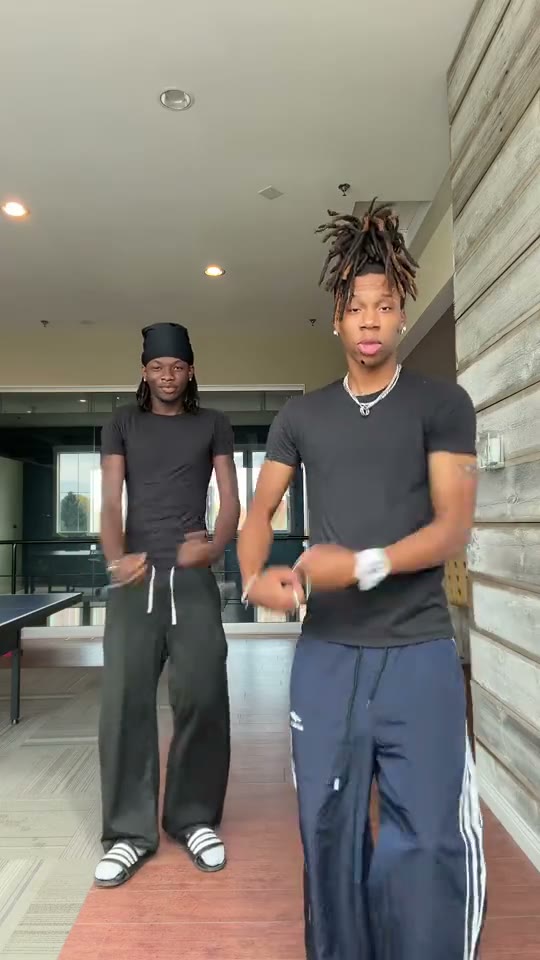
The choreography is credited to Temi and Spencer Anderson, who posted the routine on TikTok in early October 2026 to Can I Ride, a house track by SIDEPIECE and 95 South. Their October 9 take passed 400,000 likes, and within weeks cousins, coworkers, cheer squads, a TV weather anchor and LE SSERAFIM had posted their own versions.
SlapClip is a Can I Ride dance AI generator: add a photo of you and one of a friend and you both do the viral two person routine side by side. Your whole bodies move through the claps, arm swings and knee lifts in sync, with the original sound, and the video is ready in 3 to 8 minutes.
The original: TikTok dance by @life_of_temi
Also known as: Can I Ride AI Dance, Can I Ride Duo Dance AI, Can I Ride Trend AI
Updated Nov 20, 2026
How to Make a Can I Ride Dance AI Video
Making the video takes one or two photos and 3 to 8 minutes. The original duo clip is already loaded in the generator at the top of this page, so there is no routine to learn, nothing to film, no template to hunt for and no prompt to write.
- 1
Pick a Version
The original duo is loaded for you. For a remake, tap Recreate on that example.
- 2
Add Your Photos
Tap + and add a clear photo of you, then one of your friend if you want a duo. On a computer? Scan the code to add photos from your phone.
- 3
Generate and Post
The button shows the credits before anything is charged. Tap Generate, then Download MP4 3 to 8 minutes later. On a computer, Get it on your phone opens the video on your phone.
Pick Your Can I Ride Dance
Every version keeps the same routine. The original puts the two of you in a bright apartment lobby, just like the post that started it. The remakes move it to a practice room, a TV studio, a stadium pitch or a rooftop at night, so pick the scene that fits your duo.
 From 1 photo
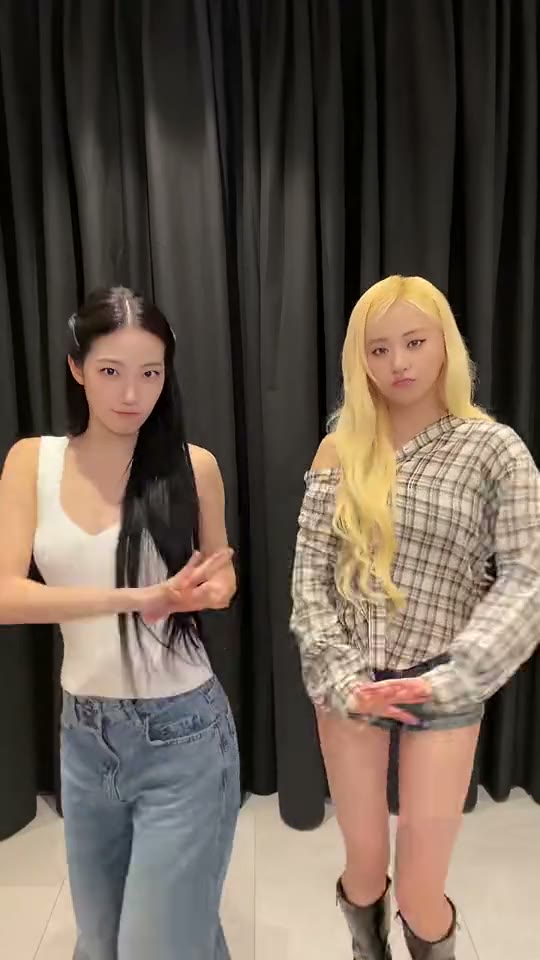
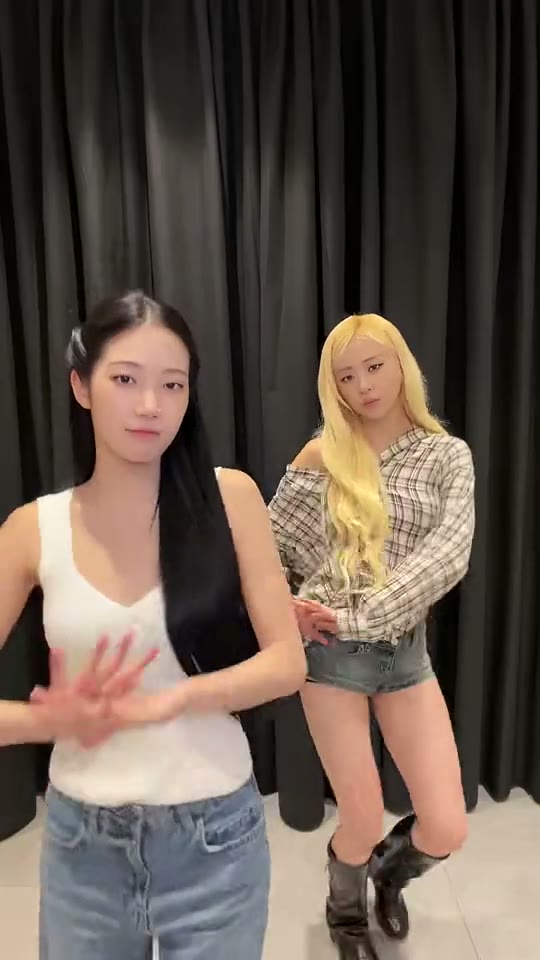
K-Pop Duo in the Practice Room
Two dancers in front of a black curtain, idol style.
 From 1 photo

Weather Anchor in a Blue Suit
A solo take in a TV studio, suit and tie.
 From 1 photo
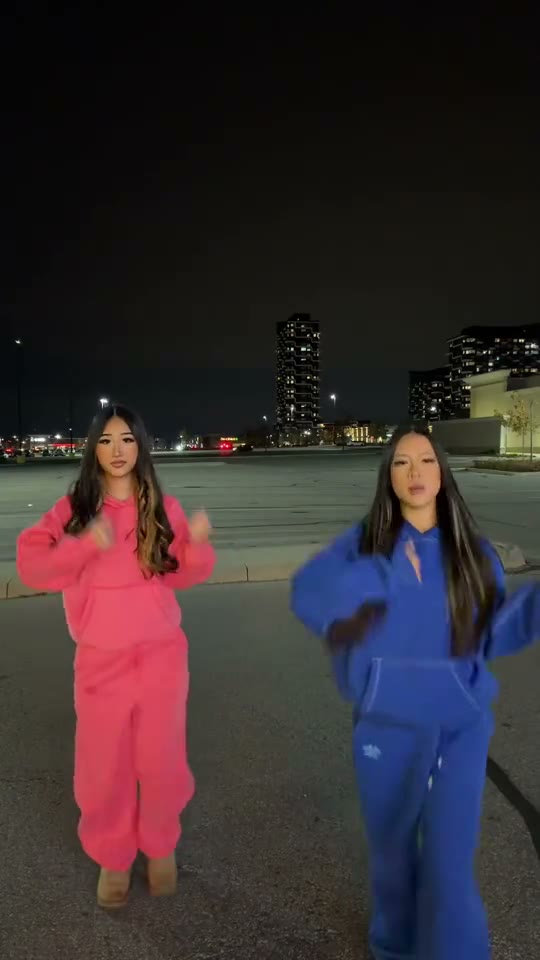
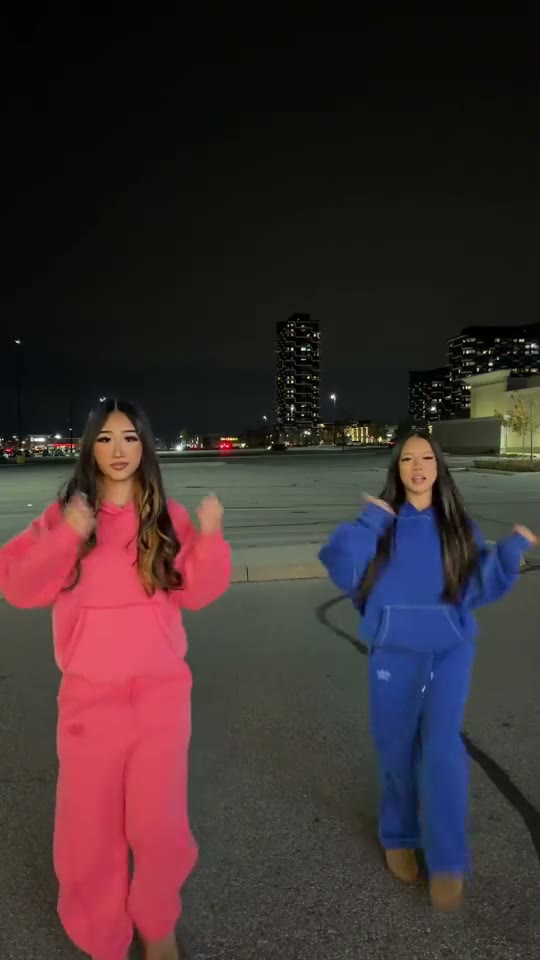
Pink and Blue Sweatsuits
Matching sweatsuits on a rooftop at night.
 From 1 photo
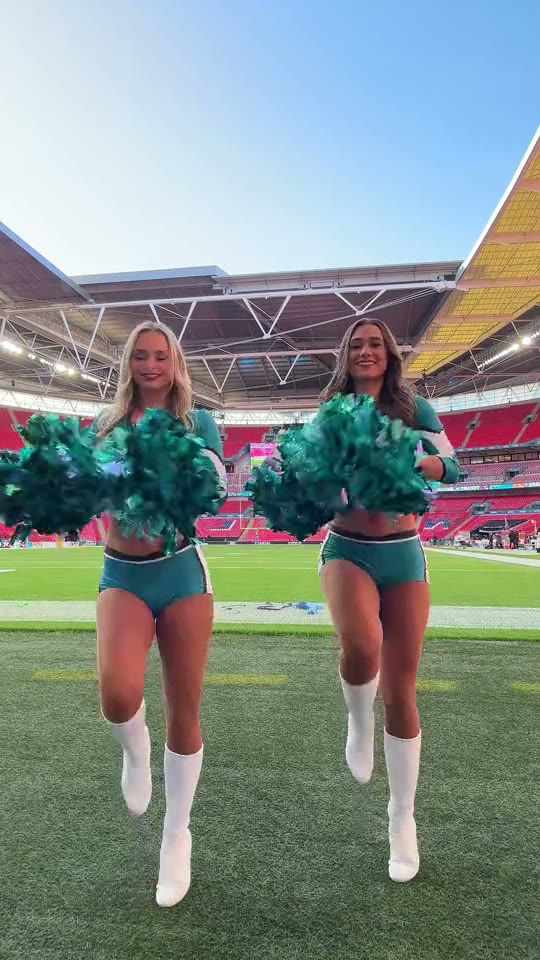
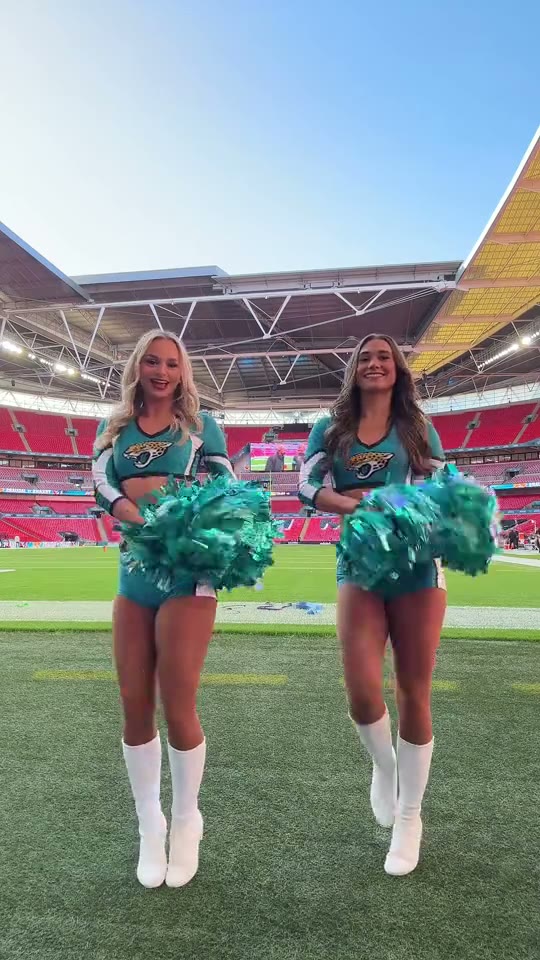
Cheerleaders on the Pitch
Pom poms and white boots in a full stadium.
Who People Put in the Dance
Any clear photo of an adult works, with their OK. Best friends, partners and coworkers who would never dance on camera get the biggest reactions.
You and your best friend, Your partner, Two coworkers, Roommates, A birthday duo, Group chat surprises
Tips for a Better Can I Ride Dance Video
Both dancers are on screen from head to toe and move the whole time, so each photo has to carry a face and a build through every clap. Sharp, front facing full body photos in even light give the closest match, and two outfits in different colors keep the duo easy to tell apart.
Full Body Works Best
Facing the camera, head to feet, one person per photo.
Contrast the Outfits
Two different colors read best side by side.
Use Even Light
Daylight or a bright room, no sunglasses or heavy shadows.
Only Use Photos You May Use
Your own, or an adult’s who agreed. No children or photos of people without their OK.
The Easiest Way to Do the Can I Ride Dance: Two Photos
SlapClip has the original duo ready to use. It moves both of your whole bodies through the routine instead of pasting faces on the dancers, keeps the original sound, shows the exact price before you start and refunds every failed render automatically.
- Your photoYour video
Built for Two
Add a photo for each dancer and say who goes where.
- 12
Tap Who You Replace
Tap a face right on the video. Each one is numbered, and the faces you skip stay as they are.
- Scan for phone photosOn your phone
Phone or Computer
On a computer? Scan a code and the photos on your phone show up here in seconds. When the video is done, scan again to open it on your phone and post.
480pquick test
720pready to post
1080psharpest
Pick Your Quality
480p for a quick test, 720p to post, 1080p when it has to look sharp. Choose for each video, and a failed render costs you nothing.
Can I Ride Dance AI Video: Your Options Compared
There are three ways to make it: SlapClip recasts the clip from your photos, a CapCut template pastes a face onto the original, or you set up an AI video model yourself.
| SlapClipRecommended | CapCut face swap | By hand in an AI video tool | |
|---|---|---|---|
| What changes | The whole person: face, hair, outfit and build | Only the face | The whole person |
| Who gets swapped | Tap any face; the rest stay as they are | The face the template picks | Written into the prompt |
| Moves, camera and timing | Kept from the clip | The original footage | Often drift; expect several tries |
| What you need | Your photos; the clip is ready | The app and a template | The clip, a prompt and an editor |
| Ready in | 3 to 8 minutes | A few minutes | Hours, with retries |
| If a render fails | Credits come back on their own | Free to try again | Depends on the tool |
Simple Pricing. No Subscription.
Buy a credit pack when you want to make videos and top up when it runs out. Nothing renews, and the Generate button shows the exact price before you start.
Starter
Your first video
$9.99one time
- 15 credits · $0.67 each
- About 1 Can I Ride Dance AI video at 720p
- 480p, 720p or 1080p
- Most popular
Popular
A few trends, a few friends
$24.99one time
- 45 credits · $0.56 each
- About 4 Can I Ride Dance AI videos at 720p
- 480p, 720p or 1080p
Pro
For regular posting
$49.99one time
- 100 credits · $0.50 each
- About 9 Can I Ride Dance AI videos at 720p
- 480p, 720p or 1080p
A 11 second Can I Ride Dance AI video costs
- 480p6 creditsquick test
- 720p11 creditsready to post
- 1080p33 creditssharpest
Have a clip of your own?
Put yourself into any video with one photo, not just this trend.
More Dance Trends
Try another viral trend with the same photo.
Wednesday Dance AI
One photo. Dead serious. Every move.
Dance · 4 examples
Huss Huss Huss AI
One photo. Every huss. No rehearsal.
Dance · 4 examples
Napoleon Dynamite Dance AI
Sweet moves. Your face. Vote for Pedro.
Dance · 6 examples
No Scrubs AI
Three photos. One silver set. The whole trio gets a verse.
Dance · 8 examples
Patrick Jane AI
Three-piece suit. Zero rhythm. Total confidence.
Dance · 6 examples
Like Jennie AI
Front and center. Fifty dancers behind you.
Dance · 8 examples
Rick Roll AI
You are the Rick Roll.
Dance · 8 examples
Carlton Dance AI
You do the Carlton.
Dance · 8 examples
Thriller Dance AI
You lead the zombie crowd.
Dance · 8 examples
Jim Carrey Dance AI
Point, scold, shrug, walk off.
Dance · 7 examples
Want a different move? See every dance in our AI dance generator
Explore other kinds of videos
Want a different meme? Every trend is in our AI meme video generator.
Helpful Guides
Tutorials, photo tips and fixes, starting with this trend.
Can I Ride Dance AI Questions
Upload a clear photo of yourself, keep the original duo selected and tap Generate. In 3 to 8 minutes you get an MP4 where you do the whole routine, the claps, the arm swings and the knee lift, with the Can I Ride sound on the same beats. Add a second photo to bring a friend.
Yes. Add one photo for each of you and tap a dancer on the original clip to choose who goes where, so both original dancers are replaced. You are rebuilt from the photos, face, hair, build and outfit, and dance side by side in sync. Two photos cost the same as one: the price depends only on length and size.
Yes, that is the point. You never record yourself or learn the steps: the AI takes the moves from the original video and gives them to the people in your photos. All you need is one clear photo per dancer, ideally full body and facing the camera, and 3 to 8 minutes of waiting.
The choreography is credited to Temi and Spencer Anderson, who posted it on TikTok in early October 2026. Their October 9 take, the one loaded here as the original, had over 400,000 likes on November 20, 2026. The song is Can I Ride by SIDEPIECE, the house duo of Party Favor and Nitti Gritti, with 95 South.
Yes. One photo is enough: you take the place of one dancer and the other stays as in the clip, or pick a solo remake such as the weather anchor in the TV studio and you dance alone. A full body photo of one person, facing the camera in good light, gives the closest match.
No, SlapClip is paid, not free: the versions here run 10 to 11 seconds and cost 10 to 11 credits at 720p, $6.66 to $7.33 at the smallest pack, with no subscription or watermark. Free template apps exist, but they mostly paste faces onto other dancers. A failed render gives the credits back automatically.
Yes. Tap Recreate on any example, such as the K-pop practice room or the cheerleaders on the pitch, and that video becomes the reference: its room, camera and timing stay and the dancers become you and your friend. Each example shows its own length, which sets the price.
The original runs about 10 seconds and the remakes 10 to 11 seconds, each vertical with sound and no watermark. Download the MP4 and post it on TikTok, Instagram Reels or YouTube Shorts, and label it as AI-generated when you post, which these platforms ask creators to do.
Your Can I Ride Dance Is 3 to 8 Minutes Away
Two photos in; you and your friend dancing in sync, out. Failed renders are refunded.
- No charge if a render fails
- No watermark
- Keeps the clip's shape, ready for TikTok and Reels