
How to Make the Huss Huss Huss AI Dance Video With Your Own Photo (2026)
A step by step tutorial with screenshots: do the viral Huss Huss Huss funk dance from one photo, solo or with friends. What the trend is, what to upload, what it costs and how to fix a result that looks off.
Short answer: open the Huss Huss Huss AI page, where the original dance on a train platform is already loaded in the generator. Add one clear photo of you, add up to two friends if you want a group, and tap Generate. The finished MP4 is ready in 3 to 8 minutes with every side step, knee lift and clap of the dance, the original sound, and you as the dancer. No dancing, no filming, no CapCut template and no prompt. Prices and screens below were checked on November 22, 2026.
What the Huss Huss Huss Trend Is
Huss Huss Huss started as a chant. In This Town, a Roblox animation by the creator Synelite, shows a whole town going out partying while one character only says "huss huss huss". The November 20, 2026 post passed 1.3 million likes by November 22, and within two days TikTok turned the sound into a funk dance: quick side steps, a knee lift, arm swings, claps and a spin, done solo, as duos and in friend groups, in train stations, malls and living rooms. The most liked dance posts we checked on November 22 had between 10,000 and 104,000 likes each.
People search for it as "Huss Huss Huss", "Huss Huss Huss dance", "In This Town huss", "Huss Huss Huss meme" and "Huss Huss Huss prank video". A popular CapCut template turns it into a prank, but most people simply want to do the dance themselves without learning it, and that is what this tutorial covers.
What You Need
- One photo. A clear, front facing photo of you is enough. Full body works best, because the dance shows the dancer from head to toe and the knee lift and spin need legs.
- Up to two more photos, if you want a group. The generator takes up to three photos: you, a friend and another friend. Everyone you add is rebuilt from their own photo.
- Loose clothes help. Baggy pants and a hoodie move well in the steps, though the dancer can wear whatever is in your photo.
- Price. The original runs about 11.5 seconds and is billed as 12 seconds: 6 credits at 480p, 12 credits at 720p or 36 credits at 1080p. The cheapest pack is $9.99 for 15 credits, which covers one video at 720p.
Step 1: Open the Huss Huss Huss AI Page
Go to slapclip.com/huss-huss-huss-ai. Under the headline and the four promises (no prompt, no watermark, photos deleted after 7 days, failed renders cost nothing) the generator sits on the left with the original clip, a dancer in a white top on a train platform with a silver train behind her. Next to it is the wall of takes people posted on TikTok.
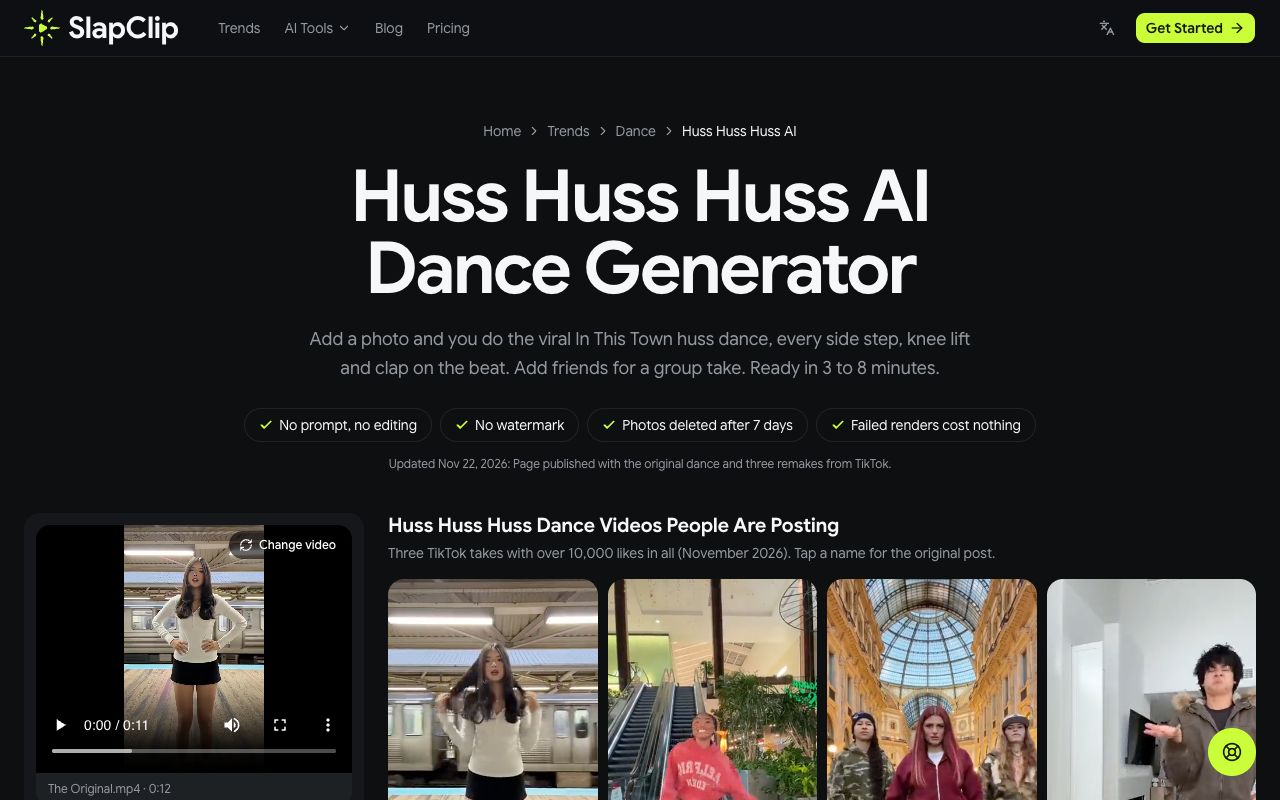
The original is already loaded, so you can go straight to step 3. The wall is there if you want a different scene: a solo by the escalators in a mall, three friends under a glass dome or a short solo in a bright living room.
Step 2: Pick a Version (Optional)
Tap a card on the wall to open it. The player shows the whole clip with sound, and the side panel shows its length and its price in credits. The Recreate this button loads that clip into the generator as the reference: its place, its camera and its timing stay, and the dancers become you and your friends.
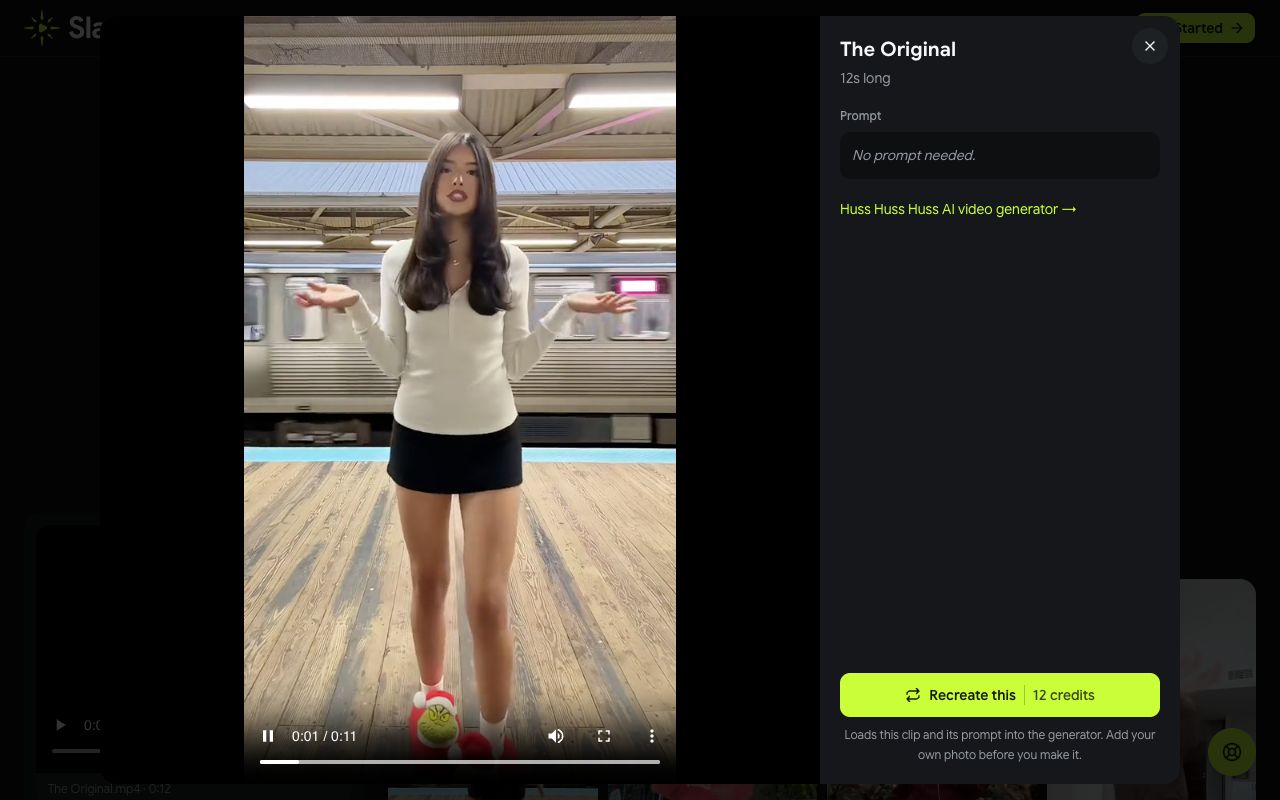
Pick by the number of people. The original, the escalator take and the living room take are solos. The glass dome take has three dancers, so it is the one to recreate if you are bringing two friends.
Step 3: Add Your Photo
In the generator, tap the + slot marked "1 · You" and choose a photo. A thumbnail appears in the slot. For a group take, add a friend in the next slot, "A friend (optional)", and a third photo after that.
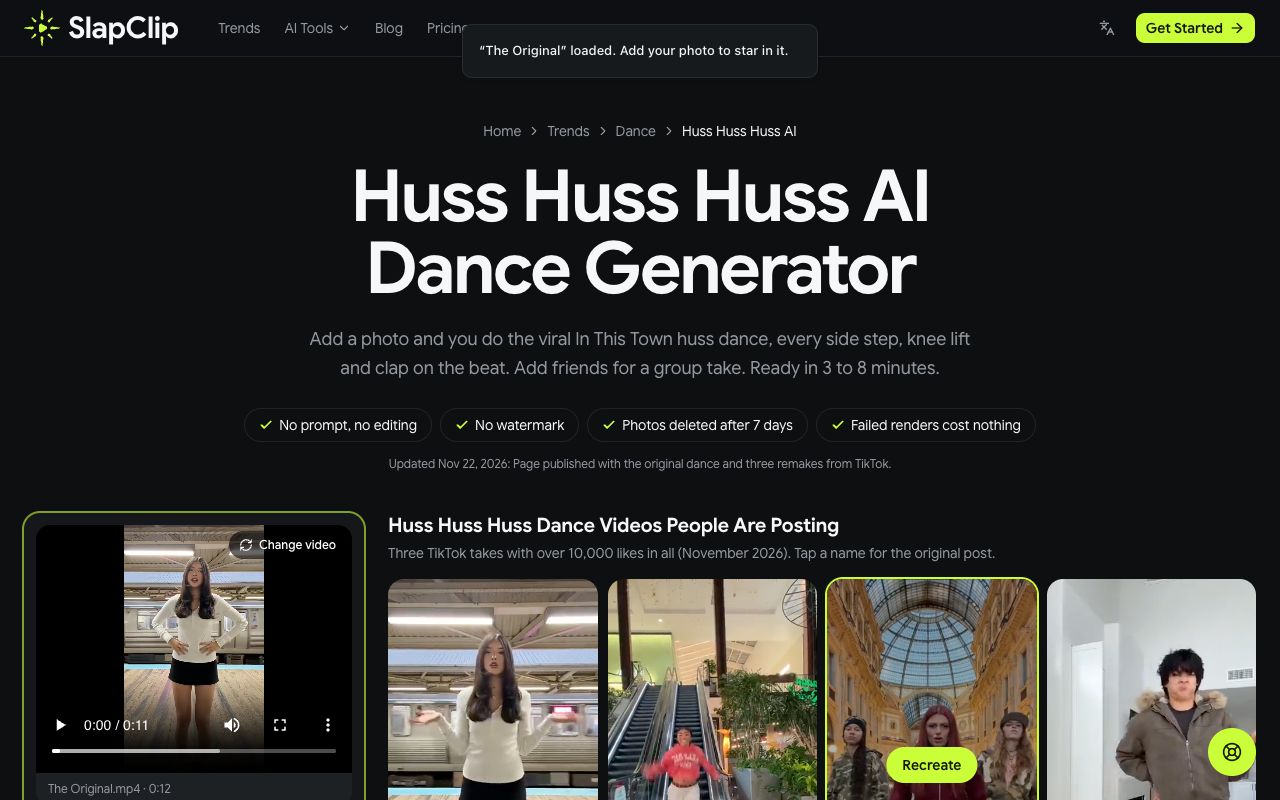
On a computer with your photos on your phone, tap Photos on your phone? Scan to upload and scan the QR code: the photo goes straight into the generator. Photos are deleted after 7 days.
What makes the biggest difference:
- One person per photo. If there are two people in the picture, the AI has to guess who you mean.
- Head to toe. The dance is all legs and arms. A full body photo keeps your height and build right through the spin.
- Even light, nothing on your face. Daylight or a bright room; no sunglasses, no heavy filters.
- Only photos you may use. Your own, or an adult who agreed. Never children or people who did not say yes.
Step 4: Check the Price and Generate
At the bottom of the generator the Resolution row shows the three sizes and their rate: 480p at 0.5 credits a second, 720p at 1 credit and 1080p at 3 credits. The Generate button shows the total for the clip before anything is charged, and the line under it spells out the sum.
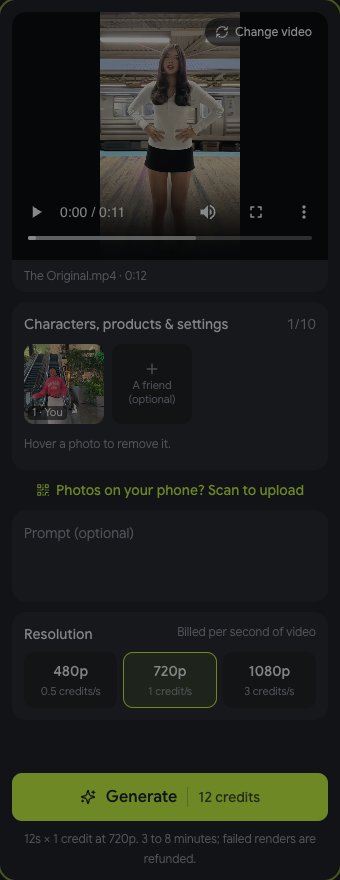
With the original selected at 720p, the button reads Generate | 12 credits, and the line under it shows 12 seconds times 1 credit at 720p, ready in 3 to 8 minutes, with failed renders refunded. Tap Generate, then download the MP4 from your videos page when it is ready.
What It Costs
| Size | Credits per second | Huss Huss Huss original (12 s billed) | | ----- | ------------------ | ------------------------------------- | | 480p | 0.5 | 6 credits | | 720p | 1 | 12 credits | | 1080p | 3 | 36 credits |
Packs on the pricing page on November 22, 2026: Starter is $9.99 for 15 credits, Popular is $24.99 for 45 credits and Pro is $49.99 for 100 credits. A remake costs what its own length costs: the escalator take runs 14.3 seconds and the glass dome take 10.3 seconds. More photos do not cost more; the price depends only on length and size.
Fixing a Result That Looks Off
- Your face blurs in the spin. That is the hardest moment of the dance. A sharper, straight on photo with your hair off your face holds up best.
- Your build looks wrong. A selfie only shows your face, so the AI guesses the rest. Use a full body photo.
- A friend landed in the wrong spot. Say who goes where in the optional prompt, for example who dances on the left, and generate again.
- You want your own clothes, not the dancer's. Add a short prompt such as "wearing the outfit from the photo".
FAQ
Can I make the Huss Huss Huss dance with my friends? Yes. Add up to three photos, one per person, and recreate the glass dome take for a trio, or keep the original and add friends to dance beside you. Everyone is rebuilt from their own photo, and more photos cost the same as one.
Is this the CapCut Huss Huss Huss prank template? No. The template pastes a photo into a fixed clip on your phone. SlapClip rebuilds your whole body from the photo and moves it through the real dance from the clip you picked, in the browser, with no app logo on the result.
Does the video keep the sound? Yes. The MP4 keeps the sound of the clip you pick, the funk beat and the huss chant. Label it as AI-generated when you post on TikTok, Instagram Reels or YouTube Shorts.
How long does it take? 3 to 8 minutes. You can close the tab and find the finished video on your videos page.
Is there a free version? No. SlapClip is paid, with no subscription and no watermark. The original costs 12 credits at 720p, which the $9.99 Starter pack covers.
Next Steps
Open the Huss Huss Huss AI page and add your photo, or go straight to the generator. For more dances you can do from a photo, browse all trends.