
How to Make the Wednesday Dance AI Video With Your Own Photo (2026)
A step by step tutorial with screenshots: do the Wednesday Addams dance from the Netflix show from one photo. What the scene is, which photo to use, what it costs and how to get the black dress look.
Short answer: open the Wednesday Dance AI page, where the original Rave'N dance scene from the Netflix series is already loaded in the generator. Add one clear photo of you, ideally full body in black clothes, and tap Generate. The finished MP4 is ready in 3 to 8 minutes: you do the stiff arms, the head tilts, the hand flick and the deadpan stare on the foggy blue dance floor, with the sound of the scene. No dancing, no filming, no costume to buy and no prompt. Prices and screens below were checked on November 23, 2026.
What the Wednesday Dance Is
The dance comes from the fourth episode of Wednesday, the Netflix series that premiered on November 23, 2022. At the Rave'N school dance, Wednesday Addams (played by Jenna Ortega, who choreographed the routine herself) walks onto the floor in a black dress and does a dance that is stiff, sharp and completely serious: robotic arm swings, a hand flicked past the face, sudden head tilts, small kicks and a stare that never breaks.
It became one of the most copied dances on TikTok. Netflix's own post of the scene has over 2.2 million likes, and people still remake it every Halloween, often to Bloody Mary by Lady Gaga instead of the original song. People search for it as "Wednesday dance", "Wednesday Addams dance", "Wednesday dance AI", "Wednesday zombie dance AI trend" and "Jenna Ortega dance".
Most people do not want to learn the routine or buy the dress. They want to see themselves in the scene. That is what this tutorial covers.
What You Need
- One photo. A clear, front facing photo of you. Full body works best, because the scene goes from close ups to wide shots of the whole dancer, and the kicks need legs.
- Dark clothes in the photo, if you want the Wednesday look. The AI rebuilds you from your photo, face, hair, build and clothes. A photo in a black dress or black clothes gives the closest match to the scene. A Halloween costume photo works even better.
- A few minutes. Rendering takes 3 to 8 minutes.
- Credits. The original clip runs 18 seconds: 9 credits at 480p, 18 credits at 720p or 54 credits at 1080p. The Starter pack is $9.99 for 15 credits, which covers one original at 480p. The remakes on the page are shorter, 14 to 20 seconds, and each shows its own price.
Step 1: Open the Wednesday Dance AI Page
Go to slapclip.com/wednesday-dance-ai. The generator sits at the top with the original scene loaded: the foggy blue dance hall, students in white around the floor and the dancer in the middle. Next to it is the wall of remakes people posted on TikTok, each with the creator's name.
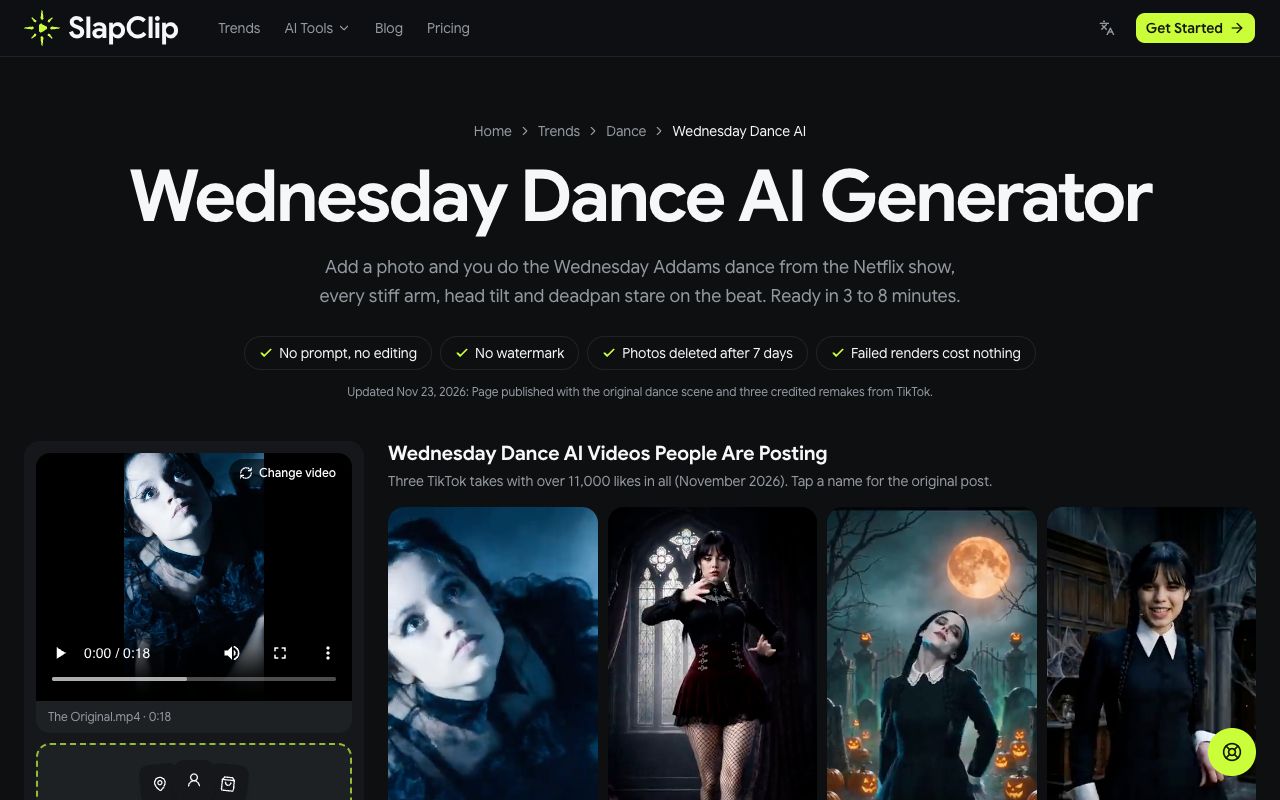
If you want the scene from the show, skip to step 3. The original is already selected.
Step 2: Pick a Remake Instead (Optional)
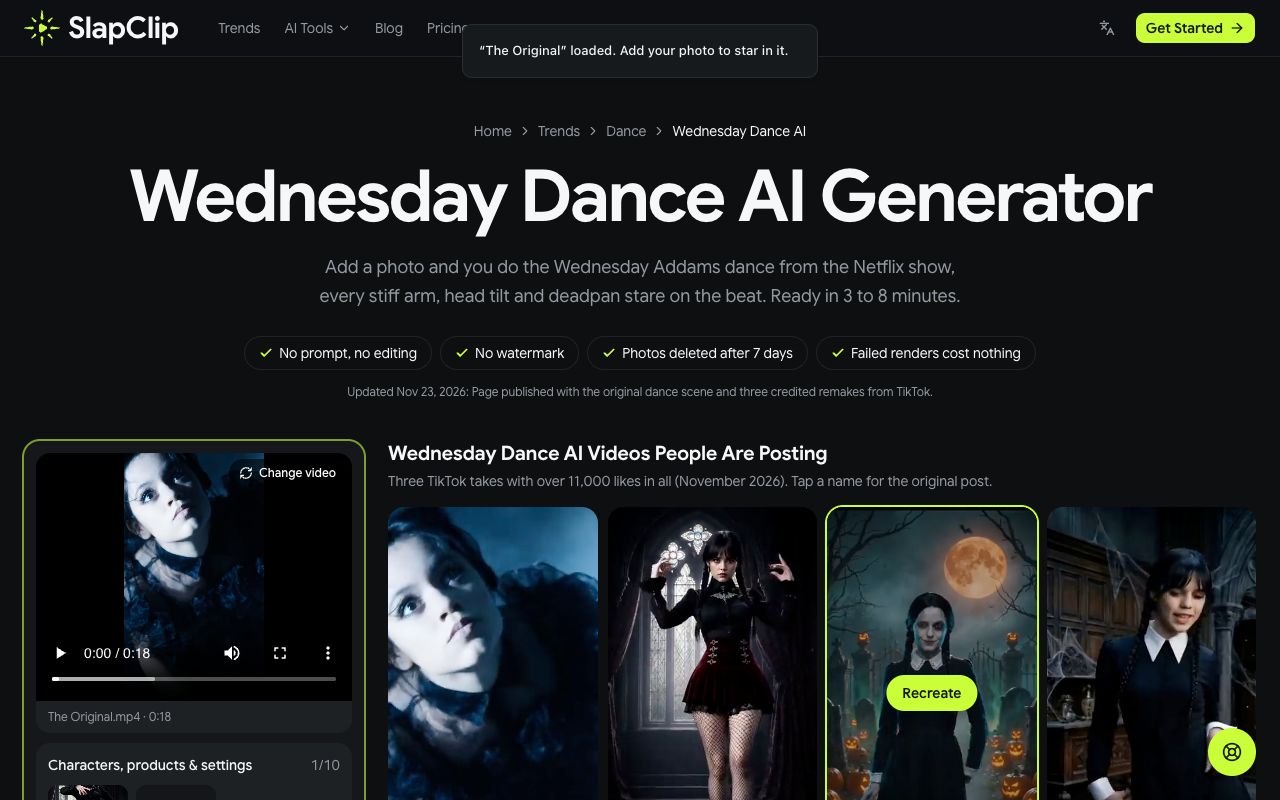
The wall has three remakes with over 11,000 likes in all: a dancer in a red velvet skirt under stained glass windows, a graveyard with jack-o-lanterns under a full moon, and the classic black dress with braids in a mansion full of cobwebs. Tap a card to play it with sound. Every card, the original included, shows its length and its price in credits. The Recreate this button loads that video into the generator as the reference: its place, its camera and its timing stay, and the dancer becomes you.
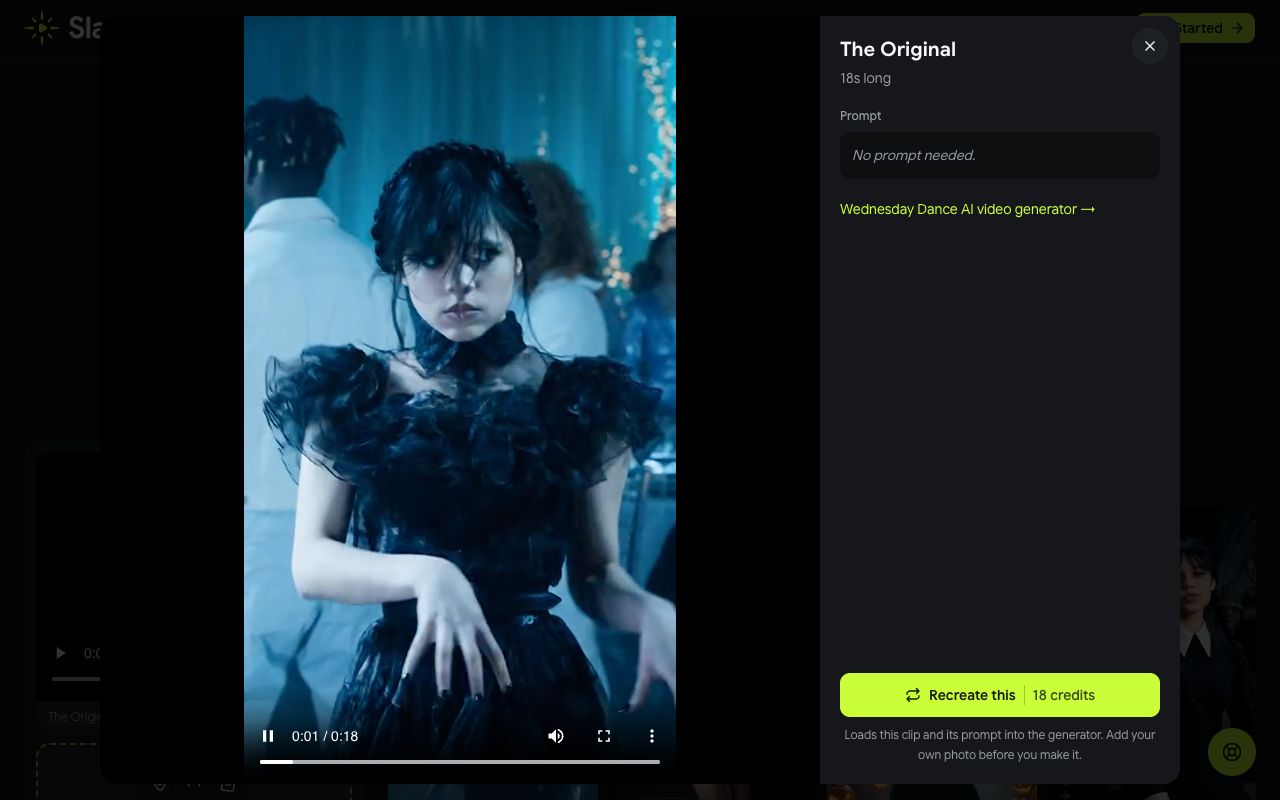
The graveyard version is the one to pick for a Halloween post. The stained glass hall is the most dramatic.
Step 3: Add Your Photo
Tap the + in the photo slot and pick a photo from your phone or computer. On a computer you can also scan the QR code and send a photo straight from your phone.
What makes a good photo for this dance:
- One person, facing the camera. Group photos confuse the model about who should dance.
- Head to feet if you can. A selfie works, but a full body photo gives the closest match in the wide shots.
- Even light, no sunglasses. Daylight or a bright room. Hair off the face.
- A calm or serious face. The dance is deadpan. A neutral expression in the photo carries through better than a big smile.
- Only photos you may use. Your own, or an adult's who said yes. No children.
Step 4: Generate and Download
Check the resolution and the credits on the Generate button. For a first video the generator picks 480p, so the $9.99 Starter pack covers it: the button reads Generate 9 credits for the 18 second original. 720p costs twice as much and 1080p six times as much. Nothing is charged before you tap.
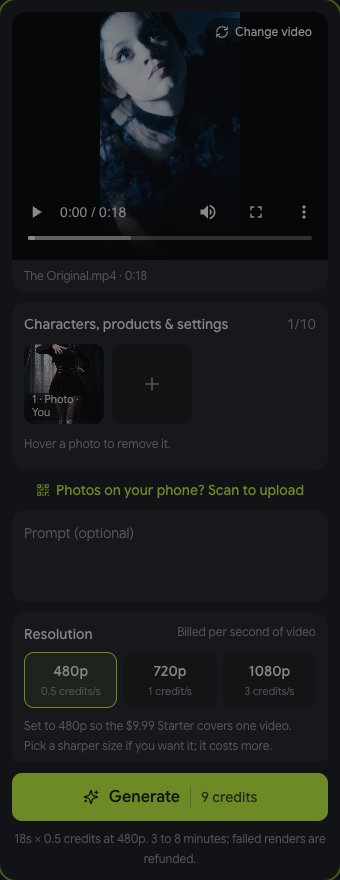
Tap Generate. The video is ready in 3 to 8 minutes; you can leave the page and find it later in your videos. When it is done, tap Download MP4. The file is vertical, has sound and carries no watermark or AI badge. If a render fails, the credits go back to your balance automatically.
Getting the Black Dress Look
This is the question people ask most. The video keeps the dance floor, the fog, the lights, the crowd and the moves from the scene, but the dancer is rebuilt from your photo, clothes included. So:
- Want the full Wednesday look? Use a photo in a black dress with a white collar, or any all black outfit.
- Want to be yourself in the scene? Use any photo. Wednesday's dance in a hoodie or a suit is often funnier.
- Doing it for Halloween? A photo of your costume is the easiest way to get exactly the look you want.
Braids help too, but they are not required. The hair comes from your photo as well.
Posting It
The video is ready for TikTok, Instagram Reels and YouTube Shorts. Label it as AI-generated when you post, which these platforms ask creators to do. Common tags are #wednesdaydance, #wednesdayaddams and #aidance. If you want to dance to another song, such as Bloody Mary, add it as the sound in the app when you post.
For more trends you can star in, see all trends, or open the generator on the homepage to use your own clip.
FAQ
Can I make the Wednesday dance video with just a selfie?
Yes. One clear selfie is enough, and you never record yourself dancing. A full body photo facing the camera gives a closer match in the wide shots, where the whole dancer is on screen.
Will I be wearing Wednesday's dress?
You wear what you are wearing in your photo. Use a photo in black clothes or a costume for the Wednesday look. The scene, the lights and the moves come from the original.
Is this a face swap?
No. Your whole body is rebuilt from the photo and moved through the dance, so your build, your hair and your outfit are on screen, not just your face on Jenna Ortega.
Can two people do the Wednesday dance together?
The Wednesday dance is a solo, so this page takes one photo. For a dance with friends, pick a group trend on the trends page.
How much does it cost?
The 18 second original costs 9 credits at 480p, 18 at 720p and 54 at 1080p. The Starter pack is $9.99 for 15 credits. There is no subscription, and failed renders are refunded automatically.