
You Never Let Her Pay AI Video Generator
Add one photo and take the seat in the restaurant skit: the waiter brings the card reader, a kitchen sponge appears in the wallet, and the diner heads to the kitchen. Ready in 3 to 8 minutes.
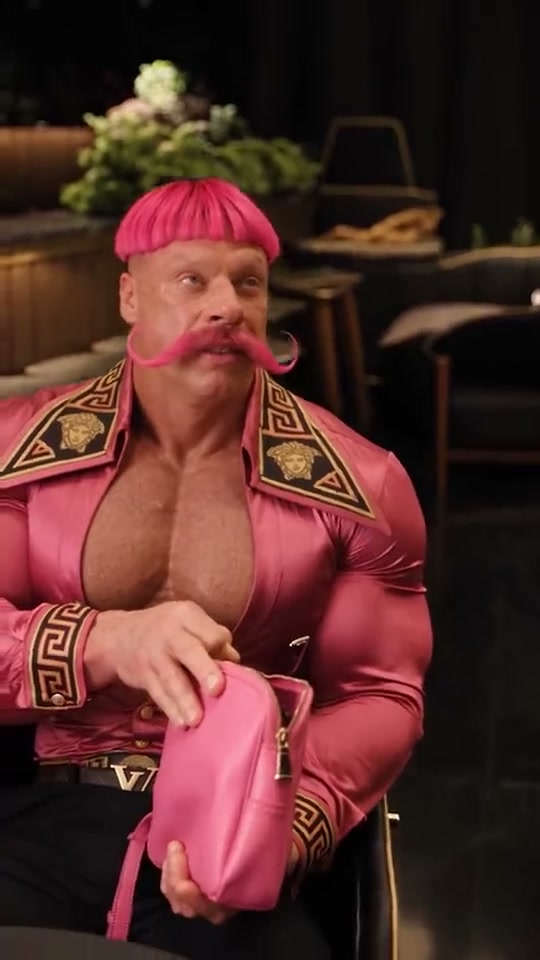
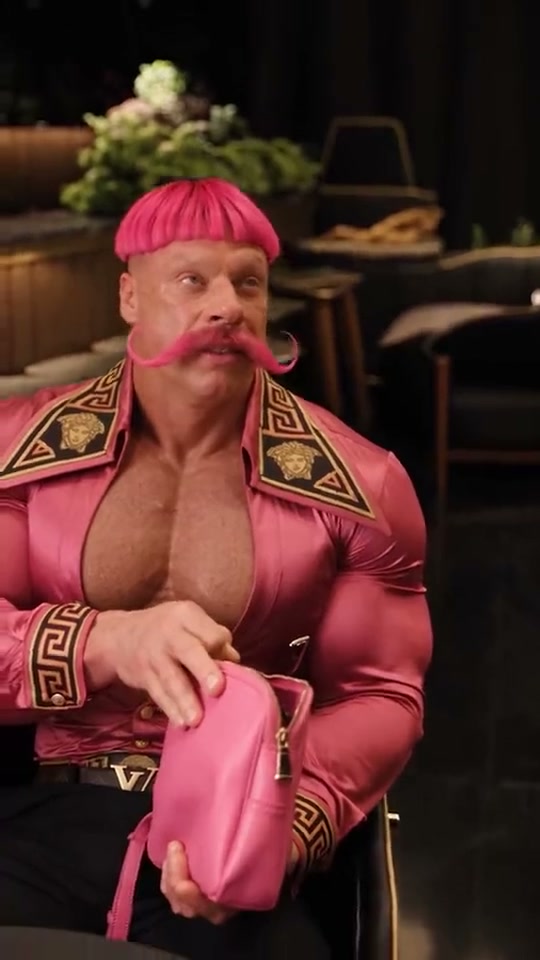
Updated Nov 19, 2026: The case gallery pairs the original skit with a creator-posted AI remake from TikTok.
Add a photo of who should star in the video.
About the trend
What Is the You Never Let Her Pay AI Trend?
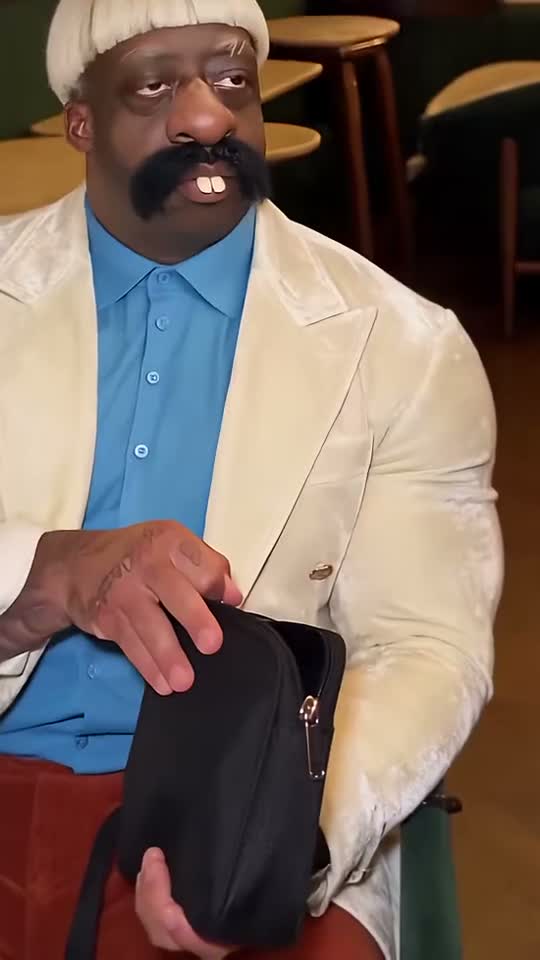
The You Never Let Her Pay AI skit comes from a short restaurant comedy posted by TikTok duo @boby.biggsjohnson on November 10, 2026. The diner opens a wallet to reveal a kitchen sponge, and the waiter leads him to the kitchen. The post had about 1.2 million likes when checked on November 14, 2026.
SlapClip is a You Never Let Her Pay AI video generator: add one clear adult photo and the 12-second restaurant skit is recast with you as the overdressed diner. A waiter brings the card reader, the wallet opens on a kitchen sponge, and the diner ends up in the kitchen, ready in 3 to 8 minutes.
The original: TikTok skit by @boby.biggsjohnson
Also known as: You Never Let Her Pay AI, POV You Never Let Her Pay, Sponge Wallet Meme
Updated Nov 19, 2026
How to Make a You Never Let Her Pay AI Video
Making a You Never Let Her Pay AI video takes one photo and a few minutes. The restaurant scene is already loaded at the top of the page, so you do not need to find the TikTok, write a prompt, act out the dinner or learn an editing app before you begin.
- 1
Keep the Restaurant Scene
The original skit is selected for you. The credited TikTok remake shows the same restaurant joke with a new AI-recast diner.
- 2
Add One Photo
Tap + and upload one clear photo of yourself or another consenting adult. A visible face and a waist-up crop give the model useful detail for the seated shot. On a computer? Scan the code to add photos from your phone.
- 3
Check the Price and Generate
Checkout shows the price before the render starts. At 720p, this 12-second clip costs 12 credits ($7.99 in the smallest pack, or $6 in the largest). Failed renders are refunded automatically. On a computer, Get it on your phone opens the video on your phone.
Who to Put in the Dinner Skit
The joke works when the person at the table takes an everyday bill very seriously. Put yourself in the seat first, then try a friend who always insists on paying or the family member who reaches for the check before anyone else. Ask before using another adult’s photo.
Other People Who Fit the Bit
Choose an adult who would enjoy being the center of a harmless dinner joke. Keep the scene light and do not present the result as real footage.
Roommates, Siblings, Best friends, Couples, Coworkers
Tips for a Better You Never Let Her Pay AI Video
A clear portrait helps the generated diner look like the person in the photo. Choose an image with even light, an unobstructed face and shoulders in frame. The video changes the setting and actions around that person, so a simple photo is easier to work with than a busy group picture.
Show Your Face
Choose a front-facing photo without sunglasses or a hand covering your features.
Use Even Light
Soft daylight keeps facial details clear in the restaurant scene.
One Person per Photo
A single face makes it clear who should become the seated diner.
Get Permission
Use your own photo or an adult’s photo with their clear permission.
Make the Restaurant Skit from One Photo
SlapClip turns a reference scene into a short video with the person from your photo in it. The restaurant, waiter and timing stay central to the joke, while the face and appearance come from the uploaded picture. You can preview the price before generating and download the result as an MP4.
 Your photoYour video
One Photo Slot
Put one consenting adult in the diner’s role without filming a scene.
- The Original
Scene Already Loaded
Start with the restaurant clip instead of assembling a template.
- Scan for phone photos
 On your phone
Phone or Computer
On a computer? Scan a code and the photos on your phone show up here in seconds. When the video is done, scan again to open it on your phone and post.
480pquick test
720pready to post
1080psharpest
Pick Your Quality
480p for a quick test, 720p to post, 1080p when it has to look sharp. Choose for each video, and a failed render costs you nothing.
You Never Let Her Pay Video: Your Options Compared
There are three ways to make it: SlapClip recasts the clip from your photos, a CapCut template pastes a face onto the original, or you set up an AI video model yourself.
| SlapClipRecommended | CapCut face swap | By hand in an AI video tool | |
|---|---|---|---|
| What changes | The whole person: face, hair, outfit and build | Only the face | The whole person |
| Moves, camera and timing | Kept from the clip | The original footage | Often drift; expect several tries |
| What you need | Your photos; the clip is ready | The app and a template | The clip, a prompt and an editor |
| Ready in | 3 to 8 minutes | A few minutes | Hours, with retries |
| If a render fails | Credits come back on their own | Free to try again | Depends on the tool |
Simple Pricing. No Subscription.
Buy a credit pack when you want to make videos and top up when it runs out. Nothing renews, and the Generate button shows the exact price before you start.
Starter
Your first video
$9.99one time
- 15 credits · $0.67 each
- About 1 You Never Let Her Pay AI video at 720p
- 480p, 720p or 1080p
- Most popular
Popular
A few trends, a few friends
$24.99one time
- 45 credits · $0.56 each
- About 3 You Never Let Her Pay AI videos at 720p
- 480p, 720p or 1080p
Pro
For regular posting
$49.99one time
- 100 credits · $0.50 each
- About 8 You Never Let Her Pay AI videos at 720p
- 480p, 720p or 1080p
A 12 second You Never Let Her Pay AI video costs
- 480p6 creditsquick test
- 720p12 creditsready to post
- 1080p36 creditssharpest
Have a clip of your own?
Put yourself into any video with one photo, not just this trend.
More Comedy Trends
Try another viral trend with the same photo.
AI Interview Karen
A video call job interview, one sneaker and a very angry Karen.
Comedy · 8 examples
Napoleon Dynamite Dance AI
Sweet moves. Your face. Vote for Pedro.
Dance · 6 examples
AI Dunk
Cross him up. Fly over him. Tell him about it.
Comedy · 2 examples
Patrick Jane AI
Three-piece suit. Zero rhythm. Total confidence.
Dance · 6 examples
24 Card Trend AI
Flash the 2 and the 4. Land somewhere else.
Effects · 8 examples
Rick Roll AI
You are the Rick Roll.
Dance · 8 examples
Carlton Dance AI
You do the Carlton.
Dance · 8 examples
Crazy Frog AI
You ride the invisible motorbike.
Comedy · 8 examples
Alors On Danse AI
You play, your friend hypes.
Duo & Couples · 7 examples
Thriller Dance AI
You lead the zombie crowd.
Dance · 8 examples
Explore other kinds of videos
Want a different meme? Every trend is in our AI meme video generator.
Helpful Guides
Tutorials, photo tips and fixes, starting with this trend.
You Never Let Her Pay AI Questions
Upload one clear photo of yourself or another consenting adult, keep the restaurant clip selected, review the price at checkout and tap Generate. The You Never Let Her Pay AI video places the person from your photo in the diner’s role while keeping the waiter and restaurant scene around them.
It is a short restaurant comedy skit by TikTok duo @boby.biggsjohnson. A waiter brings the card reader, the diner opens a wallet with only a kitchen sponge inside, and the waiter leads him into the kitchen. This page lets you make a photo-based version of that scene.
Yes. One clear selfie is enough to put you in the seated diner’s role. A front-facing or waist-up photo is useful because the generated clip shows the person at a table. Use a photo you own or have permission to use, and avoid group photos with several faces.
Yes. Your photo replaces the seated diner: your face, hair and build take his place. The waiter, the restaurant, the card reader and the sponge in the wallet stay as they are in the original skit, so you do not need to film or act anything. SlapClip generates a new video around the reference rather than placing a still face sticker over the original footage.
The reference is about 12 seconds long. A render usually takes 3 to 8 minutes, though busy periods can take longer. You can leave the page while it processes and return to the task status to download the MP4 when it is ready.
The current rate is 1 credit per second at 720p. This clip is 12 seconds and costs 12 credits, which is $7.99 with the smallest credit pack or $6 with the largest. The final credit price is shown before generation, and failed renders are refunded.
No. Making the video uses paid generation credits, and the checkout shows the amount before you start. You can view the original skit and the credited creator remake on this page without generating anything. If a render fails, the credits are returned automatically.
You can download the MP4 and post it to social platforms, subject to each platform’s rules and any rights you have to the material. Tell viewers when content is AI-generated where required, and do not use another person’s likeness without their permission.
Make Your You Never Let Her Pay AI Video
One clear photo in, a familiar restaurant skit with you in the diner’s seat out. Check the price before you generate.
- No charge if a render fails
- No watermark
- Keeps the clip's shape, ready for TikTok and Reels