
AI Interview Karen With Two Photos: Cast Your Friend or Boss as Karen (2026)
Put yourself in the candidate chair and a friend, coworker or boss in Karen’s seat with two photos. How the second photo works, who to cast, getting their OK, what it costs and how to post it.
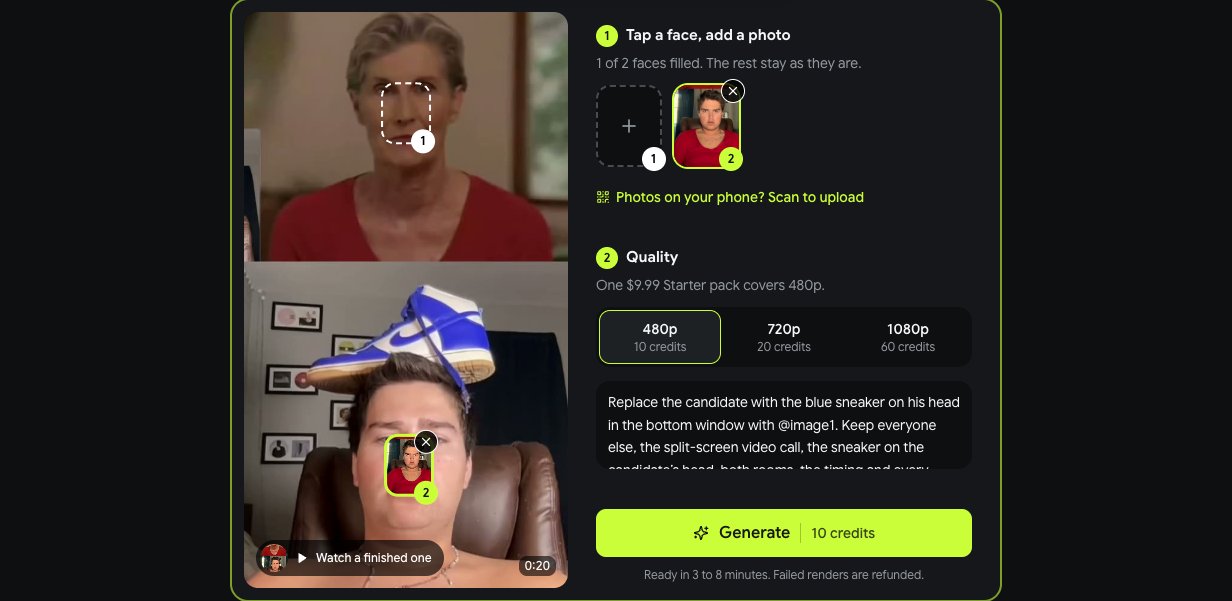
Short answer: on the AI Interview Karen page, the original video call has two faces you can tap: the candidate with the sneaker on his head in the bottom window, and Karen, the AI interviewer, in the top window. Put your photo on the candidate and a second photo on Karen, and you get a video where your friend, coworker or boss interviews you and slowly loses their patience. Two photos cost the same as one: 10 credits at 480p for the 20 second clip. Ask the person on Karen’s seat first. Prices and screens were checked on November 22, 2026.
Why Recast Karen Too
Most remakes of the trend only swap the candidate. That is the classic version: you, a straight face and a shoe on your head. But the joke has two sides. Karen is the one who gets angry, asks why there is a shoe on your head and orders you to take it off. When that person is someone your audience knows, the video stops being a copy of the meme and becomes an inside joke.
A few pairings that work:
- You and your best friend. One of you plays the calm candidate, the other the furious interviewer. Swap roles and make a second one.
- You and your manager. A team chat favorite, as long as your manager is in on it.
- Two coworkers before a hiring week. A light way to start a week of real interviews.
- A friend who just got a new job. Put them in Karen’s seat as the new boss.
- Your partner. The interview for the role of doing the dishes tonight.
If you want the background of the meme first, read the AI Interview Karen meme explained. For the basic one photo tutorial with every screen, see how to make the AI Interview Karen video.
How the Second Photo Works
The page keeps the original clip and only changes the people. The video call, the two windows, the rooms, the brown leather chair, the sneaker and Karen’s timing all stay exactly as they are. What you choose is who sits in each window.
- The candidate ring sits on the face in the bottom window, under the blue and white sneaker. A photo here makes you the person being interviewed.
- The Karen ring sits on the face in the top window. A photo here makes that person the AI interviewer in the red top.
- Faces you skip stay as they are. The counter under the generator reads 0, 1 or 2 of 2 faces filled. With one photo on the candidate, the original Karen stays. With one photo on Karen, the original candidate stays.

The photo you put on a ring is the photo that face is rebuilt from: face, hair, skin tone and build. The rest of each window comes from the original.
Step by Step: You as the Candidate, Them as Karen
- Open the page. Go to slapclip.com/ai-interview-karen. The original 20 second call is already loaded, so there is no template to pick.
- Tap the candidate and add your photo. Tap the face in the bottom window and choose a clear, front facing photo of you. Your photo appears on his face with a numbered tag.
- Tap Karen and add their photo. Tap the ring on Karen’s face in the top window and choose the photo of your friend, coworker or boss. The counter now says 2 of 2 faces filled.
- Pick a quality. Under Quality, choose 480p, 720p or 1080p. The Generate button shows the credits before anything is charged.
- Generate. Rendering takes 3 to 8 minutes, and you can leave the page while it runs. Then download the MP4.
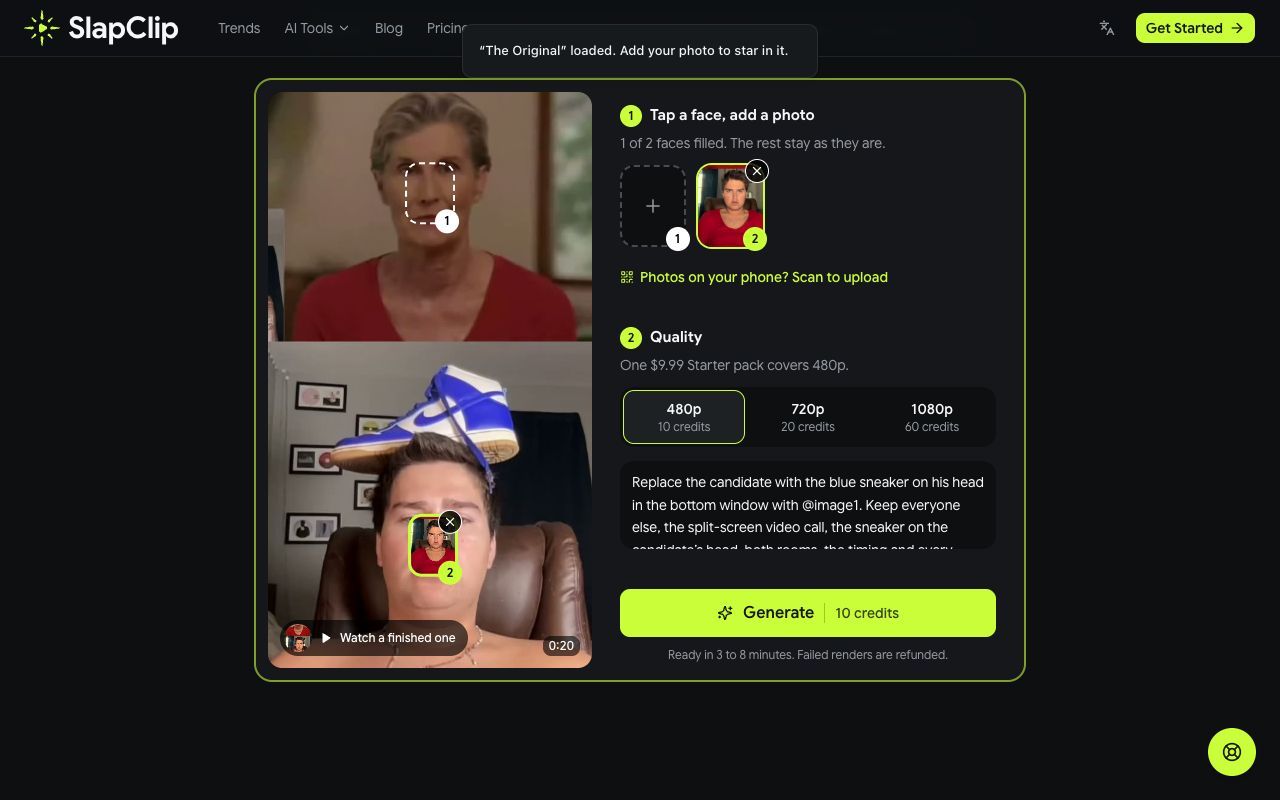
If your photos are on your phone and you are on a computer, use Photos on your phone? Scan to upload and pick them there.
Choosing the Photos
Both windows are close, straight on webcam shots, so the photos matter more here than in a full body dance trend.
- Head and shoulders, facing the camera. For both people. A side profile or a photo from far away gives a weaker match.
- One face per photo. A group photo makes the model guess who you meant.
- Even light. Daylight or a bright room. Heavy shadows and sunglasses hide the face.
- Nothing on your head. The sneaker comes from the clip. A hat or hood in your photo fights with it.
- Pick a calm photo for Karen. Karen starts polite and gets stern. A neutral expression gives the clip room to change it.
Ask First
Putting someone’s face in a video that makes fun of them is only funny if they agree. Before you put a friend, coworker or boss in Karen’s seat:
- Ask them. Show them the original so they know what Karen does.
- Use photos of adults only. No photos of children.
- No real people who did not agree, and no celebrities.
- Keep work versions friendly. Do not use it to mock a real candidate or a real interview.
The series itself is staged comedy, not a real hiring call. Label your version as AI generated when you post it.
What It Costs
The clip runs 20 seconds, and the price depends only on length and quality, not on how many faces you fill:
| Quality | Credits | | ------- | ------- | | 480p | 10 | | 720p | 20 | | 1080p | 60 |
Credits come in one time packs with no subscription: 15 credits for $9.99, 45 for $24.99 and 100 for $49.99. A Starter pack covers one 480p version, and the generator starts on that size for this clip. If a render fails, the credits go back automatically. All prices are on the pricing page.
Posting It
The MP4 is vertical, with sound and no watermark, which fits TikTok, Instagram Reels and YouTube Shorts. Tag the friend you cast if they are happy to be tagged, and turn on the AI generated label that these platforms ask for. Making two versions with the roles swapped and posting them side by side is a simple follow up.
Fixing a Two Photo Result
- The two of you ended up in the wrong windows. Check which ring each photo sits on before you generate. Tap the x on a photo to remove it and add it on the other face.
- Karen still looks like the original. The counter probably said 1 of 2 faces filled. Add the second photo on Karen’s ring.
- A face does not look like the person. Use a sharper, closer photo of them, facing the camera.
Want something else? Browse every trend on the trends page, or put any clip you like into the generator.
Frequently Asked Questions
Can I put my friend in as Karen, the AI interviewer?
Yes. Tap the ring on Karen’s face in the top window and add your friend’s photo. Add yours on the candidate in the bottom window to be interviewed by them, or leave the candidate as he is.
Does a second photo cost more?
No. The price depends on the clip length and the quality you pick: 10, 20 or 60 credits for the 20 second clip at 480p, 720p or 1080p, whether you fill one face or two.
Can I play Karen myself?
Yes. Put your photo on Karen’s ring and leave the candidate as he is, or add a friend on the candidate so you interview them.
Do I need my boss’s permission to cast them as Karen?
Ask them first. Only use photos of adults who agreed, and keep it friendly. The video is a joke, not a real interview.
Will the sneaker still be on the candidate’s head?
Yes. The sneaker, both rooms, the chair and Karen’s timing all come from the original clip. Only the faces you fill change.